
Create winning ads
with AI UGC
Generate an AI creator who speaks your hook in 9:16, or put a new face on an ad that already wins. Add a voiceover and captions, and test new hooks without a reshoot.
- Veo 3.1
- Kling O3 Edit
- Seedance 2.5
- Hailuo 3
- Runway Aleph 2.0
- Wan 2.7 Edit
- ElevenLabs v3
- Nano Banana 2
Test a new hook without a new shoot
A fresh UGC angle usually means a creator brief, a product shipment and a wait for footage. Build the next cut in one browser tab instead.
With a creator shoot
- Brief a creator, ship the product, then wait on raw footage
- Book a reshoot to put a new face on a clip that already works
- Re-record the voiceover, then time every caption by hand
- Reshoot product b-roll for every new angle
In Vidwip
- Generate a 9:16 shot with sound from a prompt, or record yourself in the tab
- Swap a new face into that clip, keeping its timing and sound
- Add an AI voiceover and captions timed to every word
- Turn a product photo into moving b-roll with Create video
From hook idea to 9:16 ad in one tab
Shoot or generate the hook, put a new face on what works, then voice, caption and export at 1080×1920.
Generate or shoot the hook
Set the frame to 9:16, then generate a talking shot with sound from a prompt, or record yourself on camera.
Swap in a new character
Add a 3–30 s clip and up to 9 character images, then pick one of 9 swap options, each with its own limits. The clip's sound stays.
Voice, caption, export
Add an AI voiceover and word-timed captions in one of 8 highlight looks, then export 1080×1920 with no watermark.
Every part of a UGC ad, from hook to captions
The talking shot, the new face, the product b-roll, the voice and the captions each come from an AI tool built for that part of the ad.
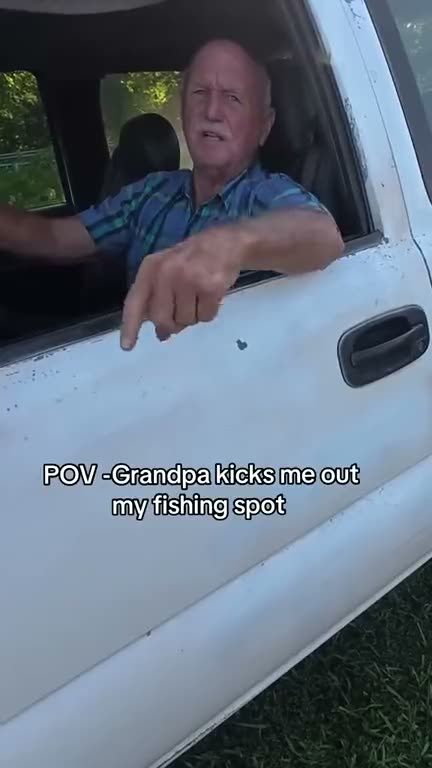

 @Image 1
A new face on an ad that already wins
AI Character Swap puts the character from 1 to 9 images into a 3 to 30 second clip of your ad. Pick a swap that keeps its scene, camera and timing, and the clip's sound stays, so you test a new creator without a reshoot.
- Up to 9 character images per swap
- Clips from 3 to 30 seconds
- Real faces work on 6 of the 9 swap options
Hooks that land with the sound off
Every caption is timed to the word being spoken, in one of 8 highlight looks from Bold Yellow to Neon Pink, and can be translated into 94 languages. Your hook reads even when the feed is on mute.
- The spoken word lights up as it's said
- One style change restyles every line
- Burned into the 1080×1920 export
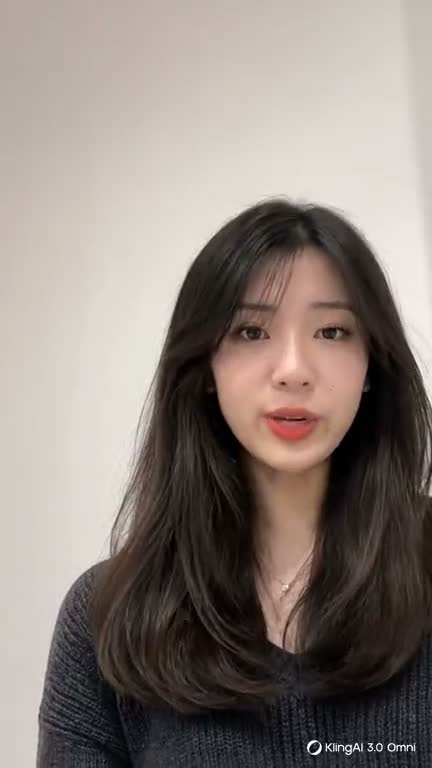
A creator who says your hook
Write the hook line into your prompt for a creator who says it with lip-synced speech, or generate b-roll and reactions with their own sound. You get a 9:16 talking shot without casting anyone.
Product photos that move
Upload a product still or generate one in the Image drawer, and Create video turns it into a moving shot. You get b-roll for every new angle without shooting the product again.
A voice that sells the benefit
Lay a voiceover over the b-roll in any of 21 voices and 74 languages, and set the energy with a cue like [excited]. You test new scripts and new markets without booking a voice actor.
From raw selfie take to a tight ad
Record yourself in the browser, then Edit video has the AI agent read the transcript and cut your take into a story, aiming for Auto, 30 s or 1 min. You talk once and start from a tight cut.
For teams that test new hooks every week
Build the next round of UGC-style ads from the clips, product photos and scripts you already have.
DTC brands
Set a product photo moving with Create video, then lay a voiceover and word-timed captions over it.
Performance marketers
Swap a new character into a winning clip of up to 30 s, then test both cuts: is the face or the hook doing the work?
Agencies
Replace the opener with Create, keep the body, and export Hook A, B and C one after another.
App marketers
Open on a generated shot of a person saying the hook line, then cut to an upload of your own vertical app capture.
Founders on camera
Record a selfie take in the browser and let Edit video cut the raw ramble toward a 30 s ad from what you say.
Brands in new markets
Voice the script in any of 74 languages, or translate captions into 94. On-camera speech stays in its original language.
AI UGC questions, answered straight
What it makes, what it doesn't, and which model to pick for each part of the ad.
What is an AI UGC ad?
Is there a library of AI creators or presenters to pick from?
Can I lip-sync my voiceover to a face?
How does AI Character Swap work?
Which AI models make the vertical shots?
Can it make several ad variants from one brief?
What voices and languages are there?
What file do I hand to the ad platform?
Is it free to start?
Your next hook, without a reshoot
Swap the face, generate the shot, then voice and caption it in one browser tab. Free to start.