
Runway Aleph 2.0 is a video-to-video model that edits footage you already have: change one frame in Edit Studio and it carries the change through a clip of up to 30 seconds at 1080p. It needs a paid plan and costs 28 credits a second ($0.28 on the API), so it beats regenerating when a take is already approved. It loses when you have no source footage, and it ranks 9th on Artificial Analysis' video editing leaderboard.
This Runway Aleph 2.0 review answers one question: does AI video editing hold up better than regenerating a clip from scratch? We read Runway’s launch post, product page, pricing pages and API docs on November 6, 2026, and checked the live Artificial Analysis leaderboard.
We didn’t run Aleph 2.0 ourselves for this review. Quality findings below are attributed to the sources they came from.
It’s for creators, ad teams and developers who already have footage and need versions of it. If you need to make footage from nothing, see our list of Runway alternatives.
TL;DR: Runway Aleph 2.0 review verdict
Runway Aleph 2.0 is a strong editor for footage you already have. You change one frame, and the model carries that change through the clip, up to 30 seconds at 1080p, for 28 credits a second.
| Category | Verdict | Why |
|---|---|---|
| Concept | Strong | Edit one frame, apply it across cuts, change only what you ask |
| Clip length | Strong | Up to 30 seconds at 1080p |
| Access | Mixed | Paid plans only; free plan has 125 one-time credits and no Aleph |
| Price | Average | 28 credits a second, 56-credit minimum, $0.28 a second on the API |
| Leaderboard standing | Mixed | 9th on Artificial Analysis video editing, behind Wan 3.0 and Seedance 2.5 |
| Starting point | Limit | Needs source footage; it can’t make a clip from text |
Use it when a take is already approved and you need a new colorway, background or season. Skip it when you have no footage, or when a fresh 5-second generation is cheaper than a careful edit.
What is Runway Aleph 2.0?
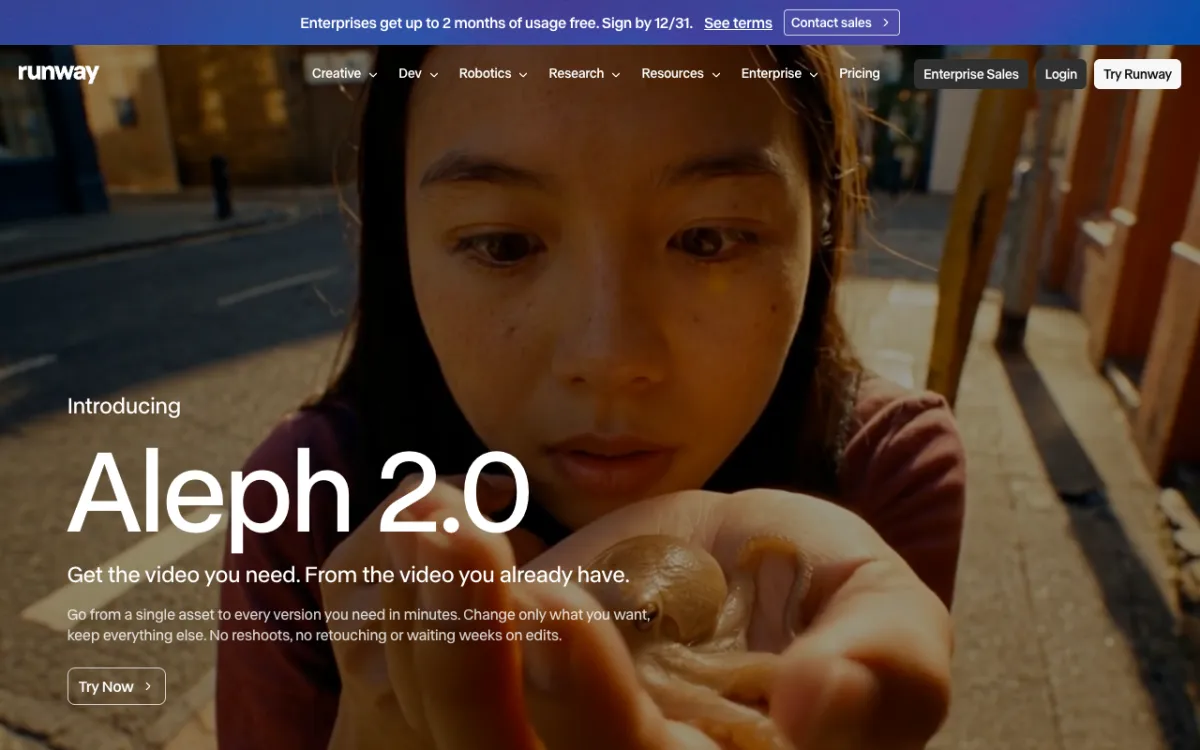 Runway’s Aleph 2.0 page, checked November 6, 2026
Aleph 2.0 is Runway’s video editing model, launched on May 21, 2026 alongside Edit Studio, the product built around it. It upgrades Runway’s earlier Aleph model.
It is video to video. You upload a clip, describe the change in plain language, or edit a frame, and the model produces a new version of the video.
Runway’s pitch is “change only what you want, keep everything else.” Its page lists sneaker colors, graffiti on a wall, removed items, a tighter close-up and a seasonal swap as examples.
What Edit Studio does
Edit Studio is the web app where you use Aleph 2.0. Its key idea is to edit a single frame, then carry that edit through the clip. According to Runway, you see an image preview of the change before you spend credits on the video.
Runway describes three kinds of edit:
- Targeted edits. Change one thing, such as a product color, hairstyle or piece of clothing, and leave the background and lighting alone.
- Image-guided edits. Show a frame with the look you want, and Aleph 2.0 applies it to the matching parts of the video.
- Multi-shot edits. In a video with cuts or scene changes, one edit applies across the relevant shots.
The preview step matters for cost. A wrong prompt costs you a still image, not a 30-second render.
Runway lists swapping products or colorways, changing backgrounds, seasonal versions, lighting changes, removing distractions, restyling and fixing shoot problems. Those are Runway’s own use cases, not our test results.
Aleph 2.0 input limits
Runway states one headline limit: clips up to 30 seconds at 1080p. The launch post and product page don’t give more.
A fuller list comes from PixVerse’s guide, which cites Runway’s Edit Studio help article. Runway’s help center blocked our fetch, so treat these as reported, not confirmed:
| Limit | Reported value |
|---|---|
| Length | Longer than 2 seconds, shorter than 30 |
| Resolution | 480p to 1080p |
| Frame rate | 24 to 30 fps |
| Cuts | No more than 10 shot changes |
| Aspect ratio | A conventional ratio |
The cut limit is the one to watch. A 30-second commercial with fast cuts can hit it before the length limit.
Plans and API access
 Runway’s pricing page, checked November 6, 2026
Runway says Aleph 2.0 in Edit Studio is on all paid plans, on its desktop web app. The free plan doesn’t include it: Runway’s pricing page lists 125 one-time credits there.
Here are the paid plans as listed on November 6, 2026, with what a second of Aleph 2.0 costs at 28 credits a second. The per-second figures are our own math from the listed prices.
| Plan | Monthly price | Annual price (per month) | Credits per month | Aleph 2.0 seconds per month | Cost per second (annual) |
|---|---|---|---|---|---|
| Standard | $15 | $12 | 625 | 22 | about $0.54 |
| Pro | $35 | $28 | 2,250 | 80 | about $0.35 |
| Max | $95 | $76 | 9,500 | 339 | about $0.22 |
Standard gives you 22 seconds of Aleph a month, less than one 30-second clip. The cheapest way to use it in the app is the Max plan, at about $0.22 a second on annual billing.
The API is cheaper at small volume. The Runway API pricing page lists aleph2 at 28 credits a second with a 56-credit minimum per generation, and credits at $0.01 each. That is $0.28 a second and $0.56 for the shortest run.
| Clip | Credits | API cost |
|---|---|---|
| 5 seconds | 140 | $1.40 |
| 10 seconds | 280 | $2.80 |
| 30 seconds | 840 | $8.40 |
The page also lists Gen-4.5 at 12 credits a second ($0.12), Veo 3.1 at 40 with audio ($0.40) and Veo 3.1 Fast at 15 with audio ($0.15). ProRes and PNG sequence output add 5 credits a second on Gen-4.5 and Aleph 2.0. Runway’s Aleph page links to the video-to-video endpoint for developers.
Where Aleph 2.0 beats regenerating from scratch
Aleph 2.0 wins when the footage is already right and one thing is wrong. A fresh generation changes everything at once, so you can’t reliably get the same shot back with a different shoe color.
Three cases favor editing:
- Approved takes. Your client signed off on a 20-second shot. A new generation puts that sign-off at risk, while an edit keeps the motion and framing.
- Versions. One hero clip becomes a summer, winter and holiday cut by changing a frame once per version.
- Fixes. Removing a distraction or changing a background beats re-rolling a clip, which can change the performance too.
It loses in three cases. If you have no footage, there is nothing to edit. If the clip is short and cheap, regenerating costs less: a 10-second Aleph edit is $2.80, while a 10-second Gen-4.5 clip is $1.20. And if you need many clips from product photos, a generator suits the job better.
Because Aleph 2.0 works on a clip you supply, it complements a generator instead of replacing one.
How Aleph 2.0 ranks
On the Artificial Analysis video editing leaderboard, checked November 6, 2026, Runway Aleph 2.0 ranks 9th with an Elo of 1009 from 21,862 samples. The leaderboard is blind human votes on edited clips.
| Rank | Model | Elo |
|---|---|---|
| 1 | Wan 3.0 | 1196 |
| 2 to 4 | Seedance 2.5 | 1152 |
| 2 to 4 | Hyperflow H3 | 1151 |
| 2 to 4 | Gemini Omni Flash 1.1 | 1149 |
| 5 | MiniMax H3 (768p) | 1123 |
| 9 | Runway Aleph 2.0 | 1009 |
| 10 | Kling 3.0 Omni 1080p (Pro) | 1000 |
That is a 187-point gap to first place. Models with overlapping confidence intervals count as tied, and the board reads as a snapshot, so check it before you decide.
Aleph’s edge is the workflow, not the score. Edit Studio’s preview-before-generate step and 30-second ceiling aren’t what the arena measures.
For other models in this race, see our Seedance 2.5 review and Kling 4.0 review. For API prices on other models, see what happened to Sora.
Runway Aleph 2.0 pros
- Edits one thing. Runway’s design goal is to leave everything you didn’t touch as it was.
- Preview first. You see the change as an image before generating the video.
- Long clips. Up to 30 seconds at 1080p, with edits carried across cuts.
- Web app and API. The same model runs in Edit Studio and through
aleph2.
Runway Aleph 2.0 cons
- Paid only. The free plan doesn’t include it, and Standard gives about 22 seconds a month.
- Pricey per second. 28 credits a second is more than twice Gen-4.5’s 12.
- Needs footage. It can’t start from text or a photo alone.
- Mid-table on the leaderboard. 9th of 10 listed models, 187 Elo points behind Wan 3.0.
- Input rules. Reported limits of 10 cuts and 24 to 30 fps rule out some footage.
Who should use Aleph 2.0?
Use Aleph 2.0 if you make ads or product videos and have a library of footage that needs variations. It fits editors who want to fix a shot instead of reshooting it.
Skip it if you generate clips from prompts, or want the cheapest second of video. In that case a generator such as Gen-4.5, Seedance or Kling fits better; our Runway alternatives list compares them.
Aleph 2.0 in Vidwip
Vidwip runs Aleph 2.0 for one job: swapping a new person into your clip. In AI UGC, you add a clip of 3 to 30 seconds and up to 9 photos of the new person, then pick a swap model. Runway Aleph 2.0 is one of them, listed on the models page with takes up to 30 seconds at 720p.
Vidwip doesn’t offer Aleph’s other edits, such as relighting, restyling or object changes, so use Runway for those. If you want to make new clips instead of editing existing ones, Vidwip’s AI video generator runs 16 video models. See pricing for plans, from $25 a month.
Conclusion
Runway Aleph 2.0 earns its place when you have footage worth keeping. One frame edit carried through up to 30 seconds is a better answer than re-rolling a clip, and the preview step keeps mistakes cheap.
It’s not the cheapest second of AI video, and it’s not the top editing model on Artificial Analysis. Pick it for approved takes and versioning, and a generator for everything else.