
Vyond now costs $1,199 per user a year on the Professional plan, the first tier with team collaboration. Vidwip AI Motion Graphics turns a written brief into an animated explainer in one of 85 styles, with an AI song or a voiceover in 74 languages, and its plans are billed per studio, not per seat. For a Vyond-style character builder, Animaker is the closest match from $15/month billed yearly; Powtoon adds character lip-sync on Advanced, and Synthesia swaps cartoons for AI presenters.
The best Vyond alternatives in 2026 are Vidwip AI Motion Graphics, Animaker, Powtoon, Steve AI and Synthesia. Which one fits depends on whether you need custom characters, AI that writes the scenes for you, or a cheaper seat for every editor on your team.
Vyond is still a strong tool for animated business video. Its own homepage says 65% of the Fortune 500 use it.
The problem is the bill. Team collaboration starts on the Professional plan at $1,199 per user a year, so a five-person training team pays $5,995 before anyone makes a video.
This list covers eight tools confirmed operating in October 2026. Every price was checked on the vendor’s own pricing page this month.
Why teams look for Vyond alternatives
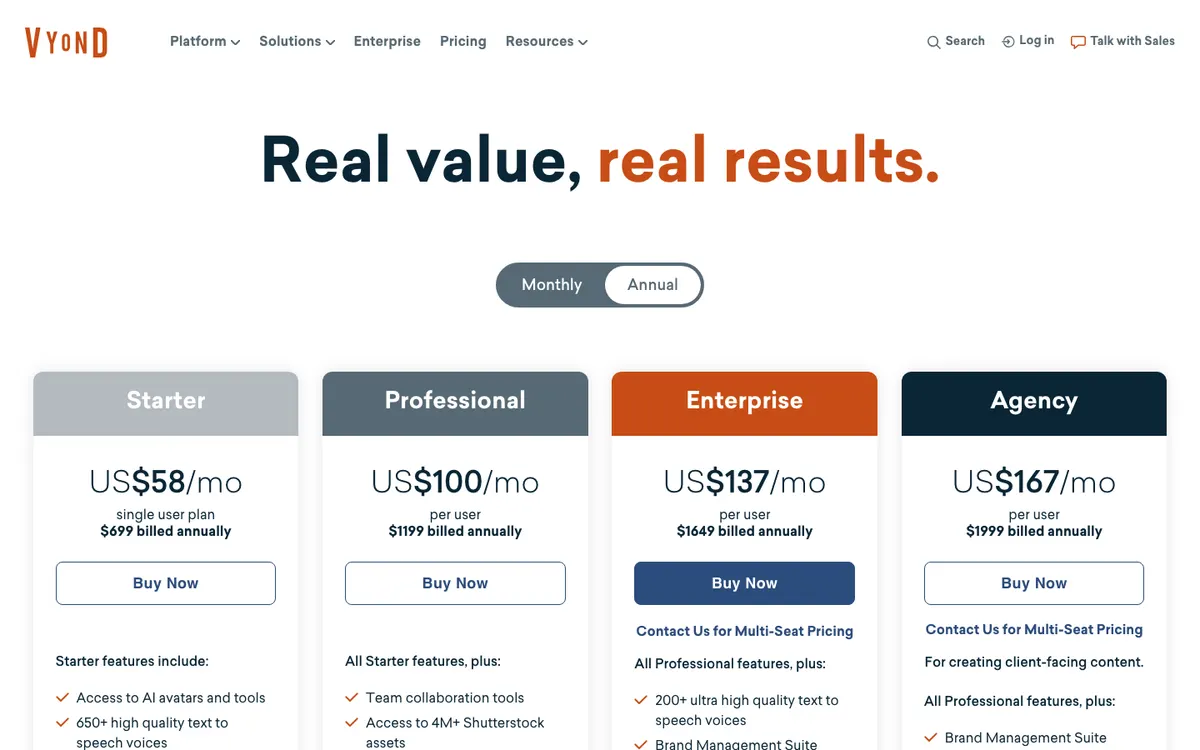 Vyond pricing: every tier above Starter is priced per user.
Four reasons come up again and again.
- Per-user pricing. Vyond’s plans page lists Starter at $58/month billed annually for a single user, or $99 month to month. Professional is $100/month per user, billed annually (checked October 2026).
- Collaboration sits behind the upgrade. Starter has no shared libraries or commenting. Shared Spaces and commenting arrive on Enterprise, at $137/month per user.
- Credits on top of seats. Vyond Go, its script-to-video tool, uses 800 credits per generation, out of 10,000 a month on Starter.
- Hand-built scenes. Vyond’s editor gives you full control, but every scene, pose and camera move is still yours to place.
What to look for in a Vyond alternative
Four things separate the tools on this list.
- Characters. Do you need a reusable cast with poses, expressions and lip-sync, or will drawn figures inside each scene do?
- AI script-to-scene. Can you start from a brief or a document, or do you start from a blank canvas or a template?
- Collaboration and seats. Is the plan priced per user, per license or per workspace, and which tier unlocks shared projects?
- Length and export. Training modules run long. Check the maximum video length, the export resolution and whether the free tier carries a watermark.
1. Vidwip AI Motion Graphics
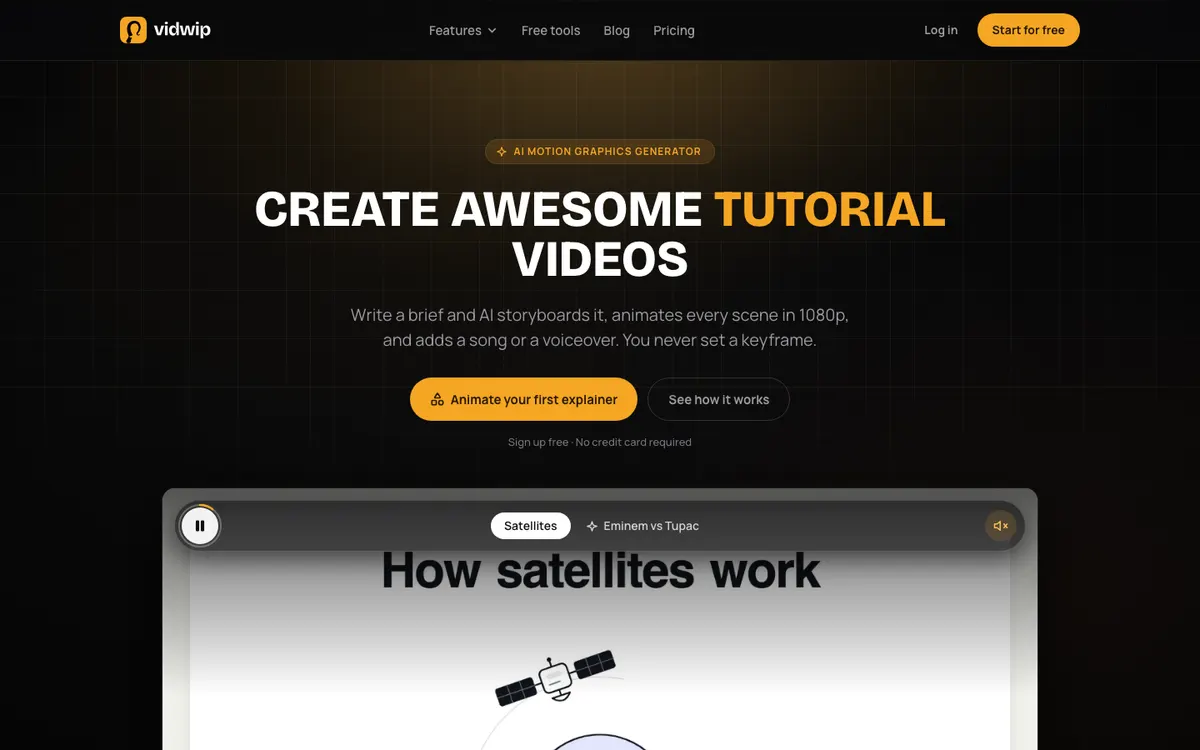 Vidwip AI Motion Graphics — write a brief, and AI storyboards and animates the explainer.
Vidwip AI Motion Graphics turns a written brief into an animated explainer, with no keyframes and no scene building. In the app it’s called Animated explainer, under AI Tools in the AI Studio.
You write the brief in 20 to 4,000 characters, or press Enhance to grow one line into a timed brief you review first. Then you pick one of 85 styles, a length of 30 seconds to 5 minutes, and 16:9, 9:16 or 1:1.
GPT-5.5 writes the storyboard: the scenes, their timing and the words on screen. An animation model you pick, GPT-5.5 by default or one of 9 others from OpenAI and Anthropic, then writes each scene as HTML, CSS and SVG on a GSAP timeline.
That’s the key difference from Vyond. Scenes are drawn in code, so on-screen text is set as real type and spelled exactly as the storyboard wrote it, sharp at 1080p and 30 fps.
Each scene is checked before it reaches you. The AI agent repairs a scene once if it fails to render, then reviews 4 stills of its own work and fixes what it sees.
For sound, pick an AI song in 16 styles, sung or instrumental, timed to turn where the scenes cut. Or pick a voiceover in any of 190+ voices and 74 languages, with a music bed that dips 12 dB under every line.
The film lands on your timeline with each scene as its own named block. Reorder and trim scenes without cutting the song, and add text, voice or music around them.
For training teams, the styles cover the usual looks: Whiteboard Motion, Chalkboard Style, Infographic Motion, Timeline Animation, Isometric Animation and Character-Led Animation, among others.
On teams, Vidwip works at the studio level. You invite teammates as admins or members, and plans are billed per studio, not per seat.
Pros
- Brief to finished explainer: the AI agent writes the storyboard and animates every scene
- 85 styles, from Kinetic Typography (the default) to Whiteboard Motion and Blueprint Animation
- On-screen text is real type, spelled as written, sharp at 1080p
- AI song in 16 styles, or a voiceover in 190+ voices and 74 languages
- Each scene is its own block on the timeline, so you can recut without breaking the song
- No Vidwip watermark on finished explainers, on any plan
- Plans billed per studio, with admin and member roles, not per seat
Cons
- No character rigs, reusable cast, poses or lip-sync: characters are drawn fresh in each scene
- Only two explainer starters rather than a template library, and the brief is the only input: no logo, image or file uploads, no brand fonts or colours
- No editor for a scene’s animation; to change a scene, edit the brief and generate again
- 5 minutes is the maximum length, and a voiceover can stretch a film past the length you picked
- 1080p only, with no real-time co-editing or comments in the studio
- Enhance can add illustrative details, so check the brief for anything untrue before you generate
Best for: marketing, L&D and internal comms teams who want short animated explainers from a brief, in many languages, without building scenes by hand.
Pricing: Sign up free, no credit card. Starter $25/month (2,500 credits) or $20/month billed yearly, and Pro $99/month (10,000 credits). Credits are shared across every tool in the AI Studio. See Vidwip pricing.
2. Animaker
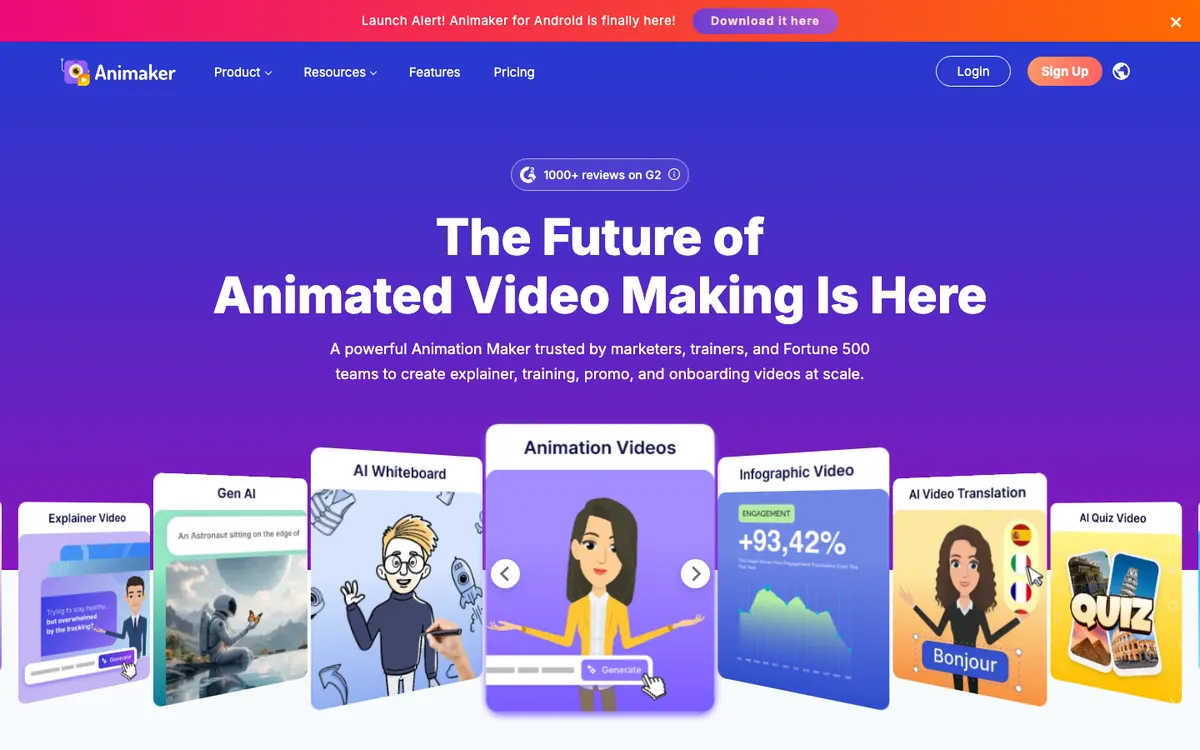 Animaker — drag-and-drop animation with a deep character builder.
Animaker is the closest like-for-like Vyond alternative for character animation. Its character builder promises “billions” of unique characters, and the editor covers 2D, whiteboard and infographic styles.
Animaker says more than 35 million people use it. Newer AI tools let you type a video idea, refine the result in a conversation, and then edit it in the same timeline.
The plan ladder is cheaper than Vyond’s, but read the limits. Basic exports HD video up to 5 minutes with 5 premium downloads a month, and commercial rights only arrive on Pro.
Team licenses, live collaboration, a brand kit and a shared library are all Enterprise features.
Pros
- Character builder for custom, on-brand characters
- Whiteboard, 2D, infographic and typography styles in one editor
- AI subtitles in 130+ languages and one-click video translation into 100+
- Paid plans start at $15/month billed yearly, well under Vyond’s Starter
Cons
- Commercial rights only on Pro ($43/month billed yearly) and above
- Low download caps on Basic and Starter (5 and 10 premium downloads a month)
- Live collaboration, team licenses and the brand kit are Enterprise-only
- The free plan carries an Animaker watermark
Best for: small teams who want Vyond-style custom characters at a lower price and don’t need shared workspaces yet.
Pricing: Free (watermarked). Basic $15/month, Starter $25/month and Pro $43/month billed yearly, or $27, $45 and $79 month to month. Enterprise is custom. Checked on animaker.com/pricing, October 2026.
3. Powtoon
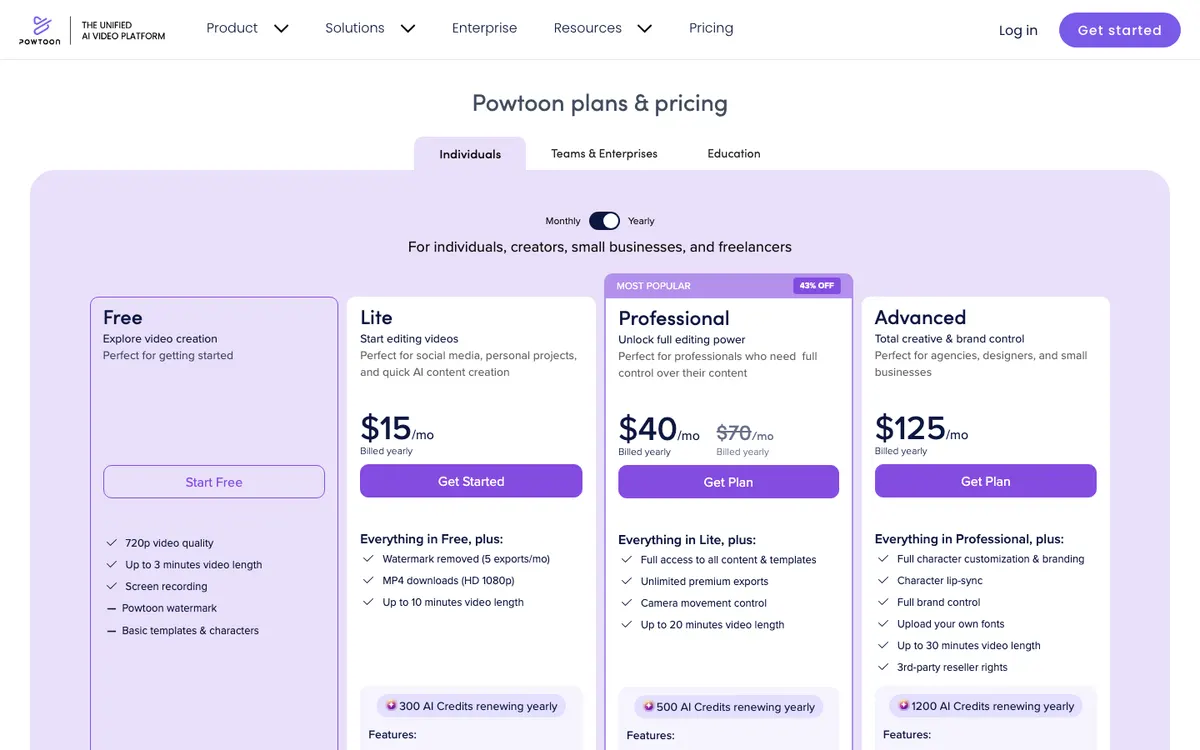 Powtoon — animated presentations and explainers with AI tools built in.
Powtoon is a long-running animated video and presentation tool. It says users have created more than 118 million Powtoons.
The 2026 version wraps third-party AI around that editor. Powtoon lists ElevenLabs for text-to-speech, HeyGen for AI avatars and Veo3 for AI clips, all paid for with yearly AI credits.
For Vyond users, Advanced is the plan that matters. It adds full character customization, character lip-sync, your own fonts and 30-minute videos.
Teams and Enterprise plans with collaboration go through sales.
Pros
- Animated presentations, whiteboard explainers and infographics in one tool
- Character lip-sync and full character customization on Advanced
- AI doc-to-video, scriptwriter, avatars, translation and dubbing on every paid plan
- Lite starts at $15/month billed yearly with 1080p MP4 export
Cons
- Lite removes the watermark on only 5 exports a month
- Character customization and lip-sync need Advanced, at $125/month billed yearly
- AI credits are small (300 to 1,200 a year), and AI clips with sound cost 40 credits each
- Team collaboration needs a sales conversation
Best for: marketers and trainers who build animated presentations and want character lip-sync without Vyond’s per-user price.
Pricing: Free (720p, 3 minutes, watermarked). Lite $15/month, Professional $40/month (shown 43% off $70) and Advanced $125/month, all billed yearly. Checked on powtoon.com/pricing, October 2026.
4. Steve AI
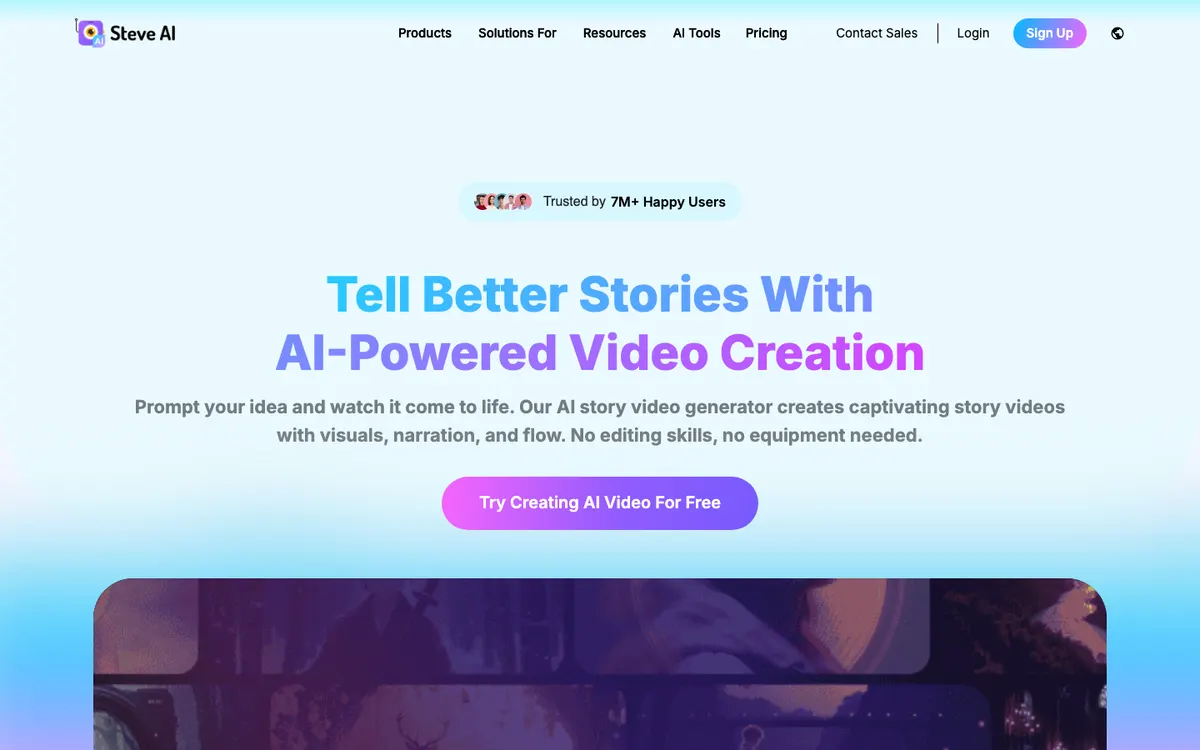 Steve AI — prompt, script or audio to animated video, from the makers of Animaker.
Steve AI is the AI-first sister product to Animaker. Where Animaker starts with an editor, Steve AI starts with a prompt, a script, a blog post or an audio file.
It’s the most direct answer to Vyond Go. You describe the video, Steve AI writes a script, picks animated characters and scenes, and you edit the result.
Every paid plan lists 300+ animated characters, unlimited exports and no watermark. Multi-voice scripts let two or more AI voices hold a conversation, which suits training scenarios.
The trade-off is control and teams. Scenes come from Steve AI’s asset library, and team collaboration, brand management and folders sit on Enterprise.
Pros
- Prompt, script, blog, audio or image to animated video
- 300+ animated characters on every paid plan
- Multi-voice conversations for role-play and training scenes
- Unlimited exports and no watermark from Starter up
Cons
- Starter tops out at 1080p, and 2K needs Pro
- Team collaboration, folders and brand management are Enterprise-only
- Scenes are assembled from library assets, so complex diagrams need manual work
- Generative AI clips use a separate, small credit pool
Best for: solo creators and trainers who want Vyond Go-style script-to-animation at a lower monthly price.
Pricing: Free to try. Starter $19/month ($228/year), Pro $39/month ($468/year) and Generative AI $99/month ($1,188/year) billed yearly, or $29, $59 and $129 month to month. Enterprise is custom. Checked on steve.ai/pricing, October 2026.
5. Synthesia
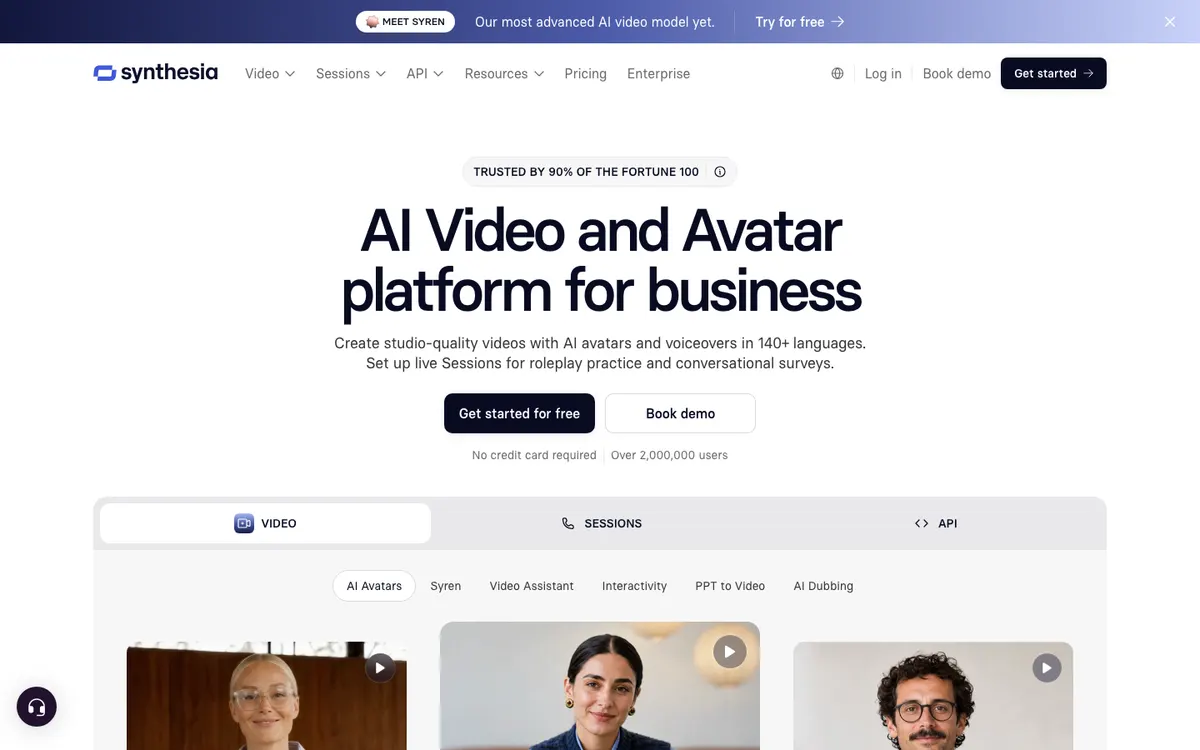 Synthesia — AI avatars presenting in 140+ languages instead of cartoon characters.
Synthesia isn’t an animation tool. It’s here because many L&D teams leave Vyond for realistic AI presenters rather than another cartoon editor.
You type a script, pick one of 125+ stock avatars on Starter (180+ on Pro), and Synthesia renders a presenter speaking it. Videos and voiceovers cover 140+ languages, and Synthesia says it’s used by over 90% of the Fortune 100.
The seat model is lean. Starter and Pro include one editor plus 3 or 5 guests, while live team collaboration, brand kits and SCORM export are Enterprise features.
For a deeper look at this side of the market, see our Synthesia alternatives and HeyGen alternatives roundups.
Pros
- Realistic AI presenters in 140+ languages
- 5 personal avatars on Pro, so your own trainers can appear on screen
- Interactive videos and branded video pages on Pro
- A free plan with 10 minutes of video a month
Cons
- No cartoon characters, whiteboard or motion-graphics styles
- One editor per plan below Enterprise
- SCORM export, brand kits and live collaboration are Enterprise-only
- Free videos carry a Synthesia watermark
Best for: L&D teams who want a human-looking presenter in place of animated characters.
Pricing: Free (watermarked). Starter $18/month and Pro $64/month billed yearly, or $29 and $89 month to month. Enterprise is custom. Checked on synthesia.io/pricing, October 2026.
6. VideoScribe
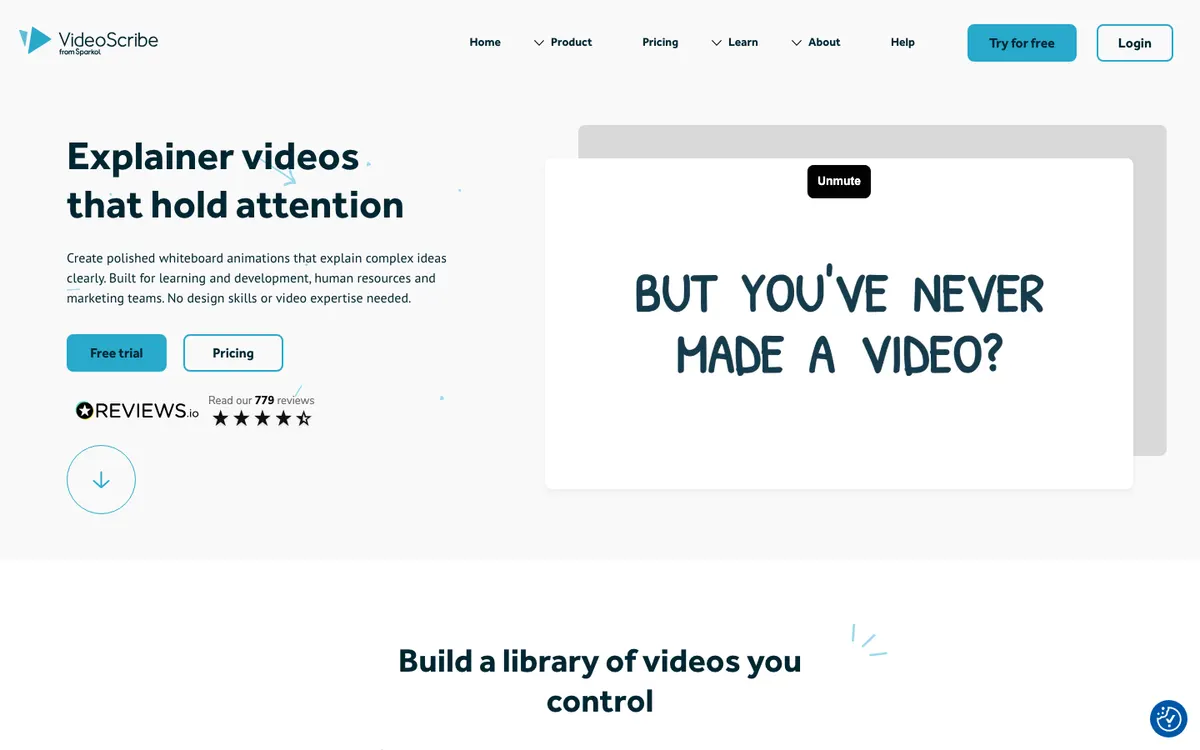 VideoScribe — hand-drawn whiteboard animation with per-license pricing.
VideoScribe, from Sparkol, is the whiteboard specialist. A drawing hand sketches each image in real time, which is the look many compliance and onboarding videos still use.
It’s built for teams that update content often. Projects stay editable, so when a process changes, you edit the scene and re-export instead of starting over.
Core and Max let an admin buy several licenses and assign them to users, with discounts from 5 licenses. That’s far cheaper per head than Vyond Professional.
VideoScribe says 60% of top US universities use it.
Pros
- Licenses from $91/year, a fraction of a Vyond seat
- 5M+ premium images and icons on Core and Max, plus AI image generation
- AI script on every plan, and AI voiceover on Core and Max
- Admin-assigned multi-license packs on Core and Max
Cons
- One visual language: whiteboard and hand-drawn, not full character animation
- Lite allows 5 downloads a month and 5-minute videos
- 1080p is the top export resolution
- The free trial is 7 days and watermarked
Best for: L&D, HR and compliance teams who want whiteboard explainers at a low per-seat cost.
Pricing: 7-day free trial. Lite $91/year, Core $155/year and Max $195/year, per license. Checked on videoscribe.co/pricing, October 2026.
7. Doodly
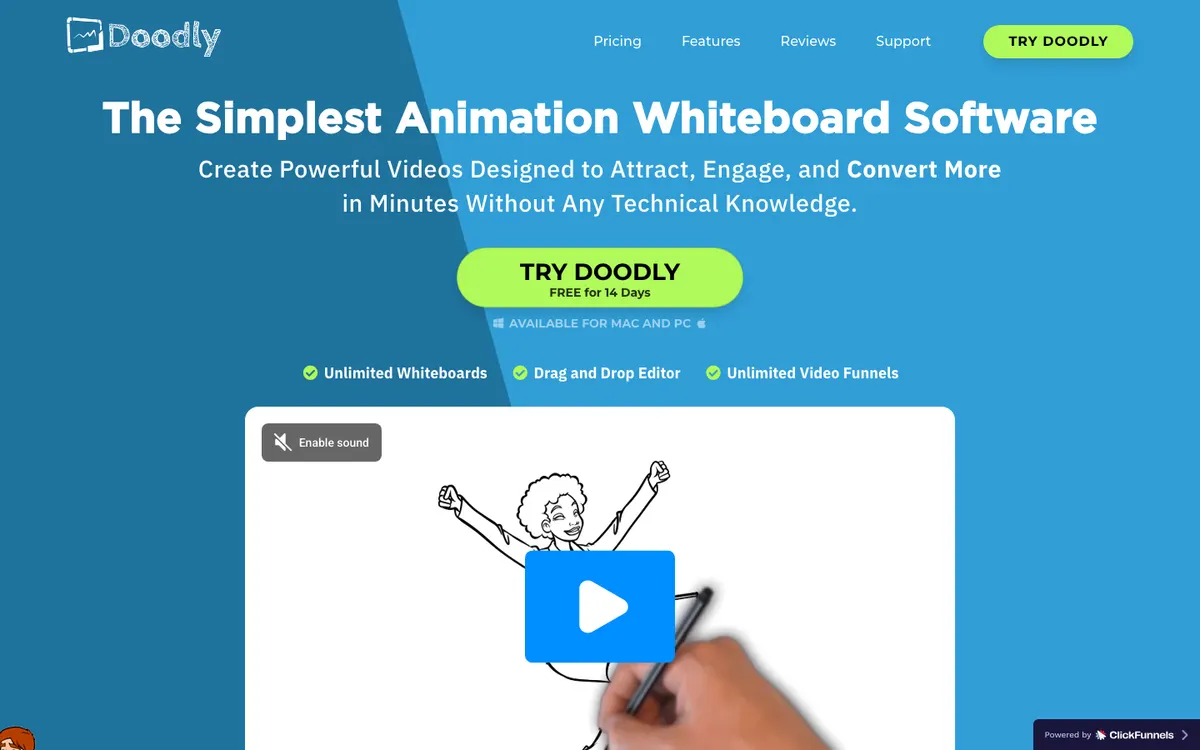 Doodly — desktop whiteboard animation, bundled with Toonly in Voomly Cloud.
Doodly is drag-and-drop whiteboard software you install on Mac or PC. It now ships inside Voomly Cloud, alongside Toonly, the same company’s cartoon-character explainer tool.
That bundle is the reason it makes this list. One subscription gets you whiteboard, blackboard and glassboard scenes in Doodly, and flat cartoon characters in Toonly.
Doodly lists 200 characters with 20 poses each, and People Builder adds custom characters. Exports run from 480p to 1080p, at 24 to 60 fps.
It’s older software than the rest of this list. There’s no AI script-to-scene, and projects live on your computer rather than in a shared workspace.
Pros
- Whiteboard, blackboard, glassboard and green-screen styles
- Toonly’s cartoon explainers included in the same Voomly Cloud plan
- Install on as many computers as you like
- 14-day free trial and a 30-day money-back guarantee
Cons
- Desktop software, with no browser editor or real-time collaboration
- No AI script-to-video
- 1080p is the top export resolution
- Pricing is hard to pin down: the Doodly site shows promotional one-time deals beside the Voomly subscription
Best for: solo marketers and trainers who want whiteboard and simple cartoon explainers on their own computer.
Pricing: Included in Voomly Cloud at $49/month or $490/year, with a 14-day free trial. Checked on voomly.com/pricing, October 2026.
8. Renderforest
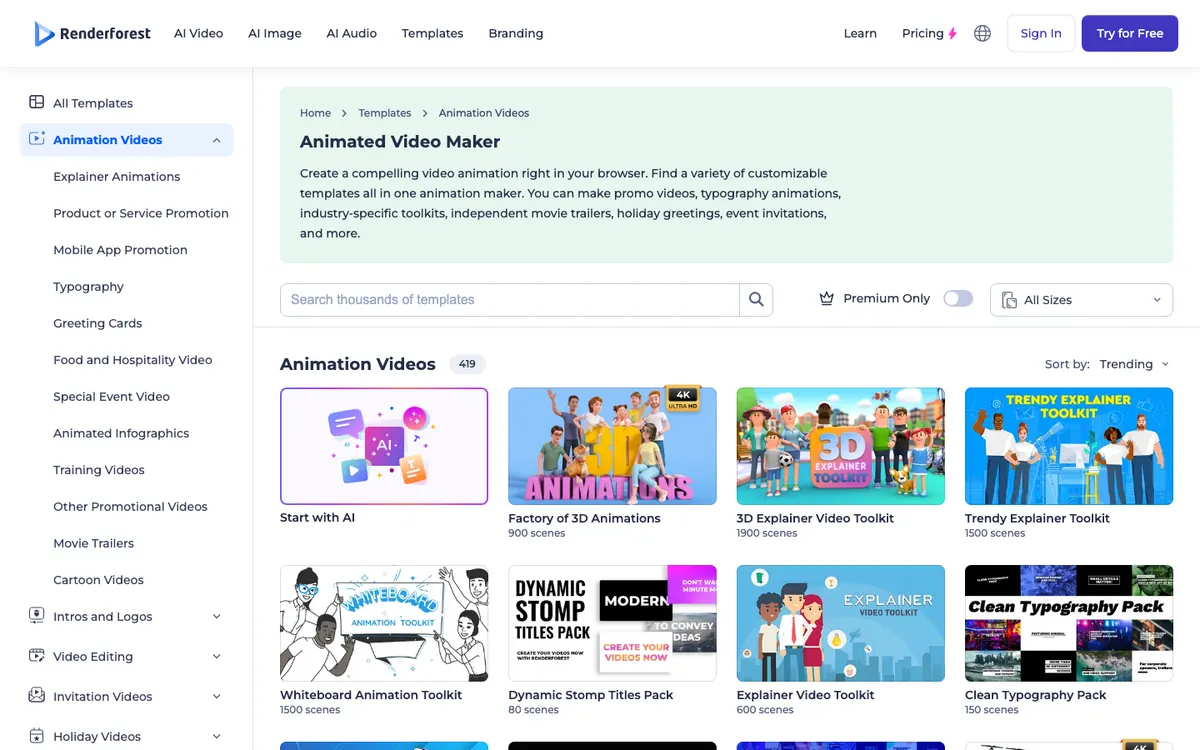 Renderforest — template toolkits for explainers, infographics and typography.
Renderforest is a template-first video maker. Its animation section lists 419 templates, including explainer toolkits with hundreds of pre-animated character scenes each.
You don’t build characters here. You pick scenes from a toolkit such as the Trendy Explainer Toolkit or the Whiteboard Animation Toolkit, then swap in your text, colours and voiceover.
Renderforest has also added generative AI. Paid credits cover video models such as Kling 3.0, Seedance 2.0 and Veo 3.1, plus AI images and AI voice.
It’s the cheapest paid entry on this list. Watch the resolution, though: Lite exports templates at 720p.
Pros
- Large explainer, whiteboard and infographic toolkits with ready-made character scenes
- Paid plans from $9/month billed yearly
- 4K template exports on Business
- Generative AI video, image and voice in the same credits
Cons
- Template scenes limit how far you can customize characters and poses
- Lite exports at 720p, and 1080p needs Pro
- The pricing page lists no team seats or shared workspaces
- Generative credits are spread across many models, so check how far they go
Best for: small businesses who want a quick animated explainer from a template, on a tight budget.
Pricing: Free to try. Lite $9/month, Pro $19/month and Business $39/month, billed yearly. Checked on renderforest.com/subscription, October 2026.
Vyond alternatives compared
| Tool | Characters | AI script-to-scene | Team collaboration | Max export | Paid from |
|---|---|---|---|---|---|
| Vidwip AI Motion Graphics | Drawn per scene, no rigs or lip-sync | Yes: brief to storyboard to animated scenes | Studio with admin and member roles; billed per studio | 1080p, 30 s to 5 min | $25/mo (Starter) |
| Animaker | Character builder | Yes, prompt to video | Enterprise only | 2K on Pro, 4K on Enterprise | $15/mo yearly |
| Powtoon | Customization and lip-sync on Advanced | Yes, doc-to-video | Teams and Enterprise via sales | 1080p | $15/mo yearly |
| Steve AI | 300+ animated characters | Yes, prompt, script, blog or audio | Enterprise only | 1080p on Starter, 2K on Pro | $19/mo yearly |
| Synthesia | AI avatars, not cartoons | Yes, script to avatar video | Enterprise only; 1 editor below | 1080p | $18/mo yearly |
| VideoScribe | Hand-drawn images and characters | AI script only | Multi-license on Core and Max | 1080p | $91/yr per license |
| Doodly | 200 characters, 20 poses each | No | No, desktop app | 1080p | $49/mo (Voomly Cloud) |
| Renderforest | Pre-animated template scenes | Script to video templates | Not listed | 4K templates on Business | $9/mo yearly |
| Vyond (for reference) | Character creator | Vyond Go, 800 credits each | From Professional, per user | 1080p | $58/mo yearly |
How to choose among Vyond alternatives
- You want explainers without building scenes. Pick Vidwip AI Motion Graphics. Write a brief, pick a style, and the AI agent storyboards and animates it, with a voiceover in 74 languages or an AI song.
- You want Vyond’s character builder for less. Pick Animaker, and budget for Pro if you need commercial rights.
- You need character lip-sync. Pick Powtoon Advanced.
- You want Vyond Go without Vyond. Pick Steve AI for prompt-to-animation with a big character library.
- You’d rather show a person than a cartoon. Pick Synthesia, or dub your existing trainer videos with Vidwip AI Video Dubbing.
- You only need whiteboard. Pick VideoScribe for per-license team pricing, or Doodly for a desktop app.
If your training already lives as screen recordings, our Camtasia alternatives roundup covers editors for that, and the AI video voiceover guide covers narration.
Final verdict
Vyond is still a capable animation studio, but per-user pricing makes it expensive for teams. There’s no single replacement, because Vyond users want different things.
For custom characters and a familiar drag-and-drop editor, Animaker is the closest match. Powtoon adds lip-sync, Steve AI is the cheapest route to script-to-animation, and VideoScribe wins on per-seat cost for whiteboard work.
If you’d rather skip scene building altogether, Vidwip AI Motion Graphics turns a brief into a 1080p explainer in one of 85 styles. It adds an AI song or a voiceover in 74 languages, and your whole team shares one studio.
Sign up free, no credit card.