
Vidwip AI Studio edits by transcript and adds word-timed subtitles in 94 languages in one browser tab. Gling is the closest direct Wisecut swap for YouTube creators. Descript suits longer podcast edits; TimeBolt and Recut are offline silence removers; CapCut adds captions for free.
Wisecut cuts the silences out of a talking-head video, adds subtitles and turns your background music down whenever someone speaks. These six Wisecut alternatives cover the same jobs, some with sharper cuts, some with better subtitles and some for less money.
We compared Vidwip, Gling, Descript, TimeBolt, Recut and CapCut on silence removal, music ducking, subtitle quality and US price, checked on each vendor’s page in October 2026.
What Wisecut does — and why people switch
Wisecut is an AI video editor for talking-head content. It auto-cuts silence, adds captions, reframes to vertical, and ducks the background music when someone speaks.
The free plan caps exports at 3 minutes. Paid plans start at $33/month — a lot for a tool that handles one part of your editing workflow. These are the most common reasons creators look for something else.
Quick picks
| Want | Use |
|---|---|
| Transcript-based editing + subtitles in a browser | Vidwip AI Studio |
| Closest Wisecut swap for YouTube | Gling |
| Full podcast/interview editing by text | Descript |
| Offline silence remover with NLE export | TimeBolt |
| One-time-purchase silence remover | Recut |
| Free auto-captions on any platform | CapCut |
1. Vidwip AI Studio
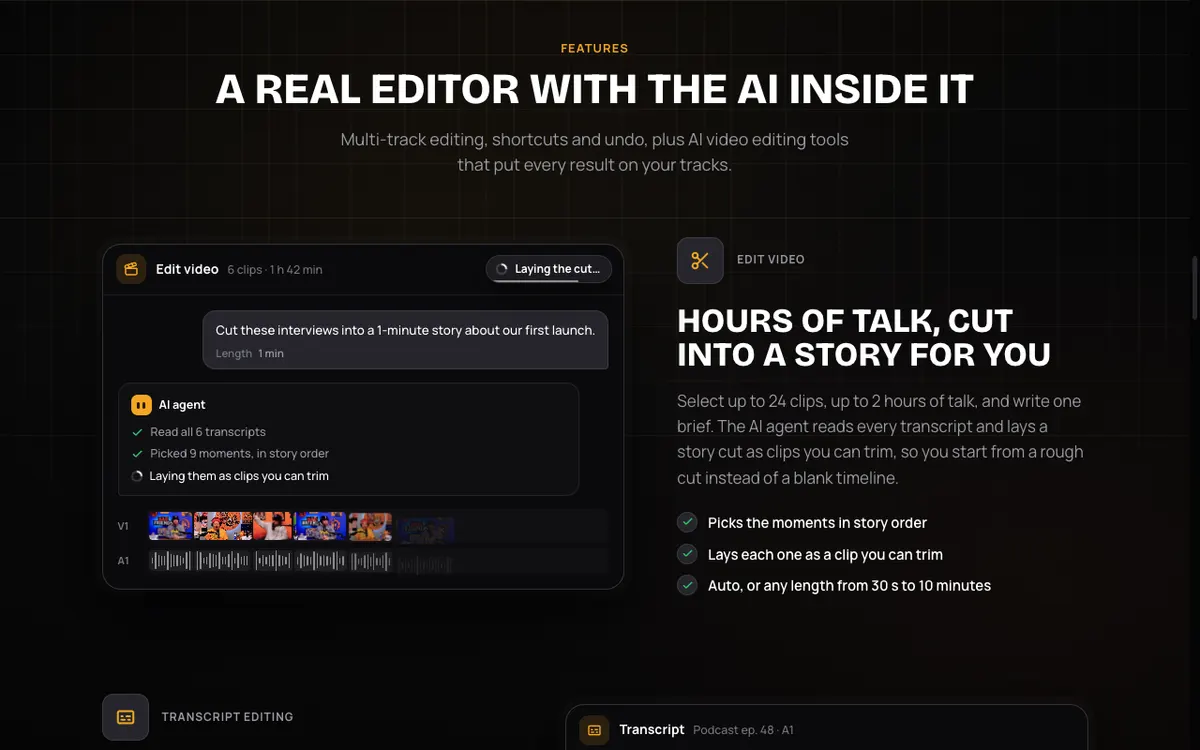 Vidwip AI Studio — edit video by deleting words from the transcript, or ask AI to cut a highlight in one line.
Vidwip AI Studio approaches talking-head editing differently from Wisecut. You see every word that was said. Delete a word and it disappears from the video too — no timeline scrubbing, no manual cut points.
For a longer cleanup, you give the AI one instruction: “Give me a 1-minute highlight from this episode.” It reads the transcript, picks the strongest parts, and lays out a cut you can trim. The AI cut covers up to 2 hours of footage at once.
The AI Subtitle Generator runs inside the same editor. It listens to your video, times subtitles to every spoken word, and lets you translate them into any of 94 languages. Thirteen caption styles, including word-highlight looks for short-form content. Subtitles are burned into the exported video.
Where Vidwip differs from Wisecut: there is no automatic silence detection that scans for pauses and removes them. You edit by reading and deleting, or by asking the AI for a cut. There is also no background music auto-ducking — you can generate and add music on the timeline, but the levels are manual. If your workflow is “upload, remove silence, export,” Gling or TimeBolt below will match that pattern more closely.
For creators who want one browser tab to handle editing, subtitles, and AI shots without installing anything, it covers all three.
Pros
- Edit video by deleting words — cuts ums, filler, and dead air by reading, not scrubbing
- AI cut from a one-line brief, up to 2 hours of footage
- Subtitle Generator: 94 languages, 13 styles, word-highlight captions burned in
- Runs in a browser, nothing to install; projects save automatically
- Export up to 1080p with no watermark on any plan
Cons
- No automatic silence detection or removal (Wisecut-style)
- No background music auto-ducking
- No XML export to Premiere, Final Cut, or DaVinci Resolve
Best for: Creators who want transcript-based editing and multilingual subtitles in a single browser tool.
Pricing: Free to start, no credit card. Starter $25/month · Pro $99/month.
2. Gling
 Gling — removes bad takes, silences, and filler words from YouTube footage and exports XML to your NLE.
Gling is the closest direct Wisecut replacement for YouTube creators. You upload your footage, Gling transcribes it, and then removes bad takes, long silences, and filler words automatically. The result comes back as an edited video or an XML file for Premiere Pro, Final Cut Pro, or DaVinci Resolve.
It also adds AI captions, generates YouTube titles and chapter markers, and handles multi-camera and separate-mic setups (on Resolve and Final Cut exports). Noise removal and auto-framing are included.
The free plan gives one hour of AI-edited media per month with a watermark. Paid plans remove the watermark and raise the hours cap. Gling is a desktop download, not a browser tool.
Pros
- Removes bad takes, silences, and filler words automatically
- XML export to Premiere, Final Cut, and DaVinci Resolve
- Generates YouTube titles, chapter markers, and post captions
- Multi-camera support on Resolve and Final Cut exports
- 24 speech languages for transcription
Cons
- Desktop app only — no browser version
- Free tier exports carry a watermark; hours don’t roll over
- No background music or auto-ducking built in
Best for: YouTube creators who want automatic rough cuts that land straight in Premiere or Final Cut.
Pricing: Free (1 hr/month, watermarked). Plus $20/month · Pro $40/month · Elite $100/month (checked October 2026).
3. Descript
 Descript — edit video like a text document, with Shorten Word Gaps and dynamic captions across 61 languages.
Descript is the transcript-based editor most podcasters already know. Silence removal works by shortening word gaps — you set a target and Descript trims every pause across the file. Remove filler words the same way: highlight the word in the transcript and it’s gone from the video.
Studio Sound cleans up the audio in one click. Dynamic captions run on every plan, with customizable fonts, word highlighting, and translation into 61 languages. Voice cloning (Regenerate) lets you fix a stumbled sentence by typing the correction — the AI voices it in your tone to smooth over the cut.
The free plan gives 60 media minutes and 100 AI credits (one-time, not monthly). The Hobbyist plan at $16/month (annual billing, checked October 2026) adds 10 media hours per month and 1080p watermark-free export.
Descript is deeper than Wisecut and takes a few sessions to get comfortable. For podcast producers who want silence removal, transcript editing, captions, and voice repair in one product, it replaces several tools at once.
Pros
- Shorten Word Gaps removes pauses across the full file
- Transcript editing: delete or replace any word in the video
- Dynamic captions: 61 languages, word-highlight, all plans
- Regenerate: fix a stumble by typing — AI voices it in your tone
- Studio Sound noise removal in one click
Cons
- Steeper learning curve than Wisecut or Gling
- Free tier: 60 min/month and only 100 AI credits total (not monthly)
- No automatic silence detection scan without transcript engagement
- No background music or auto-ducking
Best for: Podcast and interview editors who want transcript-based editing, captions, and voice repair under one roof.
Pricing: Free (60 min/month, 100 AI credits). Hobbyist from $16/month · Creator from $24/month · Business from $50/month (annual billing, checked October 2026).
4. TimeBolt
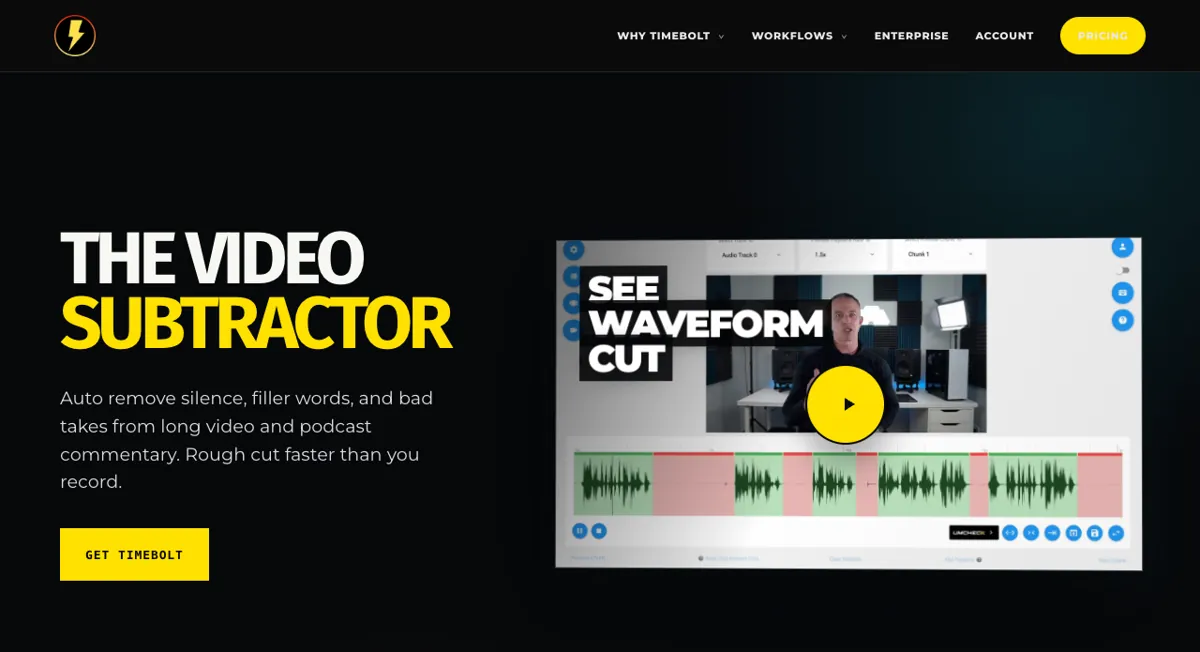 TimeBolt — local-first silence remover for Mac and Windows, with XML export to Premiere, Final Cut, and DaVinci Resolve.
TimeBolt does one thing and does it well: it removes silence. You open a video, TimeBolt scans it for quiet sections, and you see a cut list you can review and approve. Your video file never leaves your computer — the whole process runs locally.
The Pro plan adds XML and plugin export to Premiere Pro, Final Cut Pro, and DaVinci Resolve, plus audio file support and no watermark. The free version watermarks exports and skips XML. A lifetime license at $347 makes sense for creators who edit daily.
TimeBolt does not transcribe speech, remove filler words, add captions, or generate music. It is a one-step rough-cut tool. Pair it with a subtitle tool like Vidwip’s AI Subtitle Generator for the full workflow.
Pros
- Fully offline: files never leave your machine
- XML export to Premiere, Final Cut, and DaVinci Resolve
- Lifetime license option at $347 — no ongoing subscription
- Works on Mac and Windows
- Audio-only file support on Pro
Cons
- No transcription, captions, or subtitle output
- No filler-word removal (planned as a paid add-on)
- Free tier exports are watermarked and can’t save projects
- No background music or auto-ducking
Best for: Editors who want fast offline silence removal that slots into their existing NLE workflow.
Pricing: Free (watermarked). Pro $17/month · $97/year · $347 lifetime (checked October 2026).
5. Recut
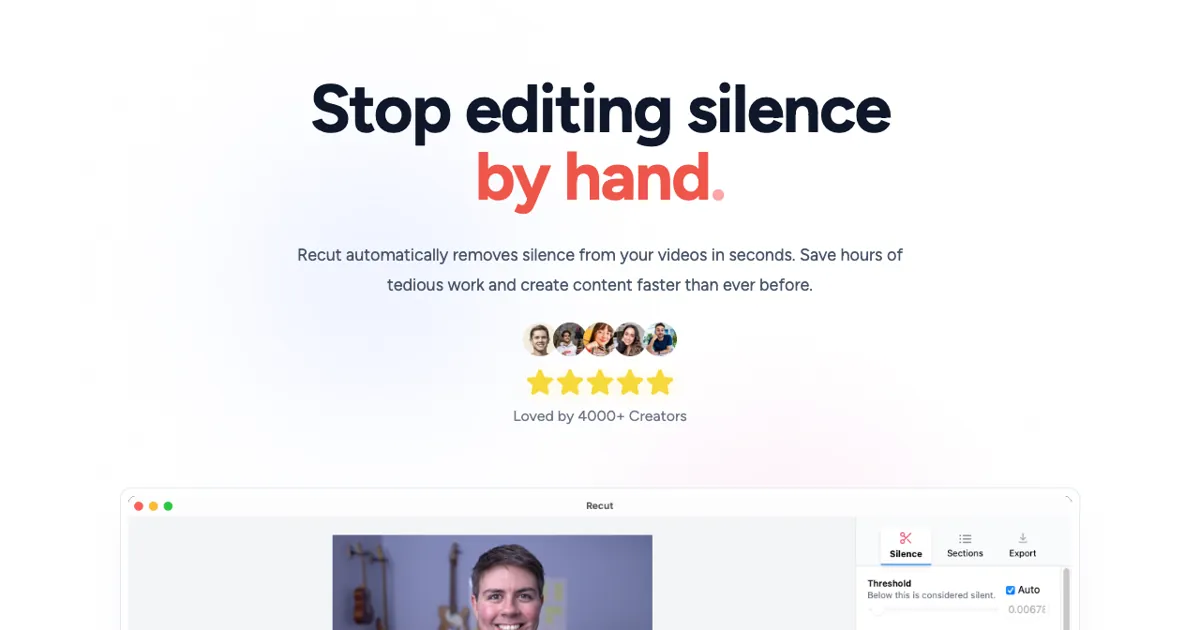 Recut — desktop silence remover for Mac and Windows with a one-time price and three-export free trial.
Recut takes the same idea as TimeBolt — remove silence from videos automatically — and packages it as a one-time purchase with a functional free trial. You get three full exports for free, no watermark, no credit card.
The paid license at $99 is a flat fee. Recut scans your file, shows you the cut list, and exports the result as an edited video or XML for Premiere Pro, Final Cut Pro, DaVinci Resolve, ScreenFlow, or CapCut. Multi-track support is included on paid plans for setups with separate camera and mic files.
Recut does not yet offer transcription, filler-word removal, captions, or music. Those are listed as planned paid add-ons. For a standalone silence remover with a clean one-time price, it is hard to beat.
Pros
- One-time price at $99 (no ongoing subscription)
- Functional free trial: three full exports with no watermark
- XML export to five editors including Premiere and Final Cut
- Multi-track support for camera + mic setups
- Mac and Windows
Cons
- No transcription, captions, or subtitle output
- No filler-word removal yet (planned add-on)
- Desktop only — no browser version
- No background music or auto-ducking
Best for: Solo video makers who want a no-subscription silence remover and prefer to pay once.
Pricing: Free trial (3 exports). $99 one-time (pricing page, checked October 2026). $15/month subscription also available.
6. CapCut
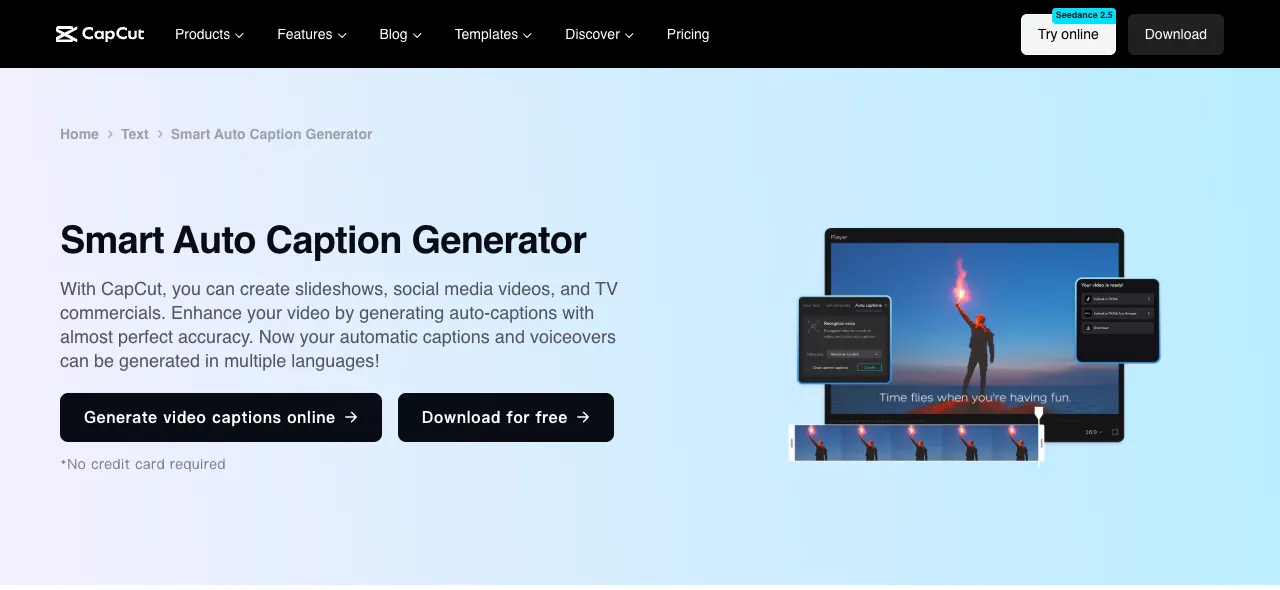 CapCut — free auto-captions in 20 languages, available on browser, desktop, and mobile.
CapCut is the broadest tool on this list — it handles cuts, text, captions, music, effects, and video generation. For the Wisecut use case specifically, auto captions are the standout: free, accurate, and available in 20 languages across browser, desktop, and mobile apps.
Silence removal (jump cuts) is not clearly documented on CapCut’s pricing or features pages as an automatic scan — it trims video clips and supports transcript-based editing at the URL /tools/video-transcript-editing, but no automatic silence-detection scan is confirmed. Music ducking is likewise not described as a feature. If those two things drive your Wisecut workflow, CapCut may not replace them directly.
Where CapCut wins is reach: a TikTok-focused creator who needs captions on mobile, quick AI B-rolls, and an extensive free template library will find it covers most daily editing needs at zero cost.
Pros
- Auto-captions free in 20 languages, with caption templates
- Available on browser, desktop (Mac/Windows), and mobile
- Broad feature set: cuts, transitions, AI video, sound effects
- Large template and stock library
- Free plan with no stated time cap or watermark on standard exports
Cons
- Automatic silence removal not confirmed as a scan feature
- Background music auto-ducking not documented
- Credits-based AI feature meter on the free tier
- Not specialized for talking-head editing like Wisecut or Gling
Best for: Mobile-first creators who want free, multilingual auto-captions and broad editing tools across devices.
Pricing: Free. Pro $14/month · $89.99/year. Ultra $79/month (checked October 2026).
Wisecut alternatives compared
| Tool | Silence removal | Subtitles | Music ducking | Platform | Free tier | Paid from |
|---|---|---|---|---|---|---|
| Vidwip AI Studio | Transcript delete + AI cut | 94 languages, 13 styles | No | Browser | Yes | $25/mo |
| Gling | Auto (transcribed) | SRT export | No | Desktop | 1 hr/mo (watermark) | $20/mo |
| Descript | Shorten Word Gaps | 61 languages | No | Browser + desktop | 60 min/mo | $16/mo |
| TimeBolt | Auto (offline) | No | No | Desktop (offline) | Yes (watermark) | $17/mo |
| Recut | Auto (offline) | No | No | Desktop (offline) | 3 exports | $99 one-time |
| CapCut | Not confirmed | 20 languages | Not confirmed | All platforms | Yes | $14/mo |
| Wisecut (original) | Yes | Yes | Yes | Browser | 3-min export cap | $33/mo |
How to choose the right Wisecut alternative
You edit by reading, not scrubbing. Go with Vidwip AI Studio or Descript. Both let you delete words in a transcript and cut the video at the same time. Descript adds voice repair; Vidwip adds 94-language subtitles and browser-only convenience.
You want a rough cut with one click. Gling, TimeBolt, or Recut scan your file and hand you a cut list. Gling transcribes and removes filler words; TimeBolt and Recut are pure silence removers that run offline. All three export XML to your NLE.
You’re on a tight budget. Gling’s free tier gives an hour of edited media per month. TimeBolt and Recut both offer functional free trials. CapCut adds captions for free on every platform.
You need captions in many languages. Vidwip AI Studio covers 94 languages. Descript covers 61. CapCut covers 20. Gling exports SRT files but does not translate them.
You want offline processing. TimeBolt and Recut both run entirely on your machine. Gling requires an upload. Wisecut, Vidwip, Descript, and CapCut are all cloud-based.
Final verdict
Wisecut is one of the few cloud tools that combines silence removal, auto-ducked music, and captions in a single product. The free plan’s 3-minute export cap is the main pain point.
For YouTube creators, Gling is the cleanest swap: it removes bad takes and filler words, generates chapters, and lands in your NLE over XML. For transcript-based editing and multilingual subtitles, Vidwip AI Studio handles both in one browser tab with nothing to install. For offline workflows, TimeBolt at $17/month or Recut at $99 once cover silence removal without a cloud upload.
If you want to compare more talking-head video tools, see 7 best Captions app alternatives for AI talking videos and 8 best Kapwing alternatives for team video editing.