
Vidwip is the only free tool here that writes the narration as well as voicing it, with commercial use on the free plan. Free renders carry only a small Vidwip badge. ElevenLabs still leads on raw voice realism (10,000 credits/month free), CapCut is the easiest all-in-one option, and Murf AI's free tier is so limited it barely qualifies as free.
Most free AI video voiceover tools hide the real ceiling behind vague marketing copy. “Free forever” means something very different when one platform gives you 40 minutes a month and another lets you preview audio in the browser but blocks every download.
This list cuts through that. Five tools, ranked on what a free account can actually ship — how much narration you get, whether exports carry a watermark, and whether you are allowed to publish the result. Raw voice realism is scored too, but a beautiful voice you cannot legally use is not a free tool.
TL;DR
| Tool | Free limit | Watermark | Commercial use |
|---|---|---|---|
| Vidwip | Free to start, no card | Small badge on free | Yes |
| ElevenLabs | 10,000 credits (~40+ min) | Attribution required | No |
| CapCut | No fixed cap (basic TTS) | No (standard exports) | Yes (standard) |
| Descript | 30 min AI speech | Yes | No |
| Murf AI | 10 min total (not per month) | N/A — no downloads | No |
PlayHT used to sit on this list. It shut down on December 31, 2025, after Meta acquired the PlayAI team.
What to look for in a free AI video voiceover tool
Free tiers differ along four axes that matter:
Monthly limit. Characters, credits, or minutes — convert to minutes so you can compare. A tool that gives 10,000 credits might sound generous until you realize each minute costs 400 credits.
Watermark policy. A watermark on a draft is fine. A watermark on a published video kills the professional look. Some platforms watermark audio, some watermark the video container, some only require a text attribution in the description.
Commercial use. If you plan to publish the video anywhere you earn money — a monetized YouTube channel, a client deliverable, a product walkthrough — check the terms. Most free tiers are non-commercial.
Voice quality. Robotic voices are fine for internal content. Client-facing video needs something that passes a second listen. The gap between the best and worst tools here is significant.
1. Vidwip
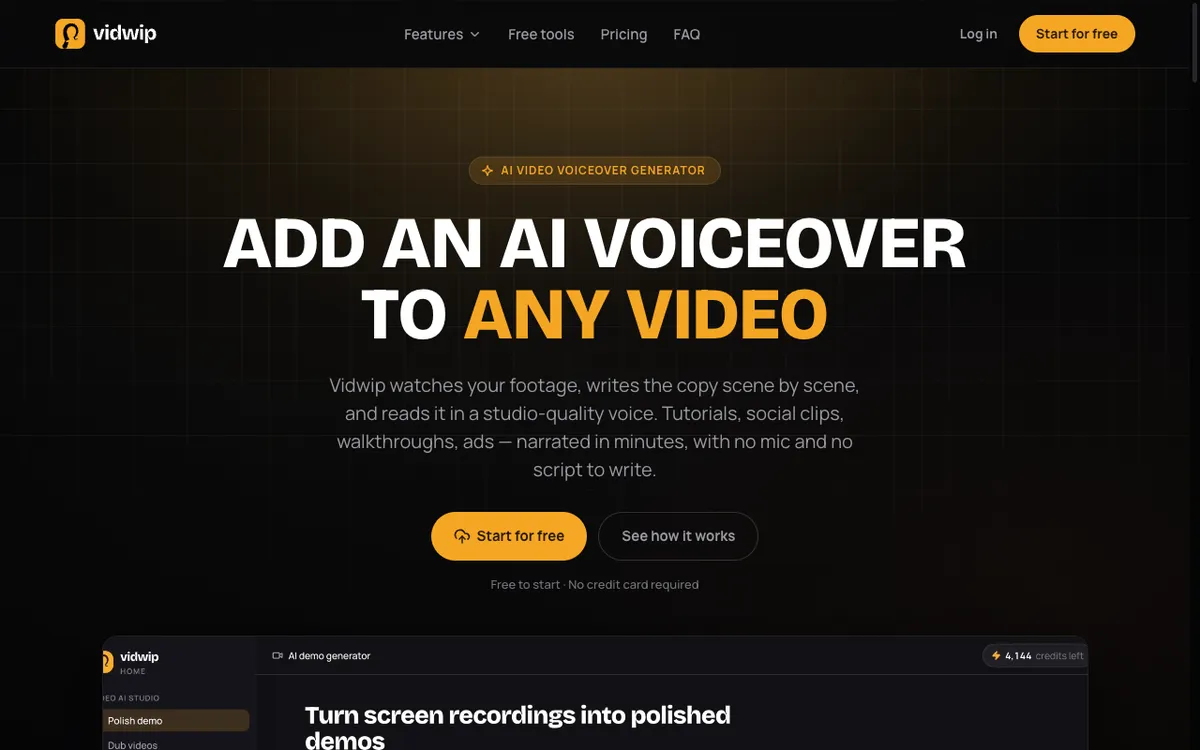 Vidwip AI Video Voiceover — AI watches your footage and writes the script before voicing it
Vidwip does something the other tools on this list do not: it watches your video, writes the narration scene by scene, and voices it — you do not need a script. Drop in a tutorial, a product walkthrough, or any footage you have, and the AI generates copy that matches what is happening on screen.
The AI Video Voiceover product is free to start with no credit card, and free accounts reach the same 190+ studio-quality voices in 74 languages as paid ones. Free-plan renders carry a small Vidwip badge, and paid plans have no watermark.
The Starter plan at $25/month adds 2,500 credits, badge-free exports, batches of up to 5 videos, and 4 renders at once instead of 1. If you need to dub the same video into multiple languages, the AI Video Dubbing product handles that from the same account.
The free tier is a short runway, not a long-term workflow. Its value is letting you run the full AI-written-and-voiced pipeline on a real clip before you commit to a paid plan.
Pros
- AI writes the narration from your footage — no script required
- 190+ voices and 74 languages on every plan, free included
- Free to start — no credit card required
- Steer the script before the render with a written brief, voice and language
Cons
- The free start covers only a short clip of narration
- Free renders carry a small Vidwip badge and run one at a time, and batches need a paid plan
- No line-by-line script edits; a fix means a new render
- Exports top out at 1080p
- No standalone transcription or summarization — narration and dubbing only
Best for: Product marketers and SaaS teams who want AI-generated narration without scripting anything themselves. Pricing: Free to start (no card, small Vidwip badge) · Starter $25/month (2,500 cr, no watermark, 4 renders at once, batches of 5)
2. ElevenLabs
 ElevenLabs — studio-quality voice generation with a generous free tier
ElevenLabs is the voice quality benchmark every other tool gets measured against. Its free tier gives 10,000 credits per month — roughly 40+ minutes of standard-quality audio depending on the voice and model you use. You get access to the full voice library, text-to-speech, speech-to-speech, and basic studio projects.
The limitation that matters most: no commercial use and attribution required on all free-tier content. ElevenLabs’ terms require you to credit the tool when publishing anything generated on the free plan. For internal demos, personal projects, or samples you use to test quality before upgrading, the free tier is excellent. For anything that goes in front of customers or clients, you are looking at a minimum of $6/month for the Starter plan, which flips on commercial rights (checked September 2026).
Pros
- Best voice realism of any tool on this list — the gap is audible
- 10,000 credits/month is the most generous free tier here
- 28+ built-in voices; paid plans add voice cloning
- Works as a standalone API or in-browser editor
Cons
- No commercial use on the free plan
- Attribution required on all free-tier exports
- Free tier does not include voice cloning
Best for: Creators testing voice quality before committing to a paid plan, or developers evaluating the API. Pricing: Free (10,000 cr/month, no commercial use) · Starter $6/month (30,000 cr, commercial rights) · Creator $22/month (121,000 cr, checked September 2026)
3. CapCut
 CapCut — all-in-one video editor with built-in AI text-to-speech
CapCut is the only tool on this list where the free tier is genuinely usable for most people without hitting an obvious wall. Basic AI text-to-speech is included in the free plan with no fixed minute cap, and standard exports carry no watermark. You edit the video and the voiceover in the same interface, which removes the friction of exporting audio from one tool and importing it into another.
The practical catch: CapCut’s premium AI features — text-to-video, avatar generation, and advanced voice cloning — sit behind the Pro plan at $8/month. Standard TTS with a library voice is free. If you need commercial rights for client work or brand content, CapCut recommends the Pro plan (checked September 2026). For personal use or content on your own monetized channels under the standard terms, the free tier is workable.
Pros
- Video editor and voiceover in one tool — no file transfers
- No watermark on standard manual exports
- No fixed minute cap on basic text-to-speech
- Large template library included free
Cons
- Advanced AI voices and voice cloning are paid features
- Commercial use for client deliverables needs Pro ($8/month)
- Premium AI template exports carry a watermark on the free plan
Best for: Creators who want to edit video and add voiceover in a single tool without paying. Pricing: Free (basic TTS, no export watermark) · Pro $8/month (full AI toolkit, commercial rights, 4K HDR export, checked September 2026)
4. Descript
 Descript — transcript-driven video editor with AI voice generation
Descript approaches voiceover from a different angle: you edit the transcript, and the video changes. Its free plan gives 30 minutes per month of AI speech using stock AI speakers, which is genuinely useful for a short-format creator. You also get 100 AI credits (one-time, not monthly) for features like filler word removal and clip creation.
The free tier has two hard stops. Exports are watermarked with Descript’s branding — not an overlay you can easily remove, but a visible stamp on the video. Commercial rights are locked behind paid plans starting around $16/month billed annually. For anything you plan to publish or share professionally, the free tier is an extended trial rather than a long-term option (checked September 2026).
Pros
- 30 min/month of AI speech is enough for regular short-form content
- Transcript-driven editing is genuinely faster than timeline-only tools
- AI filler word removal included on the free plan (100-use allowance)
Cons
- Exports carry a Descript watermark on the free plan
- 100 AI credits are one-time, not monthly — they run out fast
- No commercial rights until the paid tier (~$16/month annual)
Best for: Podcast producers and video creators who want transcript-based editing alongside voiceover. Pricing: Free (30 min AI speech/month, watermark, no commercial) · Hobbyist ~$16/month (no watermark, commercial rights, checked September 2026)
5. Murf AI
 Murf AI — wide voice library with a free tier that is barely usable
Murf AI has a polished voice library and a capable studio editor, but the free tier is the weakest on this list. You get 10 minutes of voice generation — total, not per month — and no downloads. The audio plays in the browser, but you cannot export it. The free plan is effectively a voice preview tool, not a production environment.
If you like what you hear on the free plan, the Creator tier at $19/month adds full commercial rights, unlimited downloads, and monthly generation time. The voice quality is strong, particularly for professional narration and corporate content. Just don’t sign up expecting to produce anything on the free tier without immediately hitting the ceiling (checked September 2026).
Pros
- 120+ voices, 20+ languages on the free plan (preview only)
- Clean studio interface with timeline and script editing
- Strong voice quality for corporate narration styles
Cons
- 10 minutes total (not monthly) on the free plan — it does not reset
- No downloads on the free tier — preview only
- No commercial use without a paid plan
Best for: Teams that want to audition voice styles before committing to a plan. Pricing: Free (10 min total, no downloads, no commercial) · Creator $19/month (commercial rights, unlimited downloads, checked September 2026)
Comparison table
| Tool | Free limit | Watermark | Commercial | First paid tier |
|---|---|---|---|---|
| Vidwip | Free to start, no card | Small badge on free | Yes | $25/month |
| ElevenLabs | 10,000 credits (~40+ min) | Attribution required | No | $6/month |
| CapCut | No fixed cap (basic TTS) | No (standard exports) | Yes (standard) | $8/month |
| Descript | 30 min AI speech | Yes | No | ~$16/month |
| Murf AI | 10 min total (lifetime) | N/A — no downloads | No | $19/month |
How to choose
You want the AI to write the narration, not just read your script: Vidwip. The AI Video Voiceover product is the only option here that generates the script from your footage, and the free plan allows commercial use with only a small Vidwip badge. The free start gives you a real test run.
You want the best voice quality for free: ElevenLabs. No other tool on this list is close. Use it for non-commercial content and add attribution, or upgrade to Starter at $6/month for commercial rights.
You want to edit video and add voiceover in one tool: CapCut. The free plan is practical for regular use, standard exports have no watermark, and the editor is fast.
You need transcript-based editing alongside voiceover: Descript. The 30-minute monthly AI speech allowance is enough for short-form content, but budget for the paid plan if you publish anything client-facing.
You are evaluating voices before paying: Murf AI. Accept that the free tier is preview-only — no downloads — and use it to shortlist voices before moving to a paid plan.
Final verdict
Vidwip’s AI Video Voiceover takes the top spot because it is the only tool here that handles the scripting as well as the narration — it watches your footage and writes what needs to be said before voicing it — and its free plan is the rare one with no commercial-use restriction and only a small badge on renders. The trade-off is the size of the free grant, which covers a short clip.
ElevenLabs still wins on raw voice realism, and CapCut wins on free-tier volume if you are only reading a script you already wrote.
For teams that dub into multiple languages, AI Video Dubbing handles the translation and re-voice step, and AI Audio Dubbing covers podcasts and audio-only content. Every Vidwip account is free to start, with no card.
For paid options ranked on realism rather than free-tier limits, see the best AI video voiceover generators. If the footage is a product walkthrough rather than a talking-head clip, the best AI product demo video makers ranks that category instead. And if the job is translating rather than narrating, free AI video dubbing re-voices a clip in 90+ languages without a paid plan.
Whichever free tier you land on, AI video voiceover: the complete guide covers the part no tool does for you — auditioning a voice properly, writing words that survive being spoken, and landing them on your cuts.
If you have footage ready, the fastest next step is to drop it into Vidwip and see what the AI writes for it. That tells you more than any comparison table.