
LTX Studio bundles script, storyboard and shot generation, but its AI Storyboards start on the $35/month Standard plan and the free tier is personal-use only. For storyboards, Google Flow's Storyboard Studio, Katalist and Boords are the closest swaps. For generating shots on many models and cutting them on one timeline, Vidwip AI Studio runs 16 video models, though it has no storyboard tool.
The best LTX Studio alternatives cover the same pipeline LTX built its name on: script in, storyboard out, then shot-by-shot generation with characters that stay the same from frame to frame.
Some tools in this list beat LTX Studio on storyboarding. Others beat it on model choice or on the edit after generation.
LTX Studio is a strong product, but it gates the parts filmmakers want most.
AI Storyboards, saved Elements for consistency and a commercial licence all start on the $35/month Standard plan, and the free tier’s 800 credits are one-time and personal-use only (ltx.io/studio/pricing, checked October 2026).
Below are seven LTX Studio alternatives, ranked for AI storyboards and short films. Every price was checked on the vendor’s own site in October 2026.
What LTX Studio does, and where it falls short
LTX Studio is Lightricks’ all-in-one AI video platform. You upload a script, it generates scenes and a storyboard, and you render each shot on its own LTX-2.5 model or on partner models like Veo 3.1, Kling 3.0 Pro and Seedance 2.0.
A timeline editor sits at the end of the pipeline.
The plans, checked October 2026:
- Free: 800 one-time credits, blank storyboards, LTX-2.5 and LTX-2.3, personal use only
- Lite: $15/month for 8,000 credits, no watermark, no AI Storyboards
- Standard: $35/month for 28,000 credits, AI Storyboards, Elements, Kling 3.0 Pro and Seedance 2.0, commercial licence
- Pro: $125/month ($100 billed yearly) for 110,000 credits, adds Veo 3.1 and 3 collaborators per project
So the storyboard workflow costs $35 a month before you render a single shot, and Veo 3.1 costs $125. That price ladder is the main reason people go looking.
What to look for in an LTX Studio alternative
Judge each tool on four things. These are the columns in the comparison table further down.
- Storyboarding. Does it turn a script into shots, or do you plan the shot list yourself?
- Character consistency. Can you lock a face, a product or a location across shots with references?
- Model choice. One house model, or several vendors you can pick from per shot?
- Export and edit. Can you cut the shots into a finished film in the same tool, and at what resolution?
No tool wins all four. Pick the one that wins the column you care about most.
1. Vidwip AI Studio
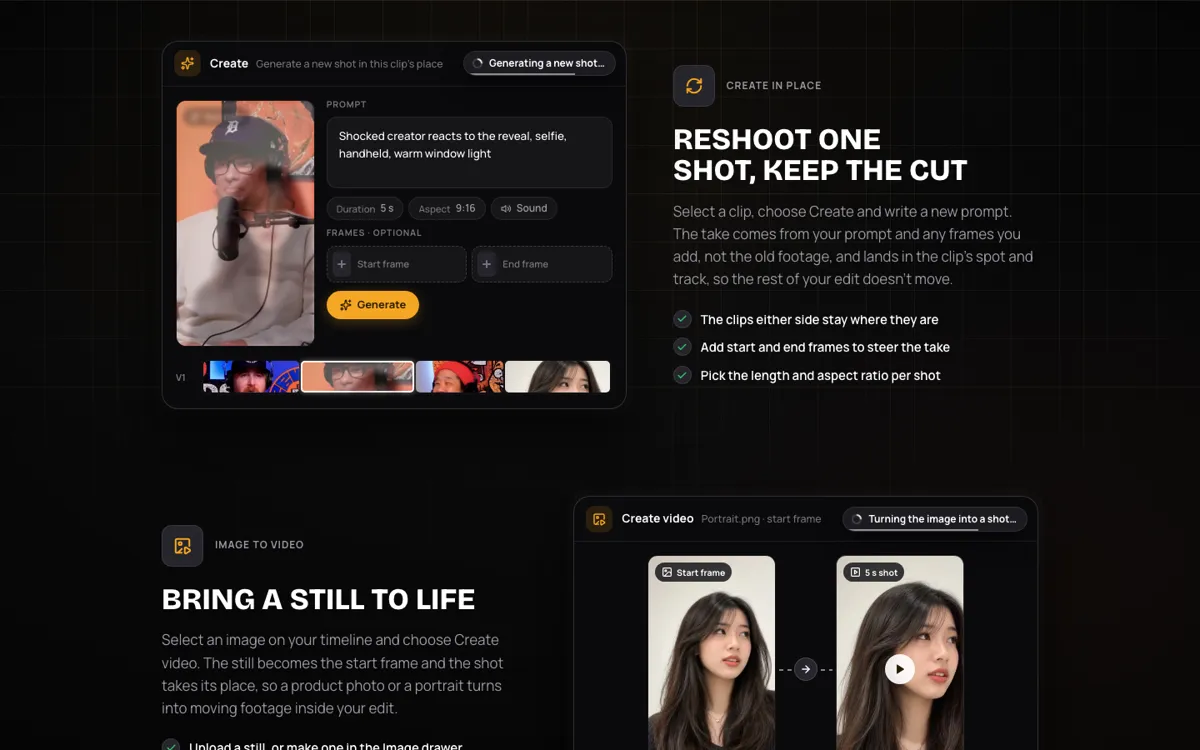 Vidwip AI Studio: generate shots on 16 video models straight onto a multi-track timeline.
Vidwip AI Studio is a browser video editor with AI shot generation built in, offering 16 video models from 7 vendors on one timeline.
LTX Studio plans the film first. Vidwip starts at the edit: you write a shot, pick a model, and it lands on your timeline next to the last clip.
The AI video generator lists Veo 3.1, Kling 3.0 Pro, Seedance 2.5, Hailuo 3, Wan 3.0, FLUX.3 Video and Grok Imagine 1.5, among others. Shots run from 1 to 30 seconds, and 14 of the 16 models make sound with the picture.
The shot-by-shot part is where it fits filmmaking. Select a weak clip, choose Create and write a new prompt, and the new take replaces it in the same spot and track while the cut around it holds.
For consistency, you work from frames and references. Make a character still on one of 9 image models, select it, and Create video uses it as the first frame.
Start and end frames work on 12 of the 16 models, and Seedance 2.5 takes up to 30 image references.
Then you finish the film in the same tab. Stack video and audio tracks, trim and split, and add speech, music and sound effects that each land on a track.
Since October 2026, Studio projects save as you edit, so you can close the tab and come back to the cut.
Pros
- 16 video models from 7 vendors in one picker, including Veo 3.1 and Seedance 2.5 for 30-second takes
- Every shot lands on a multi-track timeline, and Create replaces one shot without moving the rest
- Start and end frames on 12 of 16 models, plus up to 30 image references on Seedance 2.5
- Speech, music and sound effects generate onto audio tracks in the same project
- Projects save as you edit, and Studio exports carry no watermark
Cons
- No storyboard tool. There’s no script-to-shot breakdown, so you plan the shot list yourself
- Export tops out at 1080p, with no 4K. Exports render in the browser tab in real time
- AI transitions aren’t wired up yet, so you cut between shots yourself
- No camera-control panel, seed or negative prompt. You direct the camera in the prompt
- Kling 4.0 isn’t in the roster yet. The newest Kling model there is Kling 3.0 Pro
Best for: Creators who already know their shots and want to generate, swap and cut them on one timeline, across many models, without a separate editor.
Pricing: AI video needs a paid plan. Starter $25/month ($20/month billed yearly), Pro $99/month ($79/month billed yearly), Enterprise custom. See Vidwip pricing.
2. Runway
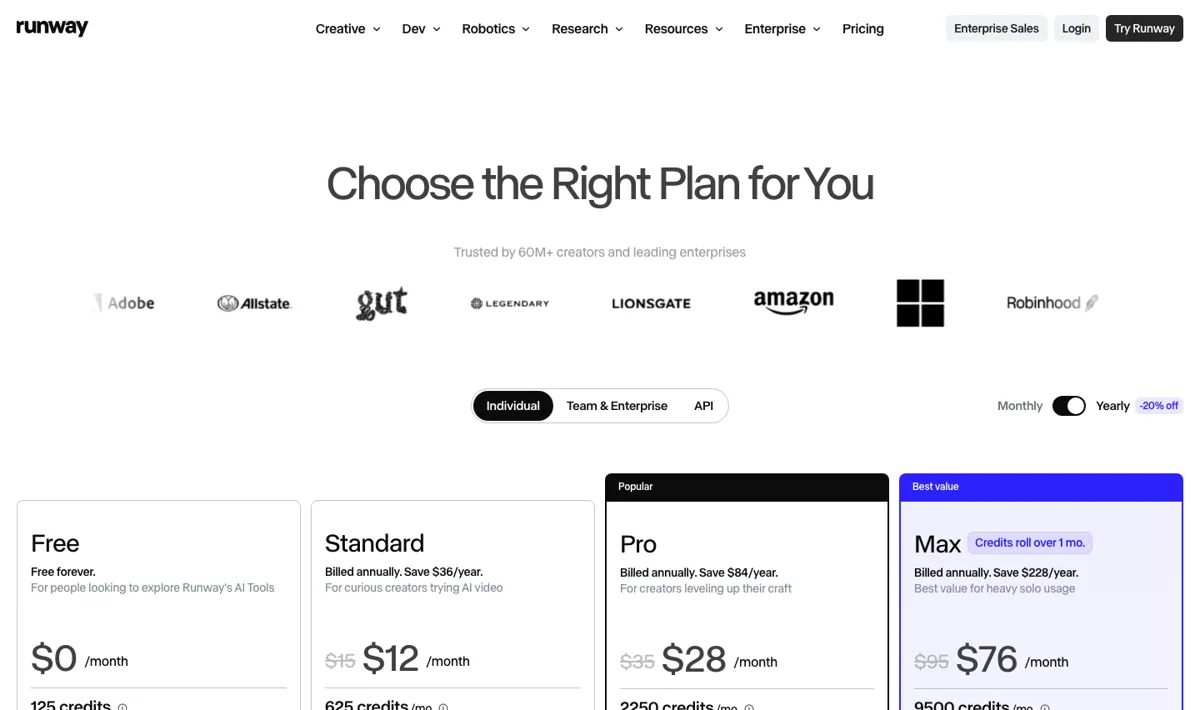 Runway: Gen-4.5 and partner models on one credit pool, with 4K upscaling on paid plans.
Runway is the AI video platform most film and ad teams already know, built around its Gen-4.5 model and priced from $15/month. Paid plans also include Kling 3.0, Seedance and image models on the same credits.
For an LTX Studio user, Runway trades the storyboard for raw shot quality and finishing options. There’s no script-to-storyboard tool on its pricing page.
You get 4K upscaling from Standard up, and Max adds HDR, ProRes and image-sequence export.
Credit math matters here. Gen-4.5 costs 60 credits per 5-second clip, so Standard’s 625 monthly credits make about 10 clips and Pro’s 2,250 make about 37.
Runway says it is trusted by 60M+ creators, per its pricing page. For a deeper look at the platform and what replaces it, see our Runway alternatives guide.
Pros
- Gen-4.5 output is among the cleanest in the category
- 4K upscaling on every paid plan, plus HDR and ProRes on Max
- Music, voice and sound-effect generation included from Standard up
- Purchased top-up credits never expire
Cons
- No storyboard or script breakdown, so pre-production happens elsewhere
- Free tier is 125 one-time credits, about two Gen-4.5 clips
- Standard and Pro credits reset monthly with no rollover
- Seedance 2.5 needs Pro, and Wan 3.0 needs Max
Best for: Teams who want top-tier shot quality and pro finishing formats, and who storyboard in another tool.
Pricing: Free: 125 one-time credits. Standard $15/month ($12 yearly) for 625 credits. Pro $35/month ($28 yearly) for 2,250 credits. Max $95/month ($76 yearly) for 9,500 credits (runway.com/pricing, checked October 2026).
3. Kling AI
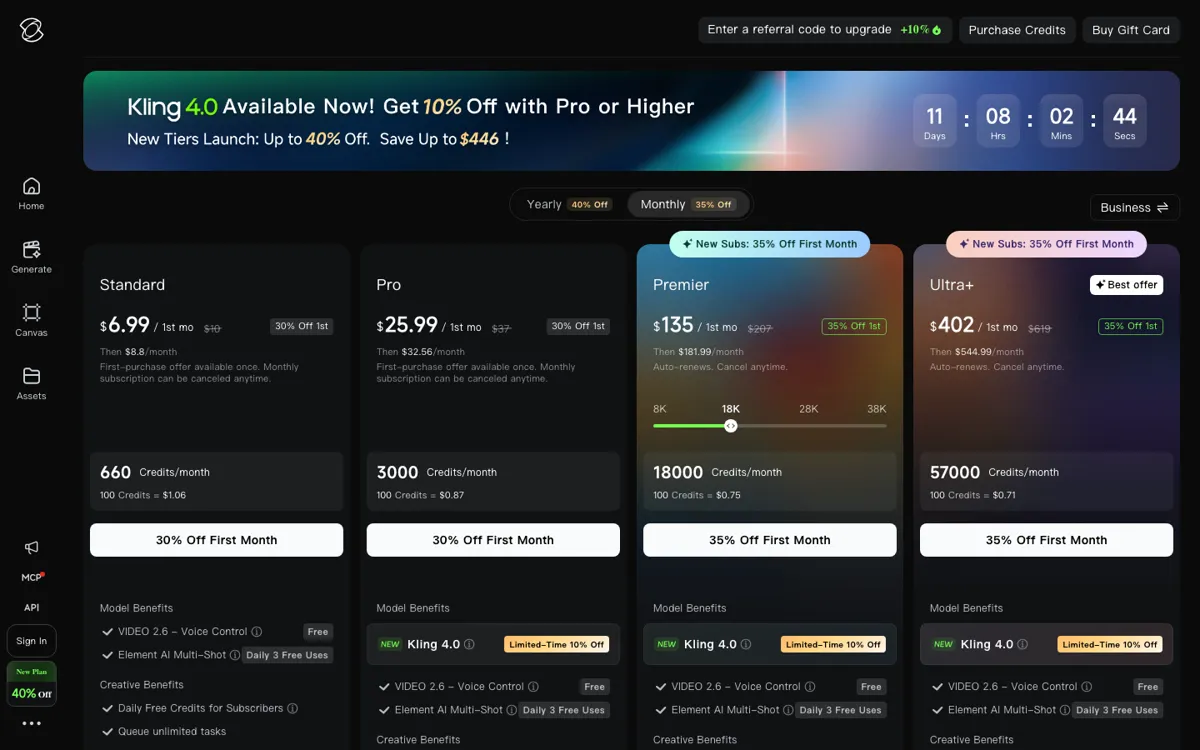 Kling AI: Kling 4.0 video, Element Multi-Shot and Kling Image 3.0 for image series.
Kling AI is Kuaishou’s AI video generator, and its newest model, Kling 4.0, is built for realistic motion with audio. Kling 4.0 sits on the Pro plan and up.
Kling has its own take on storyboarding. Kling Image 3.0 generates image series with a consistent visual style, and Kling’s homepage shows it predicting the next scenes and laying them out as storyboard frames.
Element AI Multi-Shot is listed on every plan, with 3 free daily uses.
The catch is assembly. Kling generates shots and frames, but it isn’t a timeline editor, so you’ll still cut the film somewhere else.
We compared Kling against other realistic-motion models in our Kling AI alternatives roundup.
Pros
- Kling 4.0 is Kling’s newest model, built for realistic motion and audio-visual performance
- Kling Image 3.0 makes consistent image series you can use as storyboard frames
- Paid plans list 1080p and 4K video generation, watermark removal and commercial use
- Canvas workspace for arranging generations
Cons
- Kling 4.0 needs Pro ($37/month list) or higher, not Standard
- Single-vendor: you only get Kling models
- No timeline editor for cutting shots into a film
- First-month discounts make the real monthly price hard to read at a glance
Best for: Filmmakers who want Kling 4.0’s motion quality and are happy to plan and edit outside the generator.
Pricing: Standard $6.99 first month, then $8.80/month for 660 credits. Pro $25.99 first month, then $32.56/month for 3,000 credits with Kling 4.0. Premier from $135 first month, then $181.99/month for 18,000 credits (kling.ai membership plans, checked October 2026).
4. Higgsfield Cinema Studio
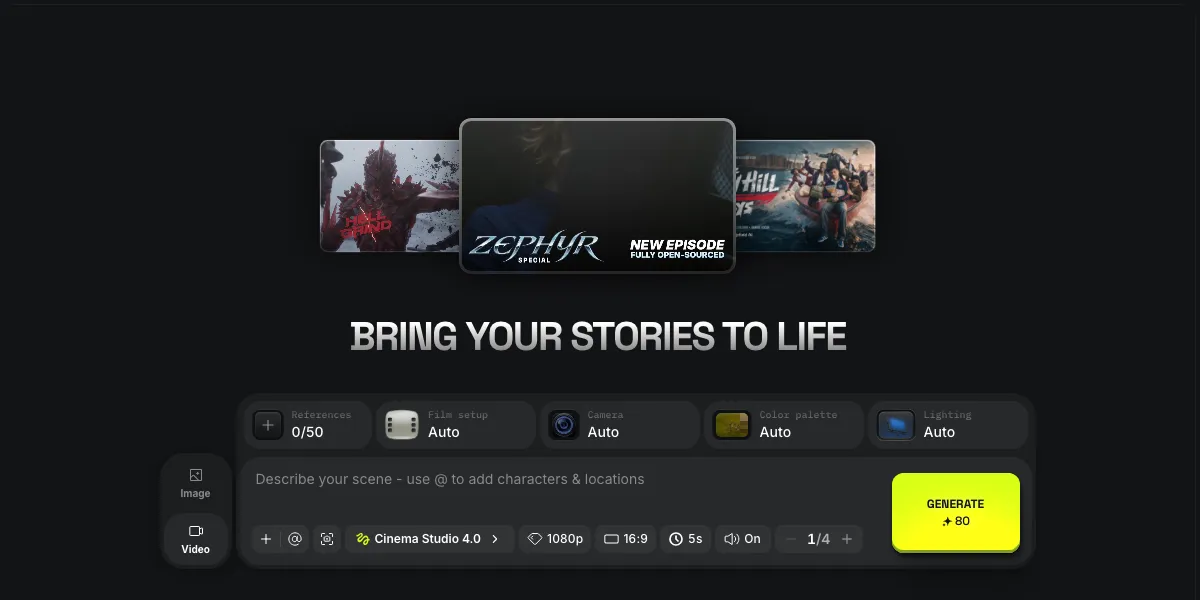 Higgsfield Cinema Studio: director-style controls for film setup, camera, color and lighting.
Higgsfield Cinema Studio is Higgsfield’s filmmaking workspace, now on Cinema Studio 4.0, and it is the closest thing here to LTX Studio’s director controls. You pick a film setup, camera, color palette and lighting, then describe the scene.
Consistency is the strong suit: attach up to 50 references and use @ in the prompt to call saved characters and locations. Projects and “My elements” keep those assets together across a film.
What it doesn’t do is break a script into a storyboard for you, so you build the film shot by shot. Higgsfield’s plans also cover its wider model catalog, which we covered in Higgsfield alternatives.
Pros
- Film setup, camera, color palette and lighting controls on every shot
- Up to 50 references, with @ tags for characters and locations
- Projects and saved elements keep a film’s assets in one place
- Plans include other models too, with every Seedance model on Pro
Cons
- No script-to-storyboard step, so you plan the shot list yourself
- Basic plan’s 120 monthly credits cover only a handful of videos
- No multi-track editor for cutting the shots into a film
- Promotions and “unlimited” offers change often, so check terms before you buy
Best for: Directors who want camera, lens-style and lighting control on each shot, plus strong reference-based character consistency.
Pricing: Basic $9/month billed yearly for 120 credits. Pro $29/month ($23/month billed yearly). Max $79/month ($59/month billed yearly) (higgsfield.ai/pricing, checked October 2026).
5. Google Flow
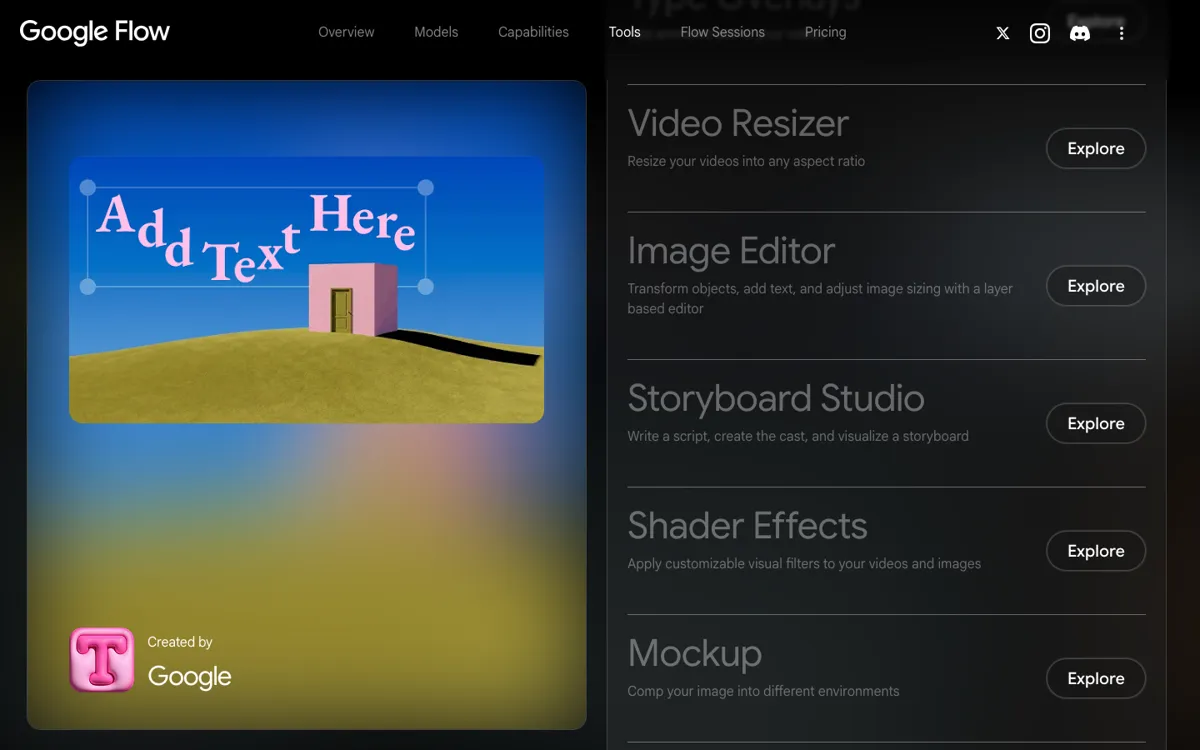 Google Flow: Veo 3.1, Gemini Omni and Nano Banana, with a Storyboard Studio tool.
Google Flow is Google’s AI creative studio for Veo 3.1, Gemini Omni and Nano Banana, and it’s the most direct LTX Studio swap for storyboarding. Its Storyboard Studio tool lets you write a script, create the cast and visualize a storyboard.
From there, Flow covers shot generation with text to video, frames to video and ingredients to video. Scenebuilder strings shots together, and Characters keeps a cast consistent.
The pricing is the other draw. Flow works without a subscription, with 50 free credits a day, and that free tier includes Veo 3.1, Storyboard Studio, Scenebuilder and Characters.
Pros
- Storyboard Studio covers script, cast and storyboard in one tool
- Veo 3.1 and Gemini Omni, with native audio on Veo
- 50 free Flow credits every day, with no subscription required
- Characters, Scenebuilder and video-to-video editing on the free tier
Cons
- Google models only. No Kling, Seedance or other vendors
- 1080p upscaling starts on AI Plus, and 4K needs AI Ultra at $99.99/month
- Features vary by subscription tier, platform and region
- Scenebuilder is not a full multi-track editor with audio tracks
Best for: Anyone who wants script-to-storyboard plus Veo 3.1 shots, and wants to start free.
Pricing: Free: 50 Flow credits a day. AI Plus $4.99/month (+200 monthly credits). AI Pro $19.99/month (+1,000). AI Ultra $99.99/month (+10,000) or $199.99/month (+25,000) (Google Flow pricing, checked October 2026).
6. Katalist
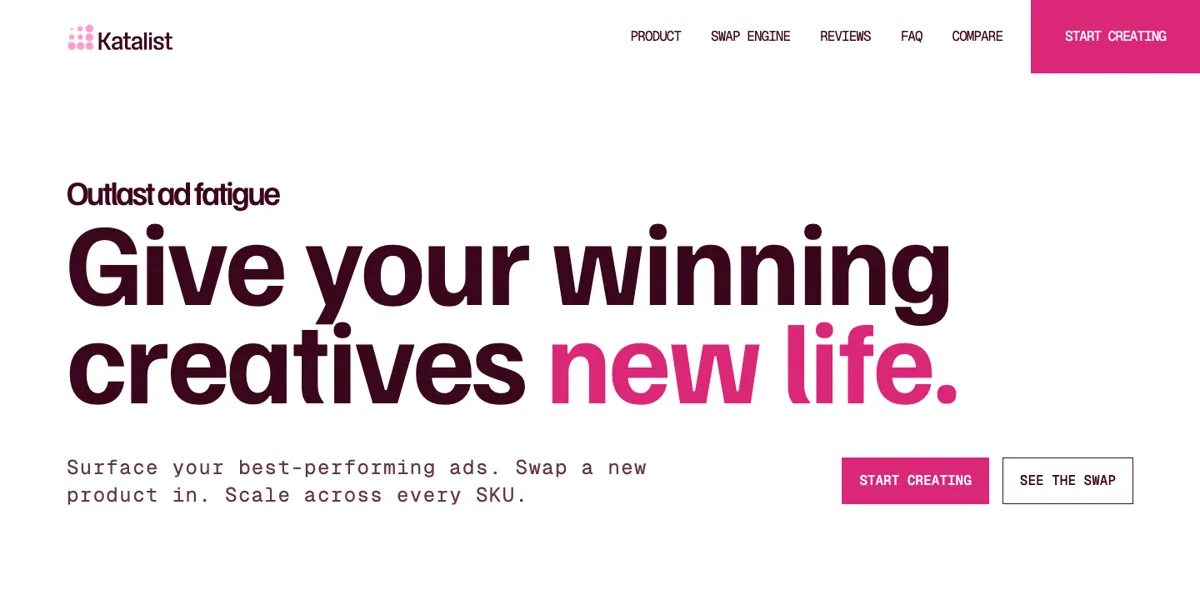 Katalist: script to storyboard to video, with consistent characters and product swap.
Katalist is an AI storyboard and video studio that’s still live in October 2026, now aimed at performance marketing teams. Its pipeline is close to LTX Studio’s.
Write or import a script, Katalist breaks it into shots, and it generates a storyboard with consistent characters and scenes.
You refine shots, adjust framing and shot types, regenerate the ones you don’t like, then turn the shots into video. Characters are cast once from a reference image and keep the same face through the storyboard and the video.
The direction has shifted, though. The homepage now leads with ad creative: a product swap engine that drops your product into a winning video, and scaling one ad across SKUs.
Filmmakers can still use the storyboard flow, but the product is built for agencies.
Pros
- True script-to-storyboard-to-video pipeline, like LTX Studio
- Cast a character from one reference and keep it across shots
- Product swap puts a real product into shots and video
- Free credits on sign-up, with no credit card
Cons
- Now positioned for ad teams, not narrative filmmakers
- No public price list. Paid plans start with a booked call
- Fewer published details on which video models it uses
- Storyboard style can trail the newest image models, per independent reviews
Best for: Agencies and brand teams that storyboard ads from a script and need the same character or product in every shot.
Pricing: Free credits on sign-up, no credit card. Paid plans by booking a call, with no public price list (katalist.ai, checked October 2026).
7. Boords
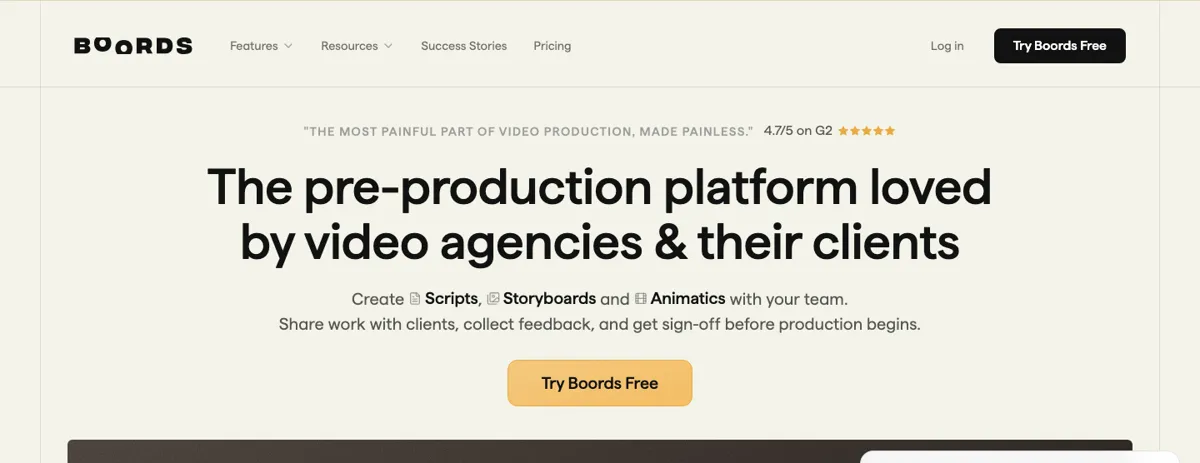 Boords: scripts, storyboards and animatics with client review and sign-off.
Boords is a pre-production platform for scripts, storyboards and animatics, built for video agencies and their clients. It doesn’t generate video; it handles the part LTX Studio rushes through, getting the board approved.
You write the script, convert it into storyboard frames, and either add your own images or generate them with AI. Boords then turns the board into a timed animatic, so pacing gets signed off before anyone renders a shot.
Review is the core feature: clients comment in context, versions are tracked, and you share one link. Boords is rated 4.7 out of 5 on G2, per its pricing page.
Pros
- Script, storyboard and animatic in one project
- Client comments, version control and sign-off built in
- AI image generation for frames, from 250 images/month on Solo
- PDF and other export formats on every paid plan
Cons
- No video generation. You’ll need another tool for the shots
- AI images are capped per month on every plan
- Converting a script creates a snapshot, so later script edits don’t update the board
- Solo at $39/month costs more than most generators’ entry plans
Best for: Agencies that need client sign-off on a storyboard and animatic before generating or shooting anything.
Pricing: Free: 5 active storyboards, 3 scripts, 8 sample AI images, no card. Solo $39/month ($26 yearly). Pro $75/month ($50 yearly) for up to 5 users. Team $125/month. Agency $250/month (boords.com/pricing, checked October 2026).
LTX Studio alternatives compared
| Tool | Script to storyboard | Character consistency | Video models | Edit and export | Starting paid price |
|---|---|---|---|---|---|
| Vidwip AI Studio | No | Start/end frames, up to 30 refs | 16 from 7 vendors | Multi-track timeline, 1080p | $25/mo |
| Runway | No | Image references | Gen-4.5 + partners | 4K upscale, ProRes on Max | $15/mo |
| Kling AI | Image series as boards | Element Multi-Shot | Kling only (4.0 on Pro) | No timeline, 4K generation | $8.80/mo |
| Higgsfield Cinema Studio | No | Up to 50 refs, @ tags | Cinema Studio 4.0 + catalog | No timeline | $9/mo yearly |
| Google Flow | Yes (Storyboard Studio) | Characters | Google only (Veo 3.1, Omni) | Scenebuilder, 4K on Ultra | Free, then $4.99/mo |
| Katalist | Yes | Cast from one reference | Not published | Export for channels | Book a call |
| Boords | Yes (manual + AI images) | Not applicable | None | Animatic, PDF | $39/mo |
| LTX Studio (baseline) | Yes, from Standard | Elements, from Standard | LTX-2.5 + partners | Timeline editor | $15/mo |
How to choose the right LTX Studio alternative
You want script-to-storyboard for free. Start with Google Flow. Storyboard Studio, Characters and Veo 3.1 all run on the 50 daily free credits.
You need client sign-off before you generate. Use Boords for the board and animatic. It’s the only tool here built around review and approval.
You make ads with a recurring character or product. Katalist keeps a cast face and a real product consistent from storyboard to video.
You want director controls on every shot. Higgsfield Cinema Studio gives you film setup, camera, color and lighting, plus 50 references.
You want the newest single model. Kling 4.0 on Kling’s Pro plan, or Runway Gen-4.5 if you also need 4K and ProRes.
You already have the shot list and want to generate and cut in one place. Vidwip AI Studio puts 16 models on one timeline and replaces a weak shot without breaking the cut. Plan the board in Flow or Boords, then build the film in Vidwip.
Final verdict
For pure storyboarding, Google Flow is the strongest LTX Studio alternative in October 2026. Storyboard Studio is free to use, and Veo 3.1 is built in.
For the film after the board, Vidwip AI Studio is our pick. It has no storyboard tool, so pair it with one.
What you get is 16 models and a timeline where each shot drops in, gets cut, and gets replaced in place.
Start at app.vidwip.com, or compare plans on the pricing page.