
Synthesia is the best AI avatar video platform for corporate training in 2026: 240+ stock avatars, 140+ languages, a slide-style editor and the deepest compliance stack in the category. It is not the best for everyone. Starter and Pro allow one editor, live collaboration and SCORM sit in Enterprise, and the cheapest minutes ($0.80) need annual billing.
This Synthesia review answers one question: is Synthesia still the best AI avatar video platform in 2026? For corporate training, yes.
For almost everyone else, it depends on three things most reviews skip.
Those three things are seat limits, credit math and annual billing.
We read the full pricing grid on synthesia.io, and worked out what a finished minute really costs. Every price below was checked October 2026.
TL;DR — Synthesia review verdict
Synthesia is the strongest AI avatar platform for L&D, HR and internal comms teams. It pairs 240+ stock avatars and 140+ languages with a slide-style editor and SOC 2 Type II, ISO 27001 and ISO 42001 compliance.
It is not the best value for small teams that need to co-edit. Starter and Pro allow one editor each, while live collaboration, brand kits and SSO sit on Enterprise.
- Best for: corporate training, onboarding, policy and product-education video
- Skip it if: you want a hyper-real clone of yourself, 4K export, or a team of editors on a small budget
- Price: free plan, then $29/month or $18/month billed yearly
- Real cost: about $0.80 per finished minute on Starter annual, about $1.32 on Starter monthly
What is Synthesia?
Synthesia is an AI video platform for businesses that turns a script into a presenter-led video with a stock or personal avatar, from $18/month on annual billing. You build scenes like slides, write what the avatar says, and render.
The London company says it is trusted by 90% of the Fortune 100 and has over 2,000,000 users. It positions itself as the “#1 AI Video Platform for Business”, and its product reflects that buyer.
The core editor now sits inside a wider suite:
- AI avatars — stock, personal (from a photo or short video) and studio-recorded
- Syren — an AI video agent that drafts a full video from a prompt, link or file
- PowerPoint to video — upload a deck and get an editable, narrated video
- AI dubbing — translate existing videos while keeping the speaker’s voice, with optional lip-sync
- Sessions — avatar-led roleplay practice and conversational surveys
- AI screen recorder — a Chrome extension that captures and narrates your screen
- API and MCP server — generate avatars, dubs and videos from code, or from inside Claude and ChatGPT
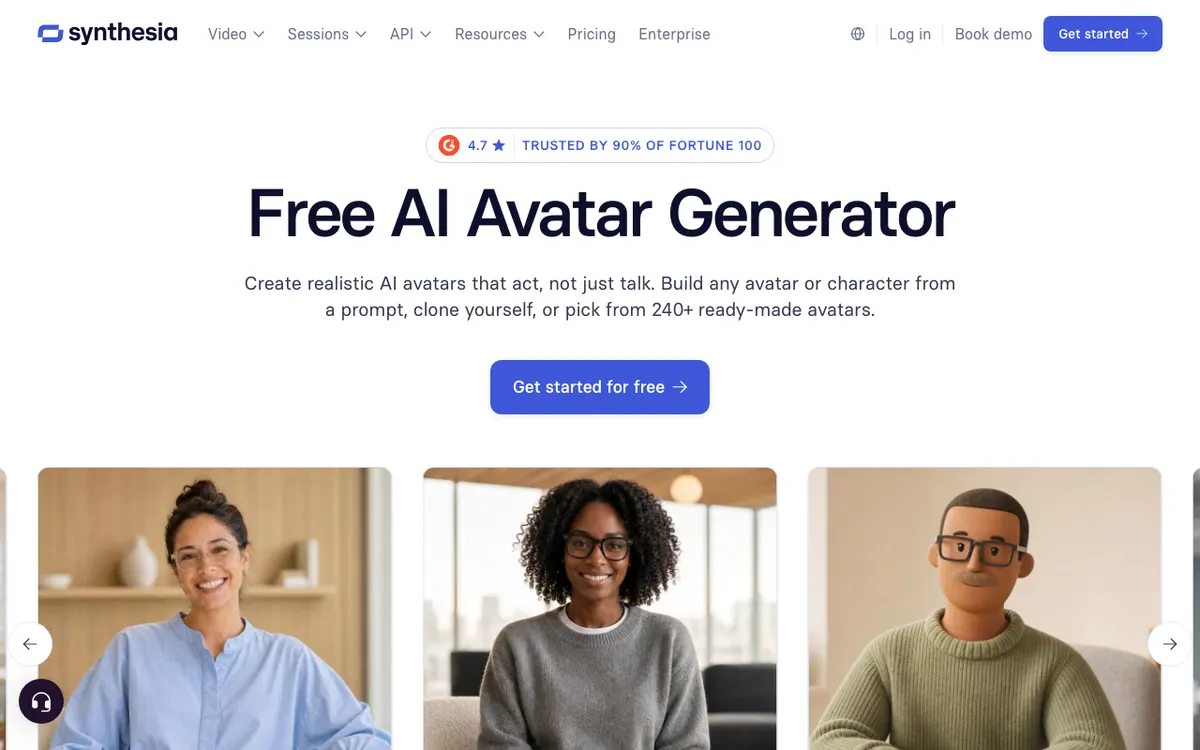 Synthesia — AI avatar video platform for business training and communication
Synthesia pricing: plans, credits and cost per minute
Synthesia pricing starts free, then runs $29/month for Starter and $89/month for Pro, dropping to $18 and $64 a month on annual billing. Enterprise is custom.
Every plan bills in credits that are shared across video, dubbing, surveys and Syren. Every plan, free included, also gets a 10-minute monthly allowance on top.
| Plan | Monthly billing | Annual billing | Credits | Video on top of free 10 min | Avatars |
|---|---|---|---|---|---|
| Basic | $0 | $0 | 500/month | Free allowance only | 9 |
| Starter | $29/month | $18/month | 1,250/month (15,000/year) | About 12 min/month | 125+ |
| Pro | $89/month | $64/month | 6,000/month (72,000/year) | About 60 min/month | 180+ |
| Enterprise | Custom | Custom | Custom | Unlimited video minutes | 240+ |
Source: Synthesia pricing, checked October 2026.
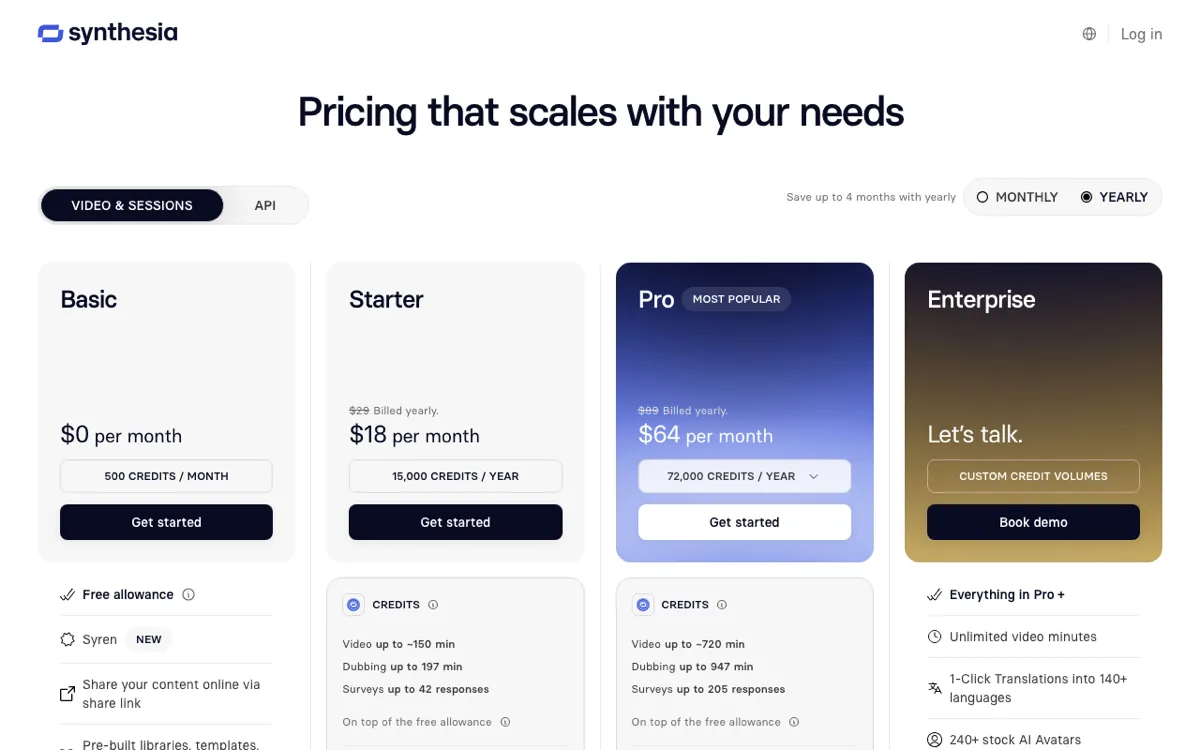 Synthesia’s yearly pricing: Starter at $18/month and Pro at $64/month
How Synthesia credits work
Synthesia charges for avatar footage generated, not the length of the finished video. Its pricing FAQ says a typical finished minute uses about 100 credits, more if the avatar stays on screen the whole time.
The other rates you need:
- Dubbing: 76 credits a minute, doubled for lip-sync
- Syren agent: a one-minute video typically uses 1,000 to 2,000 credits
- Survey responses: 350 credits each, first 3 included
- Avatar b-roll with motion: 230 credits per action
- Editing: free. Regenerating only charges for new footage
Monthly credits don’t roll over. When they run out, video creation pauses until renewal unless you buy a top-up, which stays valid for 12 months.
What you actually pay per finished minute
Here is the math, using Synthesia’s own 100-credits-per-minute guide plus the 10 free minutes each month.
| Plan | What you pay | Minutes you get | Cost per minute |
|---|---|---|---|
| Starter, monthly | $29/month | About 22 a month | About $1.32 |
| Starter, annual | $216/year | About 270 a year | About $0.80 |
| Pro, monthly | $89/month | About 70 a month | About $1.27 |
| Pro, annual | $768/year | About 840 a year | About $0.91 |
Our math, from Synthesia’s published plan grants. Real numbers rise if the avatar fills every frame.
Two things jump out. Starter on annual billing is the cheapest minute Synthesia sells, cheaper than Pro.
And Syren is expensive. One Syren minute can eat most of a Starter month’s 1,250 credits, so treat the agent as a drafting tool, not a production line.
Synthesia key features
Avatar realism
Synthesia’s stock avatars are full-body, with gestures and expressions matched to the script. They now “act, not just talk”, and can be placed in AI-generated scenes powered by Google’s Veo 3.
Personal avatars come three ways. Upload a single photo for the fastest result, record a short video to capture natural movement, or book a studio session for the highest fidelity.
Consent is strict. The person on screen must record a live consent statement that “can’t be skipped or uploaded after the fact”.
The avatars read as polished presenters rather than candid recordings. That consistency is right for a compliance module.
Where every avatar model still slips: product names, acronyms and fast technical terms. Test those lines before you render a 20-minute course.
For a deeper look at realism versus its closest rival, see HeyGen vs Synthesia.
Templates and the slide-style editor
Synthesia’s pricing grid lists 60+ templates on every plan, including Basic. Enterprise adds custom templates built by Synthesia’s creative team.
The editor is the real advantage. If your team can build a slide deck, it can build a Synthesia video, and PowerPoint import turns an existing deck into a narrated draft.
Interactivity lives in the same editor: calls to action, branching scenarios and built-in quizzes. That is why L&D teams pick it over creator-first tools.
Languages, voices and dubbing
Synthesia offers 1,000+ AI voices across 140+ languages for new avatar video. Personal avatars can narrate in 100+ languages.
AI dubbing translates your existing footage and keeps the original speaker’s voice. Its feature page advertises 130+ languages.
The pricing grid caps self-serve plans at 70+ dubbing output languages, and the full 140+ needs Enterprise.
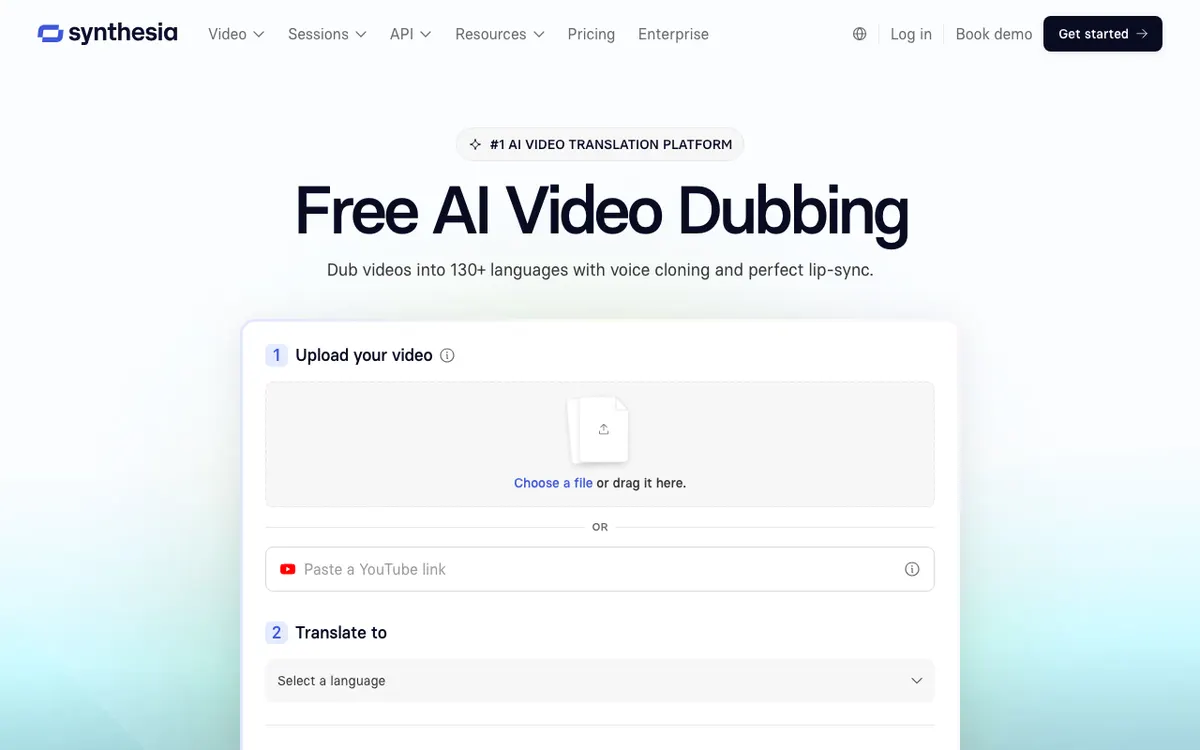 Synthesia AI Dubbing — translate existing video with voice cloning and optional lip-sync
If dubbing is your main job, compare dedicated options in AI video dubbing tools.
Team collaboration
This is where the plan you buy matters most.
| Plan | Editors | Guests | Team extras |
|---|---|---|---|
| Basic | 1 | None | Share link |
| Starter | 1 | 3 | Share link, removable logo |
| Pro | 1 | 5 | Share link, removable logo |
| Enterprise | Custom | Custom | Live collaboration, brand kits, SAML/SSO |
Guests can review, but only one person can build. A three-person L&D team either shares a login, which breaks the terms on most SaaS tools, or talks to sales.
Enterprise is where Synthesia becomes a real team tool. Brand kits apply your company’s style to every video, with roles, permissions and approval before a video goes live.
Publishing, LMS and analytics
You can share a video by link, embed it, or download a Full HD (1920 x 1080) MP4. SCORM export puts videos, including translated versions, straight into your LMS.
Analytics track views, clicks and completion, and compare results by version, language or date. Hosted videos update in place when you edit them, so you don’t re-upload a module after a policy change.
Security and compliance
Synthesia lists SOC 2 Type II, ISO 27001, ISO 27701, ISO 42001 and GDPR compliance, EU data residency, and content moderation on every video. It is also a member of the Content Authenticity Initiative.
Few avatar tools clear enterprise procurement this cleanly. For a regulated buyer, this section alone can decide the purchase.
Synthesia pros
- Built for training teams. Slide-style editor, PowerPoint import, quizzes, branching and SCORM in one place
- Cheapest avatar minutes on annual billing, about $0.80 on Starter
- Clear credit guide: about 100 credits per finished minute, and editing is free
- 1,000+ voices in 140+ languages for new avatar video
- Deepest compliance stack in the category: SOC 2 Type II, ISO 27001, ISO 27701, ISO 42001
- Generous free plan: 10 minutes of video or dubbing a month, no card
- Proven learning outcomes. Synthesia cites a UCL study of 500 adult learners that found no significant difference in engagement or retention between AI-avatar and human-instructor video
- Well reviewed: 4.7 on G2 from 2,000+ reviews, as shown on Synthesia’s avatar page
Synthesia cons
- One editor on Starter and Pro. Real collaboration needs Enterprise
- No 4K. Downloads top out at Full HD 1080p
- Dubbing is narrower than it looks: 70+ output languages on self-serve, 140+ only on Enterprise
- Credits don’t roll over, and work stops when they run out
- Syren burns credits fast: 1,000 to 2,000 for a one-minute video
- Avatars look like presenters, not like you on camera. Creators chasing a candid personal clone usually prefer HeyGen
- Monthly billing is steep: Starter monthly costs 61% more than Starter annual for the same monthly credits
Synthesia vs alternatives
Synthesia wins on compliance and training features; HeyGen wins on realism and video length; Colossyan is the closest L&D-focused rival.
| Synthesia | HeyGen | Colossyan | |
|---|---|---|---|
| Starting paid price | $29/month ($18 billed yearly) | $29/month ($24 billed yearly) | Professional $59/month billed yearly |
| Free plan | 10 min/month, watermark | 3 videos/month, 1 min each | Free Starter plan |
| Stock avatars | 125+ Starter, 240+ Enterprise | 1,100+ | 300+ |
| Languages | 140+ | 175 (translation) | 120+ |
| Editors on mid-tier plan | 1 (Pro) | Seats from $20/month on Business | Up to 3 (Professional) |
| Max export | Full HD 1080p | 4K from Pro ($49/month) | 1080p, 4K on Enterprise |
| SCORM export | Yes | Not listed on pricing page | From Professional |
| Best for | Corporate training, internal comms | Creators, marketing, translation | Course-based L&D |
Prices from Synthesia, HeyGen and Colossyan pricing pages, checked October 2026.
Want the wider field? We ranked the options in Synthesia alternatives, HeyGen alternatives and Colossyan alternatives.
Who should use Synthesia?
Use Synthesia if you:
- Build training, onboarding, compliance or policy video for a company
- Need SOC 2 Type II, ISO 27001 or ISO 42001 to pass procurement
- Already have slide decks and want them narrated without a camera crew
- Ship to an LMS and want SCORM, quizzes and completion analytics
- Can commit to annual billing for the lowest cost per minute
Look elsewhere if you:
- Want an avatar that passes as you on YouTube or LinkedIn: HeyGen is stronger, see HeyGen vs Synthesia
- Need 4K output or videos longer than your monthly minutes allow
- Have several editors and no Enterprise budget: Colossyan’s Professional plan allows up to 3
- Want to animate a single photo or run a live talking head: see D-ID alternatives
- Already have real footage and only need it in another language. An avatar is the wrong tool there; dubbing keeps the real speaker on screen
Conclusion: is Synthesia the best AI avatar video platform?
For corporate training in 2026, yes. No rival matches Synthesia’s mix of slide-style editing, SCORM, interactivity and enterprise compliance, and annual Starter delivers avatar video at about $0.80 a minute.
It is not the best platform for creators or small teams that need to co-edit. The one-editor limit, Full HD ceiling and Enterprise-gated collaboration push those buyers to HeyGen or Colossyan.
Start on the free Basic plan. Render the same 60-second script you’d actually ship, check the lip-sync on your product names, and only then pick a billing cycle.