
The best Fliki alternative depends on which half of Fliki you need. For the full script-to-stock-video job, Pictory and InVideo AI come closest, Zebracat wins for daily Shorts and Lumen5 for branded blog-to-video. Synthesia puts an avatar on screen, and Murf is the stronger voice studio. Vidwip fits when you bring or generate your own visuals: it voices a script in 190+ voices and 74 languages on a video timeline, or narrates an uploaded video for $0.60 a finished minute.
Fliki made one idea simple: paste a script, pick a lifelike AI voice, and get back a video built from stock clips, music and subtitles. These seven Fliki alternatives do parts of that job better, whether that’s a bigger stock library, a presenter on screen, a stronger voice studio or a voiceover that lands on your own footage.
Fliki is still a strong tool. It lists 2,000+ voices on Premium, 80+ languages, and says 14M+ users have made 100M+ videos with it.
People still leave for three reasons: credits, regional pricing and generic stock. This guide ranks seven Fliki alternatives on voice library, language coverage, stock visuals and what you actually pay, with every price checked on the vendor’s own page in October 2026.
What Fliki does, and why people look for Fliki alternatives
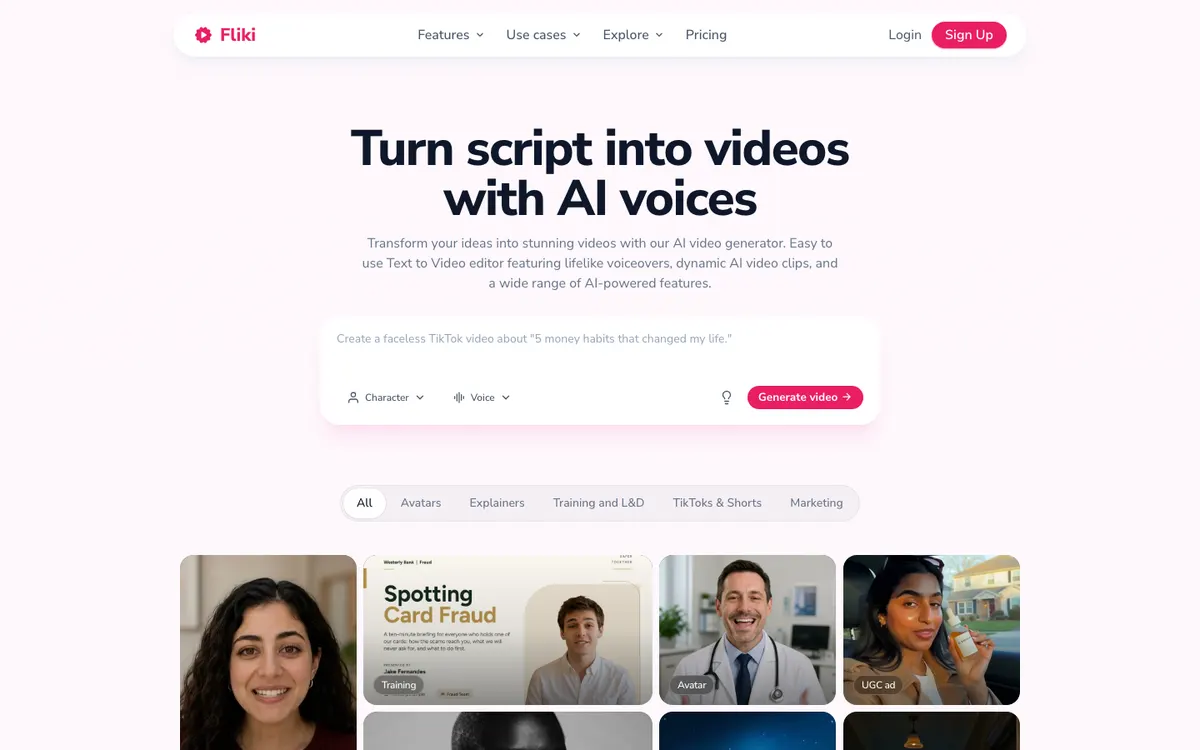 Fliki: type an idea or paste a script, pick a character and a voice, and generate a video.
Fliki is a text-to-video and text-to-speech tool that turns a script, blog post or one-line prompt into a video with AI voiceover, stock or AI visuals, music and subtitles. It also clones voices, dubs into other languages and offers avatars on higher plans.
Here is what each plan gets you, from fliki.ai/pricing (checked October 2026):
- Free: 720p, a Fliki watermark and about 5 minutes of content a month
- Standard ($28/month, or $21/month billed yearly): 180 credits a month, 1,000 voices with 500 ultra-realistic, videos up to 15 minutes at 1080p, 1 voice clone
- Premium ($88/month, or $66/month billed yearly): 600 credits a month, 2,000+ voices with 1,000+ ultra-realistic, videos up to 40 minutes, all AI avatars and multiple voice clones
- Enterprise: custom
Those are US prices. Paid plans are billed per user, and Fliki shows local-currency prices outside the US, so what you pay varies by region.
Why people look for Fliki alternatives:
- Credits go fast. Standard’s 180 credits a month cover far less once AI clips and avatars enter the video.
- Per-user billing. Every extra editor pays a full seat.
- Stock looks like stock. The same clips show up in everyone’s faceless videos.
- You already have footage. If the visuals exist, you only need the voice on a timeline.
What to look for in a Fliki alternative
Pick by what fills your frames, then by who’s speaking.
| Criterion | Why it matters for AI voiceover video |
|---|---|
| Voice library and realism | The narrator carries a faceless video more than the footage does |
| Language coverage | Sets how many markets one script can reach |
| Visuals: stock, AI or your own | Decides whether the video looks generic |
| Voice cloning and direction | Keeps a series in one voice and fixes flat reads |
| Length caps and credits | Set how many finished videos a plan actually buys |
| Watermark and export resolution | The real entry price, since most free plans brand your export |
1. Vidwip
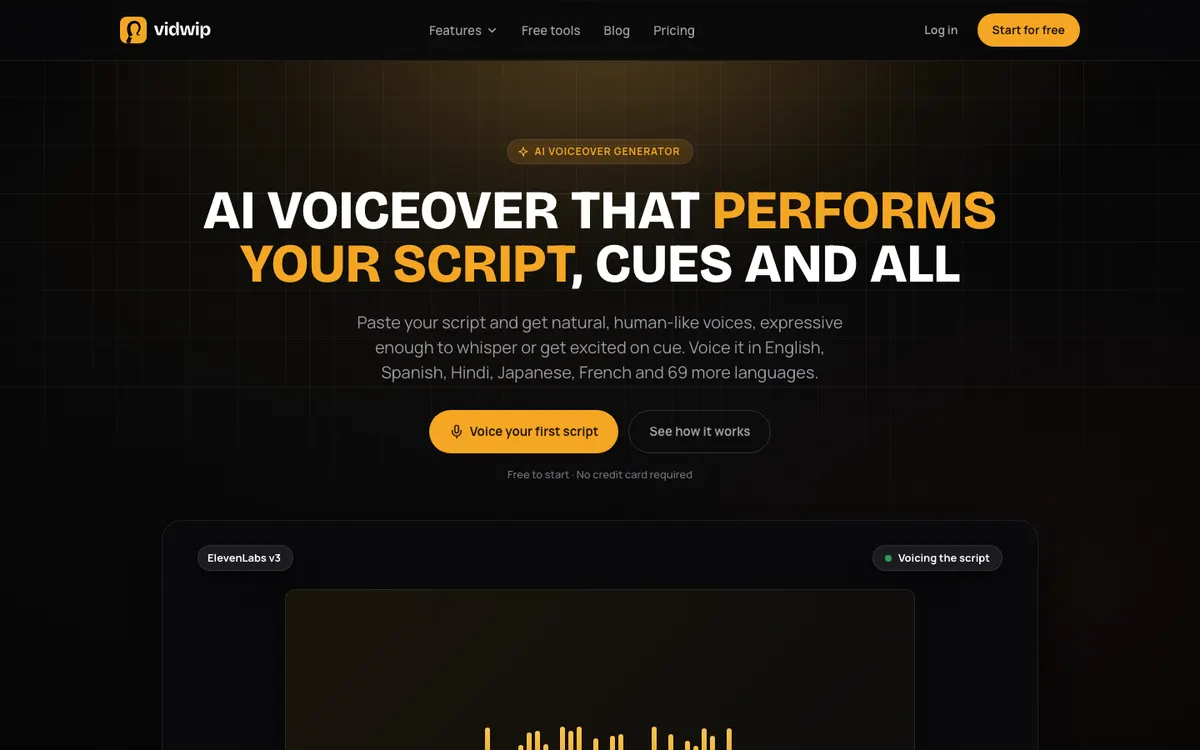 Vidwip AI Voiceover: paste a script, pick a voice and a language, and the track lands on your video timeline.
Vidwip is an AI creative studio that covers Fliki’s voiceover job for creators who bring or generate their own visuals: it voices your script in 190+ voices and 74 languages and puts the track on a video timeline, or narrates an uploaded video on its own. It’s free to start, with no credit card.
Be clear on the trade first. Vidwip has no stock footage library, no blog or URL-to-video import and no AI avatars, so it won’t build a stock video from a prompt the way Fliki does.
Three shipped tools do the work Fliki does.
AI Voiceover is the closest match to Fliki’s text-to-speech. You open Audio in AI Studio, paste up to 5,000 characters, about 5.5 minutes of speech, then pick one of 190+ voices and one of 74 languages.
Write a cue like [whispers] or [warmly] and the voice acts it out instead of reading it aloud. The mastered MP3 drops onto your timeline under the video you’re cutting, so you trim it against the picture right away.
Pick a language other than your script’s, and the AI agent translates it before it’s spoken, keeping your tags, names and brand spellings. Your voice and language stay selected for the next track, so a series sounds the same from episode one.
AI Video Voiceover narrates a video you already have. Upload an MP4, MOV or WebM up to 2 GB, or paste a link, and AI scripts the steps it sees on screen and voices them in any of 74 languages.
It’s built for screen recordings and product walkthroughs, and it costs $0.60 per finished minute (Vidwip pricing). You get the MP4 back without recording a take.
AI Motion Graphics covers Fliki’s idea-to-video job without stock. You write a brief, pick a style and a length from 30 seconds to 5 minutes, and AI storyboards it, animates every scene at 1080p and adds a song or a voiceover.
Around those three, AI Studio is a multi-track timeline where you can generate shots with the AI Video Generator and add subtitles, translated into up to 94 languages. Projects save, and four starters (Motion graphics explainer, AI UGC, Dub video and Product video) open the editor already set up.
Pros
- 190+ voices, and every voice speaks all 74 languages
- Audio tags like [whispers] and [excited] direct the read, with no voice actor
- The voiceover lands on a video timeline, not in a separate download
- Narrate an uploaded video at $0.60 a finished minute, with no script to write
- No watermark on AI Voiceover, AI Studio or AI Motion Graphics exports, on any plan
Cons
- No stock footage library: every shot is uploaded or generated
- No blog or URL-to-video import; you paste the script yourself
- No AI avatars or talking presenters
- No voice cloning for voiceover; a speaker’s own voice is cloned only when you dub
- Export tops out at 1080p, with no 4K
- AI Video Voiceover scripts can’t be edited or regenerated line by line
- Free-plan AI Video Voiceover renders carry a small badge, and no plan gets priority rendering
- AI Motion Graphics needs more credits than the free grant covers, so you sign up free and plan on a paid plan for full explainers
Best for: Creators and marketers who already have footage, or generate it, and want a directed AI voiceover in 74 languages on the same timeline.
Pricing: Free to start, no credit card (AI Motion Graphics: sign up free). Starter $25/month for 2,500 credits, Pro $99/month for 10,000 credits, Enterprise custom. AI Video Voiceover costs $0.60 per finished minute (Vidwip pricing, checked October 2026).
2. InVideo AI
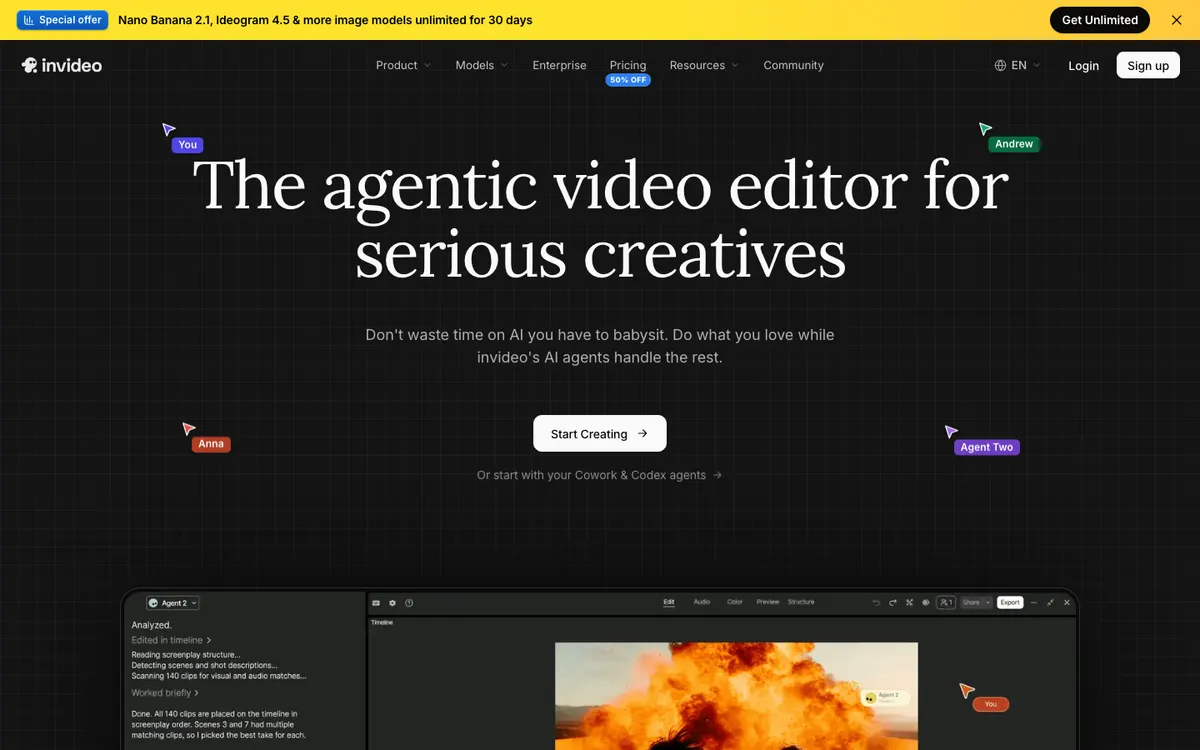 InVideo now sells an agentic video editor, where AI agents plan, generate and cut on one timeline.
InVideo AI is an agentic video editor that turns a script or idea into a shot plan, then builds the video from stock footage, generated clips, AI voices and subtitles, from $9 per seat a month. It’s the Fliki alternative with the most generative models in one place.
InVideo has moved to agents and model credits. Its Agent Two plans, generates and edits, and the pricing page names video models like Veo 3.1, Kling and Seedance next to ElevenLabs and MiniMax for audio.
Credits cover generation, and premium stock is counted separately. Basic includes 45 premium stock clips a month, Pro 150 and Ultra 180.
Pros
- Script or idea to a full video with stock, generated shots, voice and subtitles
- Video, image and audio models from several vendors in one credit pool
- Voice cloning and a timeline editor for fixing single shots
- Seats and free guest seats on Pro and Ultra for teams
Cons
- No free plan listed on the pricing page
- Credits are shared across generation, so AI clips drain the voiceover budget too
- Premium stock is rationed per seat each month
- The agentic editor is more tool than you need for a simple narrated stock video
Best for: Creators who want stock footage and generated shots mixed in one script-to-video run.
Pricing: Basic $9/month per seat (190 credits), Pro $30/month (1,000 credits), Ultra $80/month (3,000 credits). Annual billing showed 50% off: Pro $15 and Ultra $40 a month per seat (invideo.io/pricing, checked October 2026). Read our full InVideo alternatives ranking if InVideo is also on your list.
3. Pictory
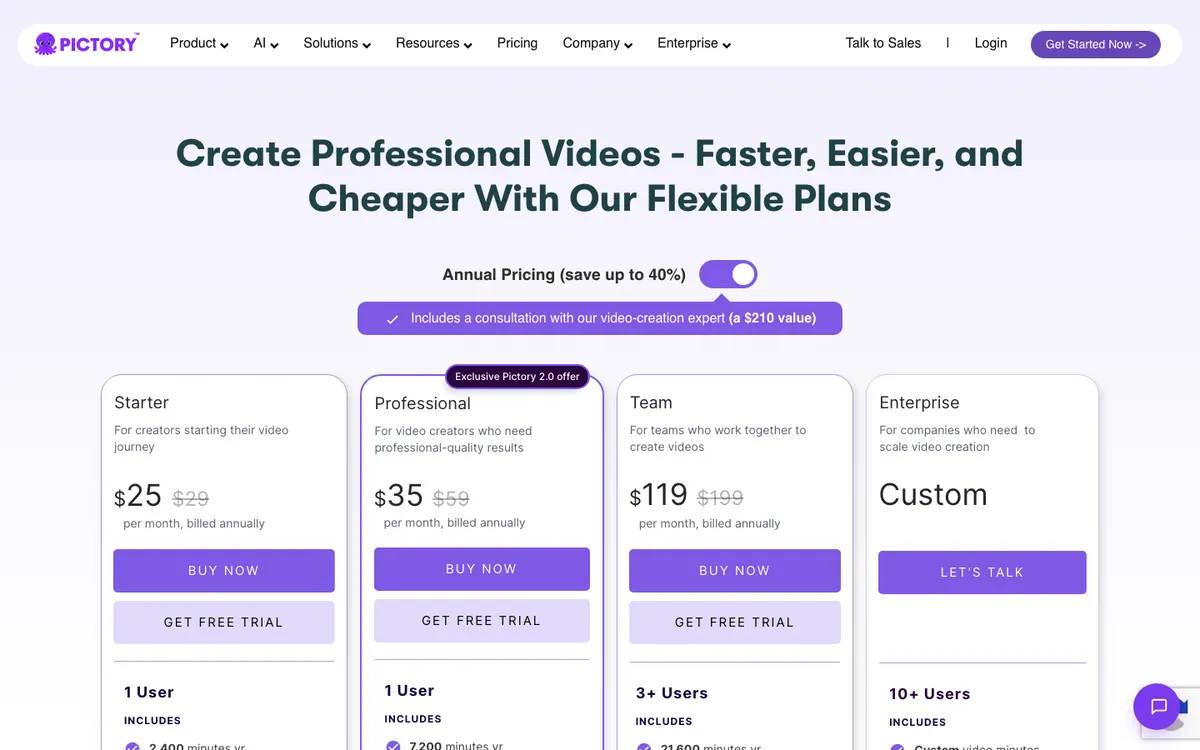 Pictory pricing: annual plans with Getty Images and Storyblocks stock and ElevenLabs voice minutes.
Pictory is an AI video maker that turns scripts, blogs, URLs, slide decks and recordings into stock-footage videos with ElevenLabs voices and captions, from $25 a month billed yearly. It’s the closest like-for-like Fliki alternative.
Paste a script and Pictory builds a scene for every sentence, matching visuals from Getty Images and Storyblocks. You edit the text to edit the video, which is faster than recutting a timeline.
Pictory 2.0, announced in March 2026, added AI avatars, a script generator, brand kits and a new timeline editor. Plans now include avatar minutes, from 3 a month on Starter.
Pros
- Script, blog, URL, PowerPoint and recording to video
- 5 million stock videos on Starter, 18 million on Professional
- ElevenLabs voices in 29 languages
- Edit the video by editing its text
- AI avatars since Pictory 2.0, and 2 voice clones on Professional
Cons
- ElevenLabs minutes are capped: 60 a month on Starter, 120 on Professional
- Script and URL videos cap at 5 minutes on Starter
- Avatar minutes are small on lower plans
- No free plan, only a 14-day trial with 15 video minutes
Best for: Content marketers turning scripts and blog posts into stock-footage video at volume.
Pricing: Starter $29/month ($25 billed yearly). Professional $59/month ($35 billed yearly on a Pictory 2.0 offer). Team $199/month ($119 billed yearly). Enterprise custom (pictory.ai/pricing, checked October 2026). Our Pictory alternatives guide compares it with more tools.
4. Synthesia
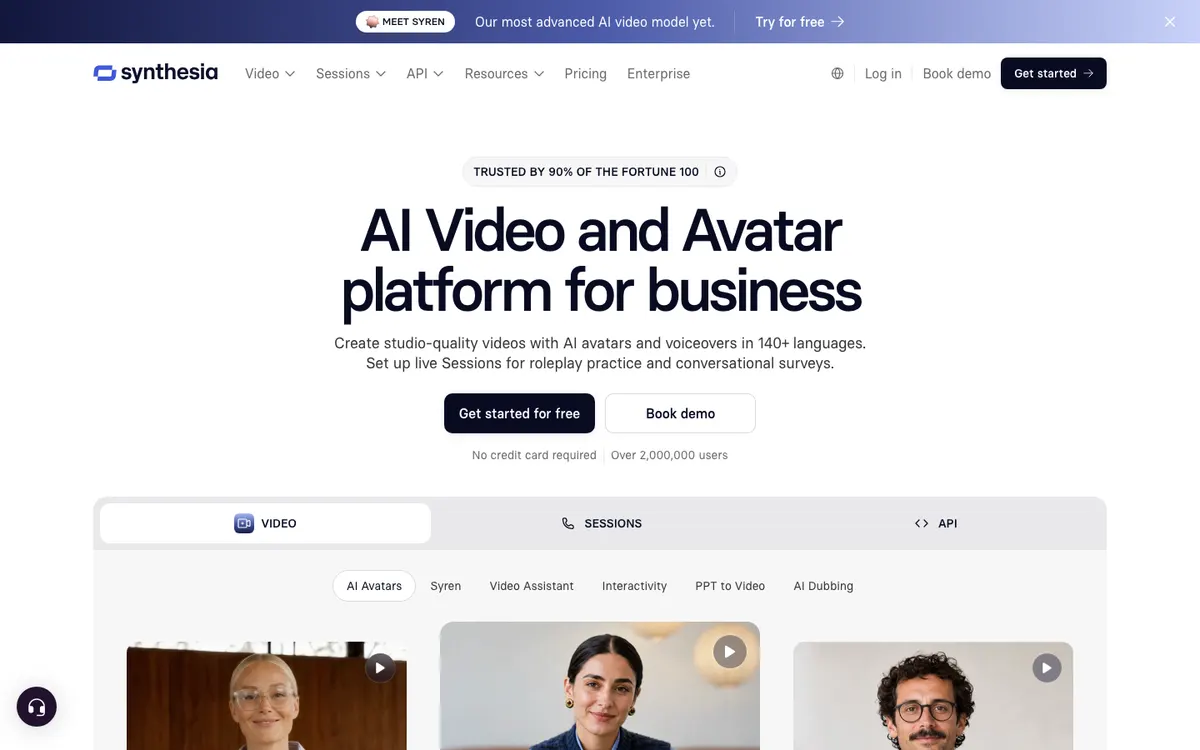 Synthesia: studio-quality videos with AI avatars and voiceovers in 140+ languages.
Synthesia is an AI avatar video platform for business that turns a script into a presenter-led video with voiceovers in 140+ languages, from $18 a month billed yearly. It’s the Fliki alternative when a face on screen beats stock footage.
You paste a script, pick an avatar and a template, and Synthesia renders the presenter speaking it. It also turns PowerPoint into video and dubs existing videos into 70+ languages.
Synthesia says it’s trusted by 90% of the Fortune 100 and has over 2,000,000 users.
Pros
- 125+ avatars on Starter, 180+ on Pro, plus personal avatars on Pro
- Voiceovers in 140+ languages, the widest reach in this list
- Free plan with 10 minutes of video a month, no credit card
- PowerPoint to video and AI dubbing built in
Cons
- Starter buys only about 12 minutes of video a month on monthly billing
- Free plan videos carry a Synthesia watermark
- Exports top out at 1080p
- Avatar-led, so less suited to cinematic faceless stories
Best for: L&D, HR and sales teams who need a presenter on screen in many languages.
Pricing: Basic free (10 min/month, watermark). Starter $29/month ($18 billed yearly). Pro $89/month ($64 billed yearly). Enterprise custom (synthesia.io/pricing, checked October 2026). See our Synthesia alternatives for other avatar tools.
5. Murf AI
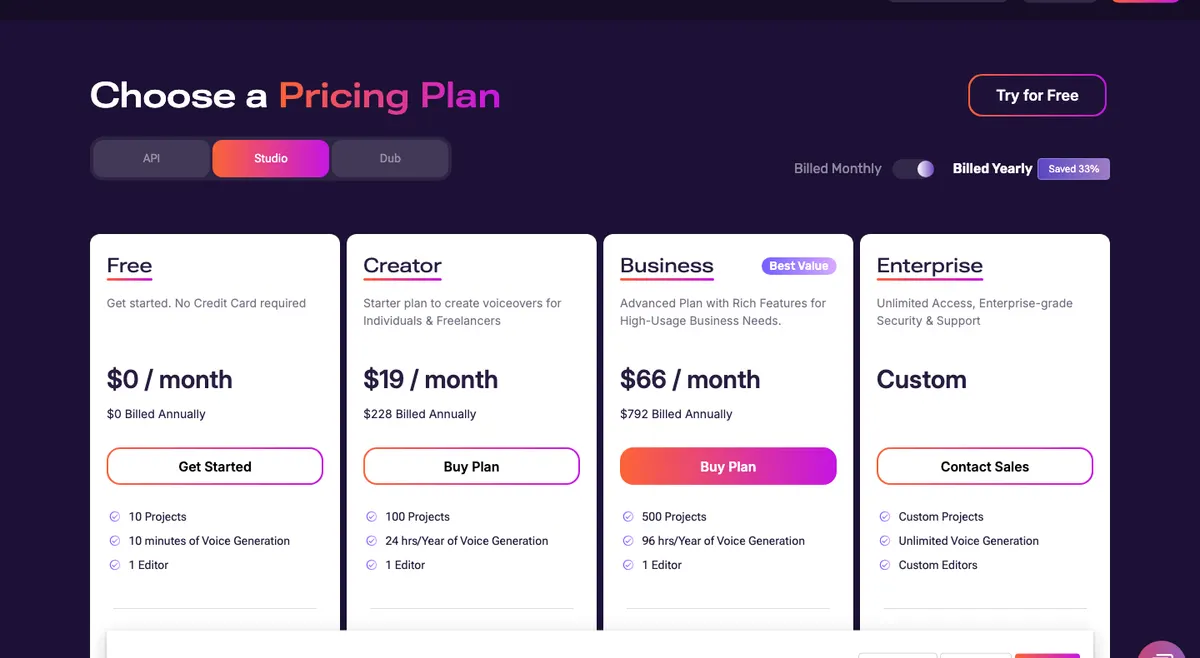 Murf Studio pricing: voice generation hours per year, with commercial rights from Creator.
Murf AI is a text-to-speech studio with 200+ voices in 30+ languages, where you can lay your voiceover against an uploaded video, from $19 a month billed yearly. It’s the Fliki alternative for people who care more about the voice than the visuals.
Murf gives you finer control over the read than Fliki. Every plan lets you change pronunciations and pauses, and Business adds emphasis, variability and Say It My Way controls.
It isn’t a video generator. Murf Studio includes royalty-free stock media and a voice-over-video workflow, but you assemble the visuals yourself.
Pros
- 200+ voices in 30+ languages, with styles and tonalities
- Pronunciation control on every plan, emphasis and variability on Business
- Canva integration on every paid plan; PowerPoint and Google Slides on Business
- Commercial rights from Creator up
Cons
- No script-to-video: you bring or pick every visual
- Free plan: 10 minutes of voice generation, no downloads and no commercial rights
- One editor seat on both Creator and Business
- Custom voice clones are an Enterprise add-on
Best for: Course creators and marketers who want the most controllable AI narration and will build the video elsewhere.
Pricing: Free (10 minutes, no downloads). Creator $19/month billed yearly ($228 a year, 24 hours of voice generation). Business $66/month billed yearly ($792 a year, 96 hours). Enterprise custom (murf.ai/pricing, checked October 2026). Our Murf AI alternatives ranking covers voice-only tools in more depth.
6. Zebracat
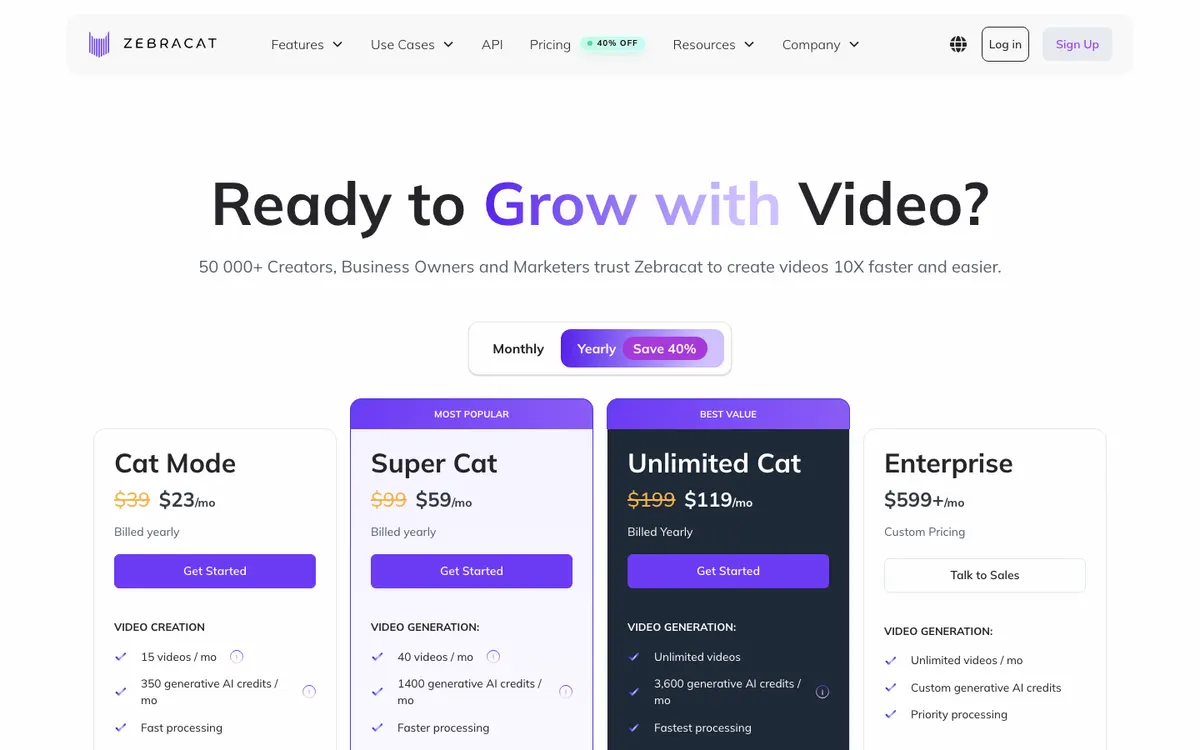 Zebracat pricing: plans counted in videos a month, with generative AI credits on top.
Zebracat is an AI video agent for short-form social video that turns a prompt, script, URL or audio file into Reels, Shorts and TikToks with stock footage, AI voices and captions, from $23 a month billed yearly. It’s the Fliki alternative built for posting every day.
You type an idea and Zebracat writes the script, picks visuals, adds captions and music, and can schedule the post to TikTok, Instagram Reels, YouTube Shorts and LinkedIn. You can still edit the text, visuals, voice and pacing first.
Zebracat lists AI voices in 170+ languages and shows ratings of 4.9 on Capterra, 4.8 on G2 and 4.7 on Trustpilot.
Pros
- Prompt, script, URL or audio to short-form video
- Auto-scheduling to four social platforms
- AI voices in 170+ languages, voice cloning from Super Cat up
- Custom avatars on Super Cat and above
- 1080p on every paid plan
Cons
- Videos cap at 2 minutes on Cat Mode and 5 minutes on every other plan
- Cat Mode gets only basic stock clips and music
- Free plan: 5 videos in total, 30 seconds each, at 720p
- Built for short-form; long YouTube narration is out of scope
Best for: Social media managers and faceless channel owners posting Shorts and Reels daily.
Pricing: Cat Mode $39/month ($23 billed yearly, 15 videos a month). Super Cat $99/month ($59 billed yearly, 40 videos). Unlimited Cat $199/month ($119 billed yearly). Enterprise from $599/month (zebracat.ai/pricing, checked October 2026).
7. Lumen5
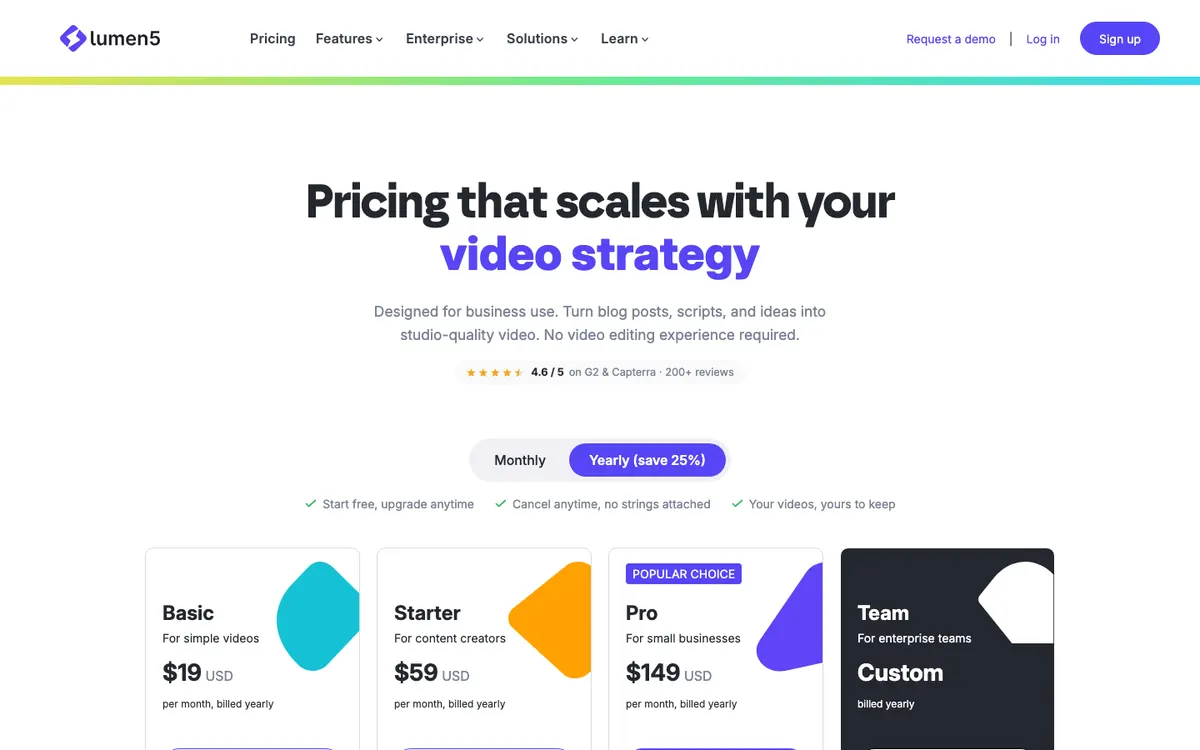 Lumen5 pricing: plans billed yearly, with AI voiceover minutes counted per year.
Lumen5 is an AI video maker for business that turns blog posts, scripts and documents into on-brand videos with stock media, 1,000+ AI voices and templates, from $19 a month billed yearly. It’s the Fliki alternative for marketing teams who repurpose written content.
Start with a link, a script or a document, and Lumen5 builds the first cut. Starter adds 50M+ stock photos and videos, and Pro adds Shutterstock editorial media.
Brand control is the draw. You get brand kits, 100+ templates and custom colors and fonts, and Pro lets you upload your own fonts and watermark.
Pros
- Link, script or document to video
- 1,000+ AI voices and a voice clone from Basic
- 50M+ stock photos and videos from Starter
- Brand kits and 100+ templates
- Automated captions on every plan
Cons
- Basic exports at 720p; 1080p needs the $59 Starter plan
- Videos cap at 10 minutes on paid plans
- AI voiceover minutes are counted per year: 240 on Basic
- Free plan: 5 videos a month, 2 minutes each, 720p, with a Lumen5 branded outro
Best for: Marketing and comms teams turning blog posts and reports into branded video.
Pricing: Free (720p, branded outro). Basic $19/month, Starter $59/month and Pro $149/month, all billed yearly. Team custom (lumen5.com/pricing, checked October 2026).
Fliki alternatives compared
| Tool | What it makes | Voices and languages | Visuals | Voice cloning | Free plan | Paid from |
|---|---|---|---|---|---|---|
| Vidwip | Voiceover on your timeline, narrated uploads, animated explainers | 190+ voices, 74 languages | Your footage or AI-generated; no stock | Only when dubbing | Free to start, no credit card | $25/mo Starter; $0.60/finished min for AI Video Voiceover |
| InVideo AI | Script or idea to agent-built video | ElevenLabs and MiniMax voices | Stock plus generated clips | Yes | Not listed | $9/mo per seat |
| Pictory | Script, blog, URL or PPT to stock video | ElevenLabs voices, 29 languages | 5M to 18M Getty and Storyblocks clips, avatars | 2 on Professional | 14-day trial | $25/mo billed yearly |
| Synthesia | Script to avatar video | 140+ languages | Avatars, Getty and Pexels stock | Yes | 10 min/mo, watermark | $18/mo billed yearly |
| Murf AI | Voiceover, laid on your video | 200+ voices, 30+ languages | Royalty-free stock media; you assemble | Enterprise add-on | 10 min, no downloads | $19/mo billed yearly |
| Zebracat | Prompt or script to Shorts and Reels | 170+ languages | Stock, AI visuals, avatars | From Super Cat | 5 videos, 30 s, 720p | $23/mo billed yearly |
| Lumen5 | Blog, script or doc to branded video | 1,000+ voices | 50M+ stock from Starter | 1 voice from Basic | 5 videos/mo, 720p, branded outro | $19/mo billed yearly |
| Fliki (baseline) | Script, blog or idea to stock video | 2,000+ voices, 80+ languages | Stock, AI clips, avatars | 1 on Standard, more on Premium | 720p, watermark | $28/user/mo |
We checked that every tool above is still operating and selling plans in October 2026.
How to choose the right Fliki alternative
You want Fliki’s workflow with a bigger stock library. Pick Pictory, with up to 18 million Getty Images and Storyblocks videos.
You want stock and generated shots in one run. Pick InVideo AI and its agent-built videos.
You need a presenter on screen. Pick Synthesia for avatars and voiceovers in 140+ languages.
The voice matters more than the visuals. Pick Murf for pronunciation and emphasis control, then cut the video elsewhere.
You post Shorts and Reels every day. Pick Zebracat, which writes, edits and schedules short-form video.
You repurpose blogs into branded video. Pick Lumen5 for brand kits and templates.
You already have the footage, or want to generate it. Pick Vidwip: voice the script in 190+ voices and 74 languages on the same timeline, or let AI Video Voiceover narrate the upload for you.
For the full faceless workflow, from script to YouTube’s rules, read our faceless video generator guide. If stock-footage video is your main job, the InVideo alternatives and Pictory alternatives rankings go deeper.
The verdict
Fliki is still one of the best all-in-one tools for turning text into a narrated stock video, and its 2,000+ voices are hard to beat. The best Fliki alternative depends on which half of Fliki you need.
Pictory and InVideo AI cover the whole script-to-video job, Zebracat owns daily short-form, Lumen5 owns branded blog-to-video, and Synthesia puts a face on screen. Murf wins if the voice is all you need.
Vidwip takes a different route: no stock library, no URL import and no avatars, but a directed voiceover in 190+ voices and 74 languages that lands on your own video timeline. If generic stock is why you’re leaving Fliki, that’s the trade worth testing.
Try it at app.vidwip.com. It’s free to start, no credit card.