
The best Luma AI alternatives depend on what you used Dream Machine for: Kling 4.0 for keyframed camera moves up to 30 seconds, Veo 3.1 for image to video with dialogue, Seedance 2.5 for holding a subject across shots, Higgsfield for camera presets. Vidwip AI Video Generator puts 16 of these models in one picker and drops every shot onto an editing timeline.
Luma Dream Machine made its name on cinematic camera moves and on turning a still image into a moving shot. The Luma AI alternatives below match or beat it on keyframed camera control, image to video with sound, and holding the same subject across shots.
Luma has changed too. Its Dream Machine page now presents Luma Agents, and its plans sell other vendors’ models, Veo 3.1, Kling 3.0 and Seedance 2.5 among them, beside its own Ray3.2.
So the honest question isn’t “Luma or not”. It’s which model each shot needs, and where you want to run it.
This post compares eight Luma AI alternatives on camera control, image to video and shot consistency, with cost per clip where the vendor publishes it. Prices were checked on each vendor’s own pricing page on October 18, 2026.
OpenAI’s Sora isn’t on the list: its app closed on April 26, 2026 and its API ended on September 24, 2026. Our Sora alternatives post covers what replaced it.
Quick picks: the best Luma AI alternatives at a glance
- Vidwip AI Video Generator: 16 video models in one picker, start frames on all 16, and every shot on an editing timeline.
- Runway: Gen-4.5 and Aleph 2.0 beside Kling 3.0 and Seedance on one plan, from $15 a month.
- Kling 4.0: up to 10 keyframes, camera-guiding reference videos and 30-second shots with stereo sound.
- Google Veo 3.1: image to video with lip-synced dialogue, free to try with 50 daily Google Flow credits.
- Higgsfield Cinema Studio: Camera, Film setup and Lighting selectors instead of camera prompts, from $9 a month.
- Hailuo 3: 2K close-ups with sound and up to 12 reference images, from $9.99 a month.
- Seedance 2.5: 30-second takes that hold a subject steady, sold through Pika, Runway, Higgsfield and Luma itself.
- Pika: the cheapest paid plan at $10 a month, with Pikaframes for keyframed moves.
What Luma Dream Machine does well, and where it stops
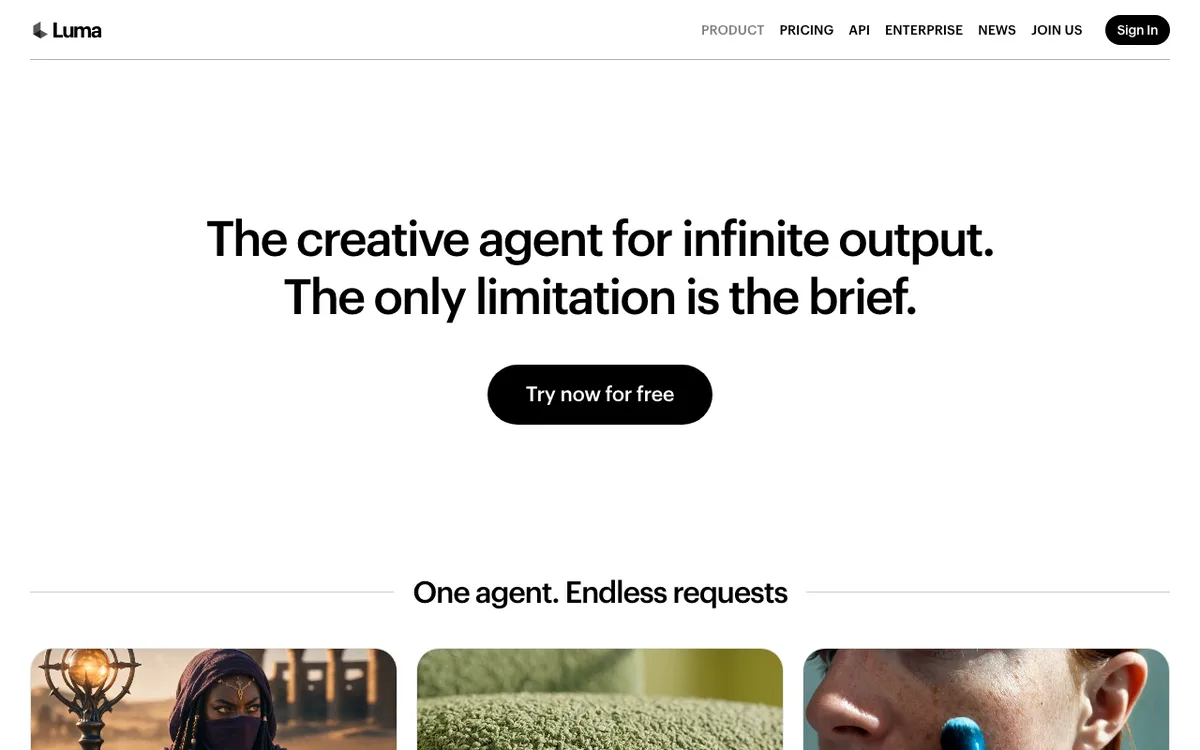 Luma: the Dream Machine page now presents Luma Agents, Luma’s creative agent.
Start with what you’d give up. Luma’s Ray3.2 offers Camera Motion Transfer, which “transfers cinematic camera moves across scenes, worlds, and styles”, plus up to 16 keyframes for image to video.
It also renders native 16-bit color with EXR export, which no alternative here matches. If your work is grading-heavy, that alone may keep you on Luma.
The limits are just as specific. Ray3.2 makes 5- or 10-second clips from text or an image, and those clips carry no native sound.
The cheapest plan is Plus at $30 a month for 10,000 credits, and the pricing page lists no free plan. At that rate Ray3.2 costs about $0.06 a second at 720p and $0.24 at 1080p.
Then there’s the resale point. Plus covers “Luma and third-party” models, so Veo 3.1, Kling 3.0, Seedance 2.5, MiniMax H3 and FLUX 3 all sit in Luma’s picker.
If the model you actually use on Luma is one of those, the question becomes price and workflow, not quality. Most of these models run on several platforms below.
What to look for in a Luma AI alternative
Camera control. Luma users care about the move. Check whether a tool takes keyframes, a camera reference video or camera presets, or only reads the camera from your prompt.
Image to video. Check whether it takes a start frame only, a start and end frame, or several keyframes. More frames means more control over where the shot lands.
Consistency across shots. One great clip is easy. Holding the same face or product across five shots takes reference images, and the counts differ widely.
Cost per clip. Credits hide the price. Where a vendor publishes a per-second rate, it’s converted to dollars at the plan’s own monthly rate below.
1. Vidwip AI Video Generator
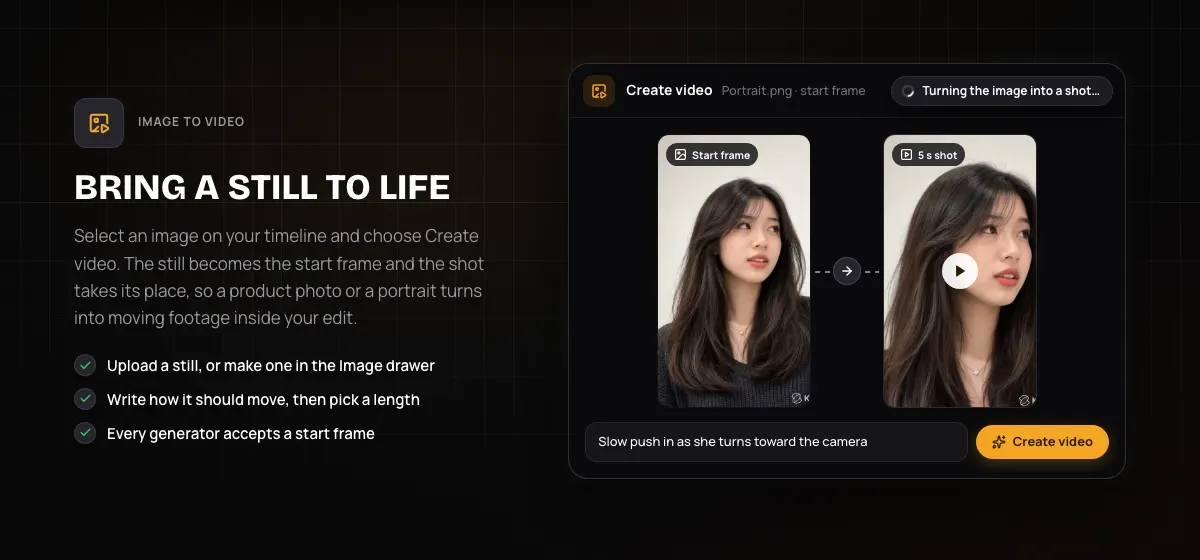 Vidwip AI Video Generator: select a still on your timeline, choose Create video, and it becomes the start frame of a new shot.
Vidwip AI Video Generator is a multi-model AI video generator that puts 16 video models from 7 vendors in one picker. Veo 3.1, Kling 3.0 Pro, Seedance 2.5, Hailuo 3 and Wan 3.0 are all there, on one credit balance.
That answers the resale question head on. If you went to Luma for its third-party models, you get most of the same ones here, with an editor around them.
Image to video works from the timeline. Select a still, choose Create video, describe the move, and the shot replaces the still where it sits.
All 16 models accept a start frame, and 12 also take an end frame. For consistency, Seedance 2.5 takes up to 30 reference images plus video and sound references.
14 of the 16 models make sound with the picture, and Veo 3.1 adds lip-synced speech. Shots run from 1 to 30 seconds, and the picker shows each shot’s credit cost before you generate.
Every shot lands on the AI Studio timeline. You trim, sequence and lay an AI voiceover under it, and the project saves, so you can come back to the cut later.
Pros
- 16 video models from 7 vendors in one picker, on one credit balance
- Start frame on all 16 models, end frame on 12
- Up to 30 reference images on Seedance 2.5 to hold a subject across shots
- Sound with the picture on 14 of 16 models
- Every shot lands on a timeline, and projects save
- Exports carry no watermark
Cons
- No camera presets, keyframes beyond start and end, or camera reference video; you direct the camera in the prompt
- Luma’s own Ray models aren’t in the picker
- Export tops out at 1080p, with no 4K and no HDR or EXR
- One shot per run, with no batch of variations
Best for: Image-to-video work that has to end up as an edited video, where you want to try more than one model per shot.
Pricing: AI video needs a paid plan. Starter: $25/month for 2,500 credits. Pro: $99/month for 10,000 credits. Enterprise: custom (vidwip.com/pricing).
2. Runway
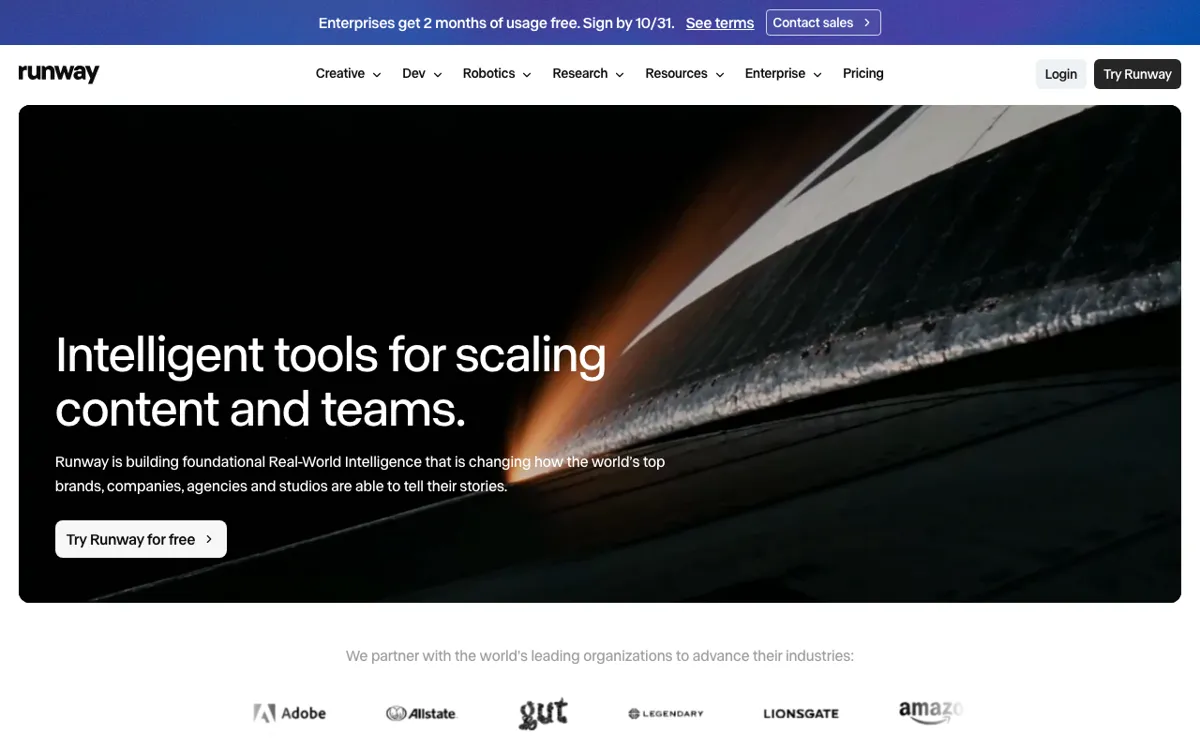 Runway: Gen-4.5 and Aleph 2.0 beside Kling 3.0, Seedance and Wan models.
Runway is the closest like-for-like Luma AI alternative. Both pair an in-house model with resold ones, and both sell plans to working creatives.
Runway’s own Gen-4.5 launched on December 1, 2025, and Runway reported a 1,247 Elo score on a blind human-preference benchmark (Runway research). Its demo reel leans on pans, trucking shots and orbits.
Runway also listed its limits at launch: effects that come before their causes, and objects that vanish or appear. That candour helps when you plan a shot.
Beside Gen-4.5, the pricing page lists Aleph 2.0 for video-to-video edits, Kling 3.0, and Seedance 2.0 and 2.5. Credits are stated in seconds: Standard’s 625 buy 52 seconds of Gen-4.5, about $0.29 a second.
Pros
- Gen-4.5 plus Aleph 2.0 for restyling or editing footage you already have
- Kling 3.0 and Seedance on the same plan
- Credits stated in seconds of Gen-4.5, so cost is clear up front
- 5 to 20 parallel generations by plan, and 4K upscaling from Standard
Cons
- 52 seconds of Gen-4.5 a month on Standard doesn’t go far
- The free tier is 125 one-time credits, not a monthly grant
- Seedance 2.5 starts on Pro, not Standard
- Unused plan credits roll over only on Max
Best for: Teams who want an in-house model plus video-to-video editing, with Kling and Seedance on the same bill.
Pricing: Free: 125 one-time credits. Standard: $15/month ($12 billed yearly) for 625 credits. Pro: $35/month ($28 yearly) for 2,250 credits. Max: $95/month ($76 yearly) for 9,500 credits (runway.com/pricing, checked October 2026).
For the full Runway field, see our Runway alternatives comparison.
3. Kling AI (Kling 4.0)
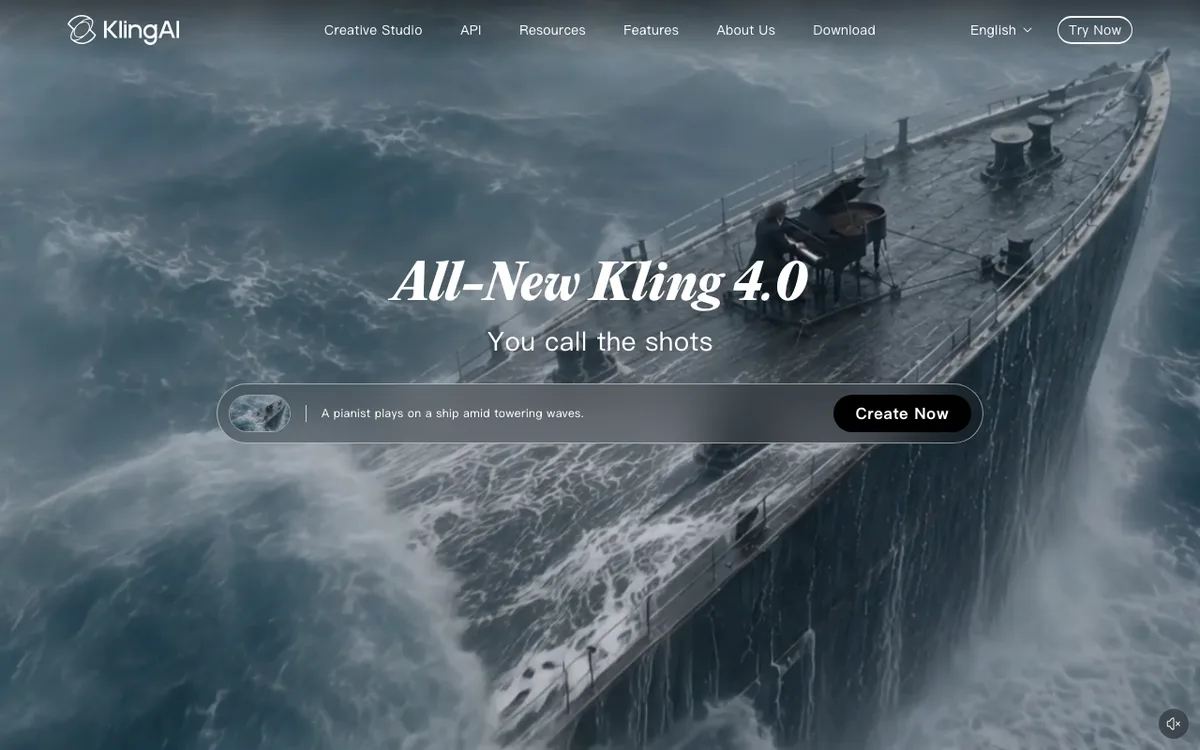 Kling AI: Kling 4.0, with up to 10 keyframes and 30-second shots.
Kling 4.0 is the Luma AI alternative with the most direct answer to Ray3.2’s keyframes. It takes first and last frames plus up to 10 keyframe images, so you set several points the camera has to pass through.
It also takes reference videos to guide “character performances, actions, camera movements, and narrative pacing”, per Kling’s release note. Tracking and orbit shots are the cases Kling says it improved.
Length is the other big gap. Kling 4.0 generates 3 to 30 seconds in one pass, at 720p, 1080p or 4K, with two-channel stereo sound.
For consistency, one generation takes up to 15 reference assets: images, videos, voice references and saved subjects. 10-bit HDR is listed but marked “coming soon”.
Pros
- Up to 10 keyframes, plus first and last frames
- Reference videos that guide camera movement
- 3 to 30 seconds per generation, with stereo sound
- Up to 15 reference assets per generation
- Direct plans from $6.99 for the first month
Cons
- The free Basic plan has no commercial use and keeps Kling’s watermark
- Kling 4.0’s 10% launch discount is listed only on Pro and above
- 10-bit HDR is still “coming soon”, so Luma’s EXR export has no match here yet
- First-month prices rise on renewal: Standard goes from $6.99 to $8.80
Best for: Directed camera moves and long single takes, where you want to set the path with frames rather than words.
Pricing: Basic: free. Standard: $6.99 first month, then $8.80/month, for 660 credits. Pro: $25.99 first month, then $32.56/month, for 3,000 credits (Kling membership page, checked October 2026). Kling 3.0 on Luma Plus is 40 credits a second at 720p with audio, about $0.12.
Our Kling AI alternatives post covers the reverse switch.
4. Google Veo 3.1
 Google Flow: Veo 3.1 with Frames to Video and Ingredients to Video, free with 50 daily credits.
Google Veo 3.1 is the image-to-video pick when the still has to speak. Google says it “excels in physics, realism and prompt adherence”, and it generates native audio, including lip-synced dialogue.
In Google Flow, Frames to Video turns a start and end frame into a shot. Ingredients to Video builds a shot from several reference images, which is how you keep a character the same across scenes.
Veo 3.1 makes 4, 6 or 8 seconds per generation. Flow’s Video Extension and Scenebuilder chain those into longer scenes.
Flow’s free tier includes Veo 3.1 with 50 daily credits. Outside Flow it’s pricey: Luma charges 280 credits a second with audio, about $0.84 a second on Plus.
Pros
- Native audio, including lip-synced speech
- Frames to Video for start and end frames, Ingredients to Video for references
- Free to try in Google Flow with 50 daily credits
- Video Extension and Scenebuilder for longer scenes
Cons
- 8 seconds is the longest single generation
- No camera presets; the move comes from your prompt and frames
- The most expensive model per second on Luma’s list
- Flow’s prices and features vary by market
Best for: Talking shots from a still: a portrait, a mascot or a spokesperson who has to say a line.
Pricing: Google Flow: free with 50 daily credits. Google AI Plus: $4.99/month. Google AI Pro: $19.99/month adds 1,000 monthly Flow credits. Google AI Ultra: from $99.99/month (flow.google.com, checked October 2026).
5. Higgsfield Cinema Studio
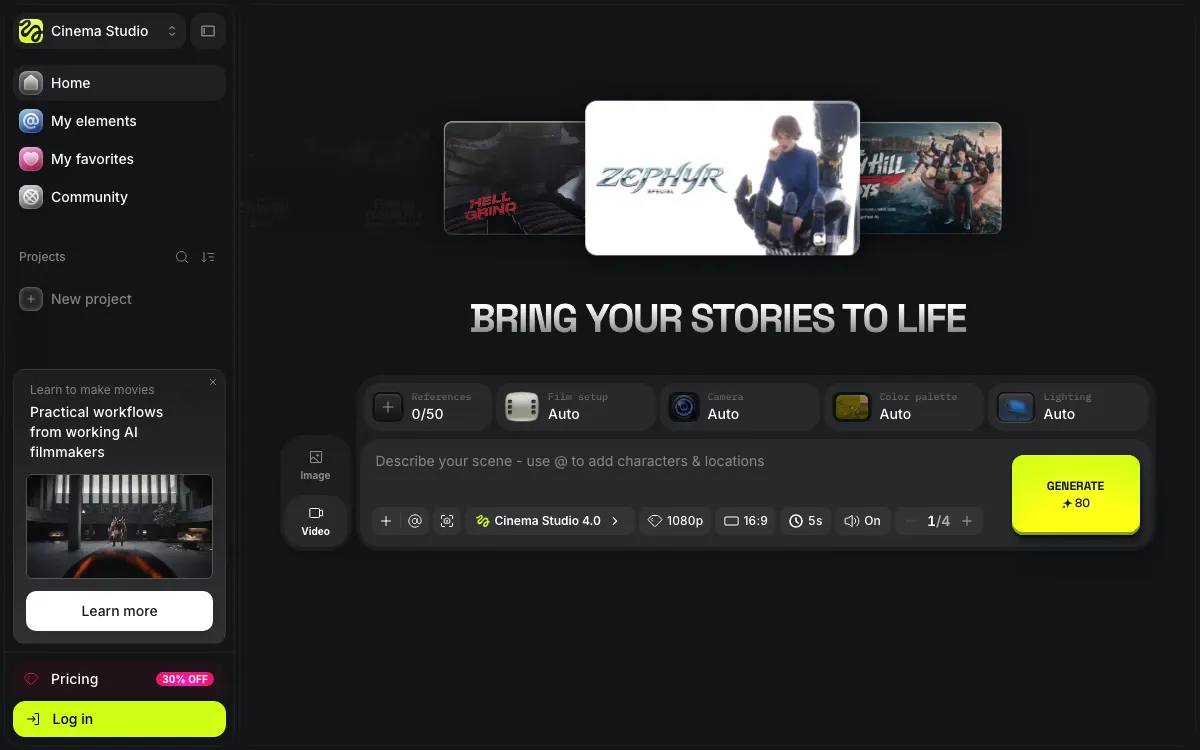 Higgsfield: Cinema Studio sets the camera, film stock and lighting from menus, with up to 50 references.
Higgsfield is the Luma AI alternative for people who’d rather pick a camera than describe one. Cinema Studio’s prompt bar carries Camera, Film setup, Color palette and Lighting selectors, each on Auto until you set it.
It takes up to 50 references per generation, and you tag characters and locations with @ in the prompt. That’s the consistency tool: define the cast once and call it by name.
A 5-second 1080p Cinema Studio shot with sound is quoted at 80 credits. Higgsfield also runs Kling 3.0 and Seedance models, and higher plans add limited-time unlimited runs on some of them.
Pros
- Camera, Film setup, Color palette and Lighting chosen from menus
- Up to 50 references, called into prompts with @
- Kling 3.0 and Seedance alongside Cinema Studio
- Basic plan from $9 a month
Cons
- Basic’s 120 credits buy about 7 Seedance 2.0 Fast videos, by Higgsfield’s own estimate
- Basic is limited to Seedance 2.0 Fast and 2.0 Mini among Seedance models
- “Unlimited” offers are time-limited and only on higgsfield.ai, not its MCP, CLI or Canvas
Best for: Filmmakers who think in lenses and lighting setups and want those as controls, not prompt words.
Pricing: Basic: $9/month for 120 credits. Pro: from $29/month ($23 billed yearly). Max: from $79/month ($59 billed yearly) (higgsfield.ai/pricing, checked October 2026).
6. Hailuo 3 (MiniMax H3)
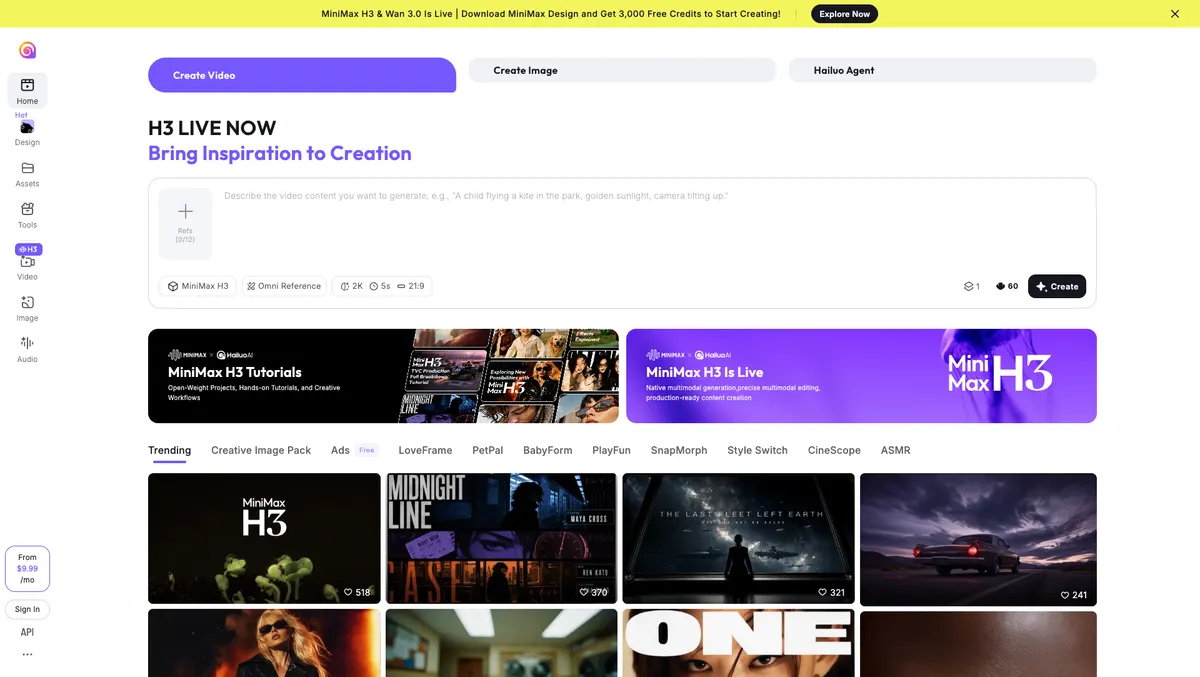 Hailuo AI: MiniMax H3 at 2K with Omni Reference, quoting 60 credits for a 5-second shot.
MiniMax’s Hailuo 3, sold on Hailuo AI as MiniMax H3, is the Luma AI alternative for close-ups. It renders at up to 2K with sound, above Ray3.2’s 1080p.
The create page takes up to 12 reference images through Omni Reference and quotes 60 credits for a 5-second 2K shot. One generation runs 5 to 15 seconds.
Luma sells it too: MiniMax H3 is 46 credits a second at 2K on Plus, about $0.14. Going direct starts at $9.99 a month, against Luma’s $30.
Pros
- Up to 2K output with sound
- Up to 12 reference images on Hailuo’s own create page
- 5 to 15 seconds per generation
- Direct plans from $9.99 a month
Cons
- No published camera controls; the move comes from your prompt
- 15-second ceiling, half that of Kling 4.0 and Seedance 2.5
- Only the starting price is public to a signed-out visitor
Best for: Portraits and product close-ups where resolution decides whether the shot holds.
Pricing: From $9.99/month (hailuoai.video, checked October 2026). On Luma Plus, MiniMax H3 is 28 credits a second at 768p and 46 at 2K.
7. Seedance 2.5
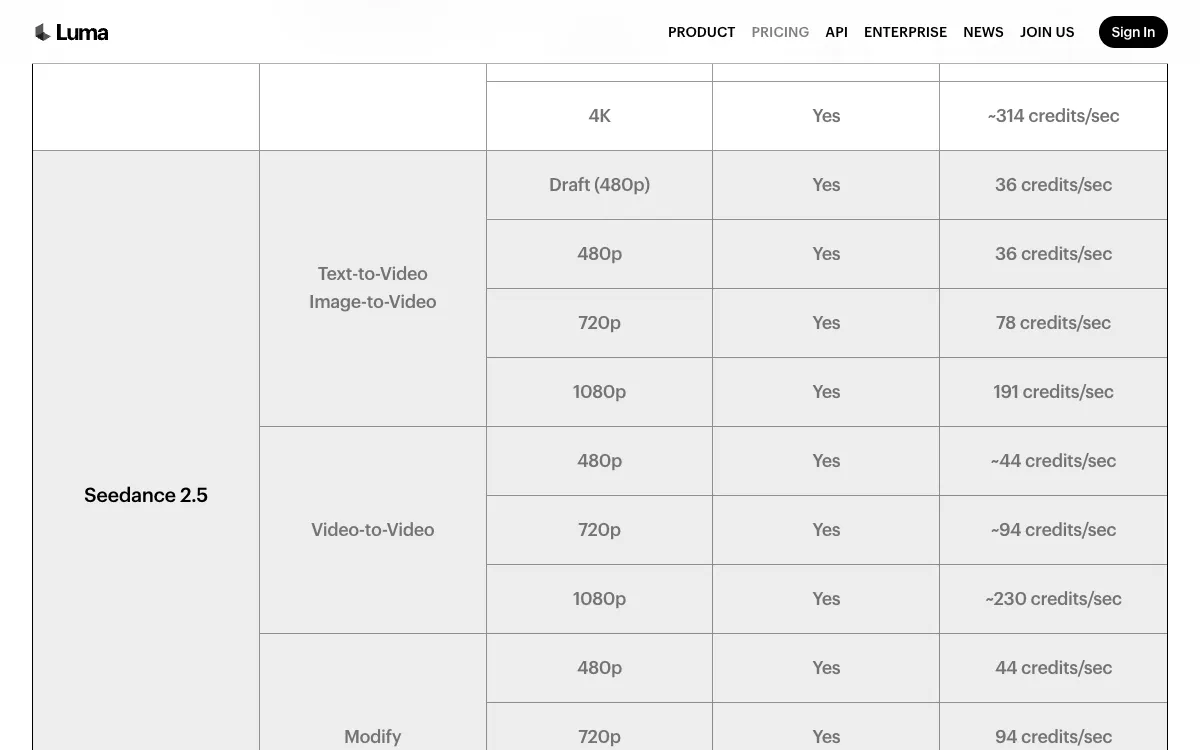 Seedance 2.5 on Luma’s own price list: the same model runs on Pika, Runway, Higgsfield and Vidwip.
ByteDance’s Seedance 2.5 is the Luma AI alternative for consistency across shots. It’s built “for 30-second storytelling with precise reference control”, and a generation can be extended twice.
Its reference handling is the draw. ByteDance says it reads reference videos for “framing, and cinematic language”, and the model takes up to 30 reference images plus video and audio references.
Here’s the honest part: Luma sells Seedance 2.5 itself, at 78 credits a second at 720p, about $0.23 on Plus. So this entry is less about leaving Luma’s models than about where you run this one.
Pika charges 122 credits for a 5-second 720p clip, about $0.27 a second on Starter. Runway carries it on Pro and Max, and Higgsfield from Pro.
Pros
- Up to 30 seconds per generation, extendable twice
- Up to 30 reference images, plus video and audio references
- Sound with the picture at every resolution on Luma’s list
- Sold on several platforms, so you choose the editor around it
Cons
- No standalone subscription; you pay through a platform
- 1080p is costly: 191 credits a second on Luma, about $0.57
- Pika’s Starter plan buys only 7 Seedance 2.5 clips a month, by Pika’s own estimate
Best for: Multi-shot sequences where a character or product must look the same in every shot.
Pricing: Luma Plus, $30/month: 78 credits a second at 720p, 191 at 1080p (lumalabs.ai/pricing). Pika Starter, $10/month: 122 credits per 5-second 720p clip (pika.art/pricing). Both checked October 2026.
8. Pika
 Pika: the cheapest paid plan here, with Pikaframes and resold models priced per clip.
Pika is the cheapest paid way into the models on this list. Starter is $10 a month for 900 credits, a third of Luma’s entry price.
Its video menu lists Pikaframes, Pika’s own keyframe model, plus Motion Transfer and Extend Video. Beside them sit Seedance 2.5, MiniMax H3, Wan 3.0 and Gemini Omni 1.1 Flash.
The pricing page lists what each clip costs. A 5-second 720p Wan 3.0 clip is 33 credits, so Starter buys about 27.
The catch is the licence. Starter has no commercial licence; that starts on Creator at $35 a month for 3,150 credits.
Pros
- $10 a month entry, the lowest paid plan here
- Pikaframes for keyframed moves, plus Motion Transfer
- Per-clip credit costs published on the pricing page
- No watermark on any plan, free included
Cons
- No commercial licence below Creator ($35/month)
- The free plan has no monthly credits; you buy packs
- Priority queue only on the top Fancy tier, from $95 a month
- Top-up credits can’t be used in the API or iOS app
Best for: Testing keyframed moves and resold models on a small budget, for personal projects.
Pricing: Free: no monthly credits, packs only. Starter: $10/month ($8 yearly) for 900 credits. Creator: $35/month ($28 yearly) for 3,150 credits with a commercial licence. Fancy: $95–$880/month (pika.art/pricing, checked October 2026).
Luma AI alternatives compared
| Tool | Camera control | Image to video | Longest shot | Sound | Entry price |
|---|---|---|---|---|---|
| Luma Ray3.2 (baseline) | Camera Motion Transfer, Reframe | Up to 16 keyframes | 10 s | No | $30/mo |
| Vidwip AI Video Generator | Prompt only | Start frame on 16 models, end frame on 12 | 30 s | 14 of 16 models | $25/mo |
| Runway | Prompt; Aleph 2.0 for video-to-video | Per model | Not listed | Per model | Free 125 one-time; $15/mo |
| Kling 4.0 | Up to 10 keyframes, camera reference video | First, last and keyframes | 30 s | Stereo | Free Basic; $6.99 first month |
| Google Veo 3.1 | Prompt | Start and end frames, references | 8 s | Yes, lip-synced | Free in Flow; $4.99/mo |
| Higgsfield Cinema Studio | Camera, Film setup, Lighting menus | Up to 50 references | Per model | Toggle | $9/mo |
| Hailuo 3 (MiniMax H3) | Prompt | Up to 12 references | 15 s | Yes | $9.99/mo |
| Seedance 2.5 | Prompt plus reference video | Frames or up to 30 references | 30 s | Yes | Via Pika $10/mo |
| Pika | Pikaframes, Motion Transfer | Per model | Per model | Per model | $10/mo |
Cost per second, where quoted above, is the plan’s monthly price divided by its credits, times the model’s published rate. Shot lengths are per generation.
How to choose the right Luma AI alternative
You want to keep the models and add an editor. Vidwip AI Video Generator runs Veo 3.1, Kling 3.0 Pro, Seedance 2.5 and Hailuo 3 in one picker, and every shot lands on the AI Studio timeline. If you live in Ray3.2’s keyframes, though, nothing here replaces them one for one.
You want more camera control, not less. Kling 4.0 is the closest match to Ray3.2’s keyframes, with 10 keyframes and camera reference videos. Higgsfield suits you if you’d rather pick a camera from a menu.
Your stills need to talk. Use Veo 3.1, and try it free in Google Flow first. See our Google Veo alternatives for other models with sound.
You need one subject across many shots. Seedance 2.5 takes up to 30 reference images, and Higgsfield takes up to 50 references. Kling 4.0 takes 15 reference assets, videos included.
You’re leaving over price. Google Flow is free to try, Kling Standard renews at $8.80 a month, and Pika Starter is $10. Budget for Pika Creator at $35 if the work is commercial.
You grade in HDR. Stay on Luma for now. Ray3.2’s 16-bit EXR export has no match here, and Kling’s 10-bit HDR is still “coming soon”.
Luma is still a strong camera tool, and it now sells many of its rivals’ models. The case for a Luma AI alternative is specific: longer takes, sound with the picture, a cheaper way in, or an editor around the shots.
If you’d rather not pick one model for every shot, run them side by side. Start at app.vidwip.com, on plans from $25 a month, with Veo 3.1, Kling 3.0 Pro and Seedance 2.5 in the same picker.