
CapCut is the better pick for social media creators and beginners: free on every platform, templates and auto-captions built in, and Pro listed at $14/month. Premiere Pro, now sold as Adobe Premiere, is the better pick for long-form, client and commercial work: deeper timeline control, color and audio tools, Generative Extend and Media Intelligence, at $22.99/month on an annual plan. On a phone, Premiere's free mobile app now matches CapCut with 4K export and no watermark.
CapCut vs Premiere Pro is the question most creators hit once their phone edits start getting real views. One is a free, template-first editor built for TikTok, Reels and Shorts. The other is the industry standard for long-form and commercial video.
They overlap more than they used to. CapCut now has keyframes, curves and color wheels, and Adobe ships a free Premiere app for iPhone and Android.
This comparison scores both on what changes your choice: AI editing features, learning curve, mobile support and real price. Every plan below was checked on each vendor’s own pricing page on October 26, 2026.
One naming note. Adobe now sells Premiere Pro as Adobe Premiere, on desktop and mobile. Same editor, shorter name, and we use both below.
TL;DR — who wins each round
| Dimension | Winner | Why |
|---|---|---|
| Learning curve | CapCut | Templates, auto-captions and one-tap effects, usable on day one |
| AI editing for social video | CapCut | Auto-captions, background removal, script to video and AI generation in one app |
| AI editing for long-form | Premiere Pro | Generative Extend, Media Intelligence search, Text-Based Editing, Enhance Speech |
| Timeline, color and audio control | Premiere Pro | Pro multi-track editing, Color Match, 50+ audio effects, Frame.io review |
| Mobile editing | Tie | Both free on iPhone and Android; Premiere mobile exports 4K with no watermark |
| Free plan | CapCut | Free on desktop, web and mobile; Premiere desktop is a 7-day trial only |
| Cheapest paid plan | CapCut | Pro at $14/month vs $22.99/month for Premiere on an annual plan |
| Commercial and client work | Premiere Pro | Clearer licensing and a pro review workflow |
Pick CapCut if you post short-form video every week, you’re new to editing, or you want to stay free. Pick Premiere Pro if you edit YouTube long-form, client work or anything with a brief, a review cycle and a color pass.
CapCut vs Premiere Pro: the short overview
Both are timeline editors. The difference is who each was designed for.
CapCut is built around speed for social video. You open a template or drop in clips, add auto-captions and trending effects, and export a vertical video in minutes.
Premiere Pro is built around control. Every cut, keyframe, color adjustment and audio level is yours to set, and it plugs into After Effects, Audition, Photoshop and Frame.io.
If your problem is “I need three Reels out by Friday”, look at CapCut first. If your problem is “the client wants a 12-minute brand film with notes on every scene”, look at Premiere first.
CapCut deep dive
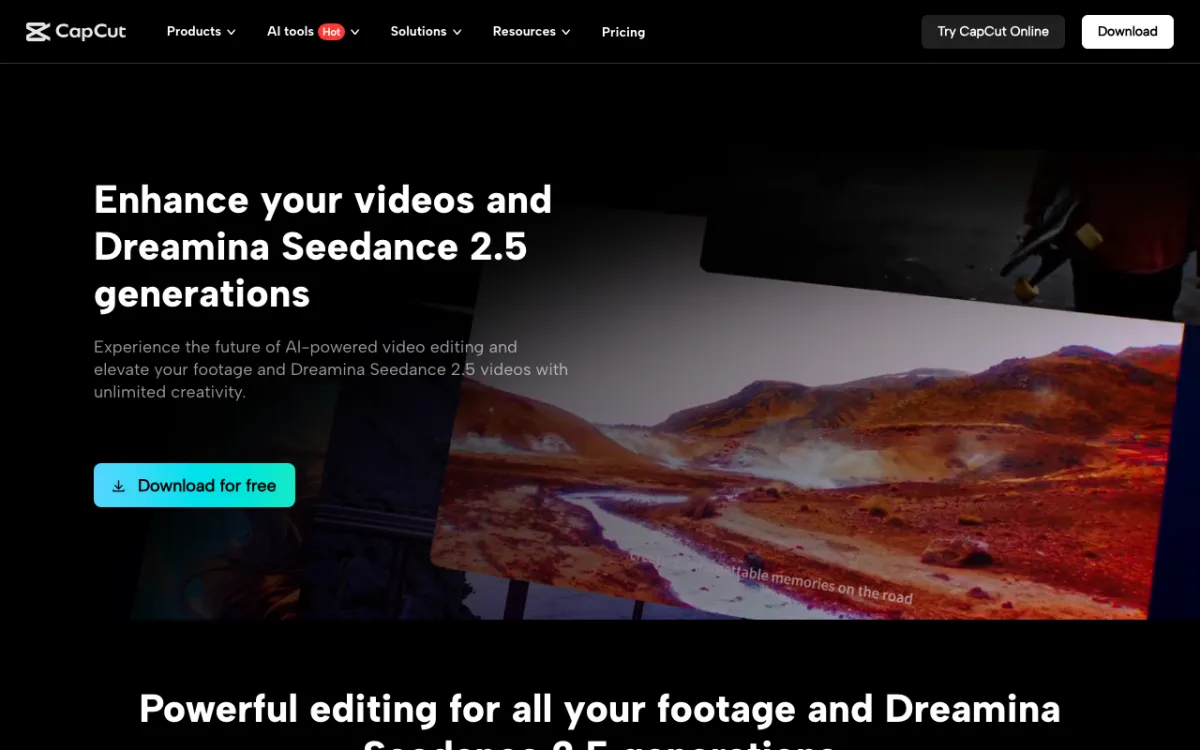 CapCut — free AI video editor for short-form social video on desktop, web and mobile
CapCut is a template-first video editor for social media creators, offering auto-captions, AI tools and trending effects free, with Pro listed from $14/month. It runs on Windows, Mac, the web, iPhone and Android, so a project can start on your phone and finish on a laptop.
The AI kit targets short-form work. Auto-captions turn speech into styled subtitles, background removal cuts out a subject without a green screen, and script to video turns written text into visuals.
The desktop editor goes deeper than its reputation. Its desktop page lists keyframes and graphs, curves, a color wheel, smart search by objects, dialogue and people, and video generation with Dreamina Seedance 2.5.
It’s also hugely popular. CapCut’s iPhone listing shows 4.6 stars from 1.1 million ratings (checked October 26, 2026).
On capcut.com/pricing (checked October 26, 2026), the plans look like this:
| Plan | Monthly | Yearly | AI credits | Storage | What you get |
|---|---|---|---|---|---|
| Free | $0 | $0 | — | — | Free templates, basic editing tools |
| Pro | $14/month | $89.99/year | 1,200/month | 1 TB | Premium templates and Pro features, AI features, AI generation |
| Ultra | $79/month | $900/year | 8,645/month | 1 TB | Everything in Pro, more generation, exclusive AI features |
CapCut labels these as reference prices that change after sign-in. App store prices run higher: the iPhone listing shows Pro Monthly at $19.99 and a Standard plan at $9.99.
Pros
- Free on Windows, Mac, web, iPhone and Android
- Templates, trending effects and auto-captions make a post-ready video in minutes
- Background removal, script to video and AI generation built into the editor
- Keyframes, curves and color wheels on desktop cover more than most beginners need
- Pro at $14/month, $89.99/year, is the cheapest paid plan here
Cons
- Pro-tagged templates and effects force a Pro upgrade to export without a watermark
- Free 4K export depends on your device and app version, per CapCut’s own help docs
- June 2025 terms take a broad licence over uploaded content, a concern for client work
- Prices vary by platform and region, and app store plans cost more than the web
- Blocked in India since 2020, so availability depends on where you live
Best for: Social media creators, beginners and small brands posting TikTok, Reels and Shorts every week.
Premiere Pro deep dive
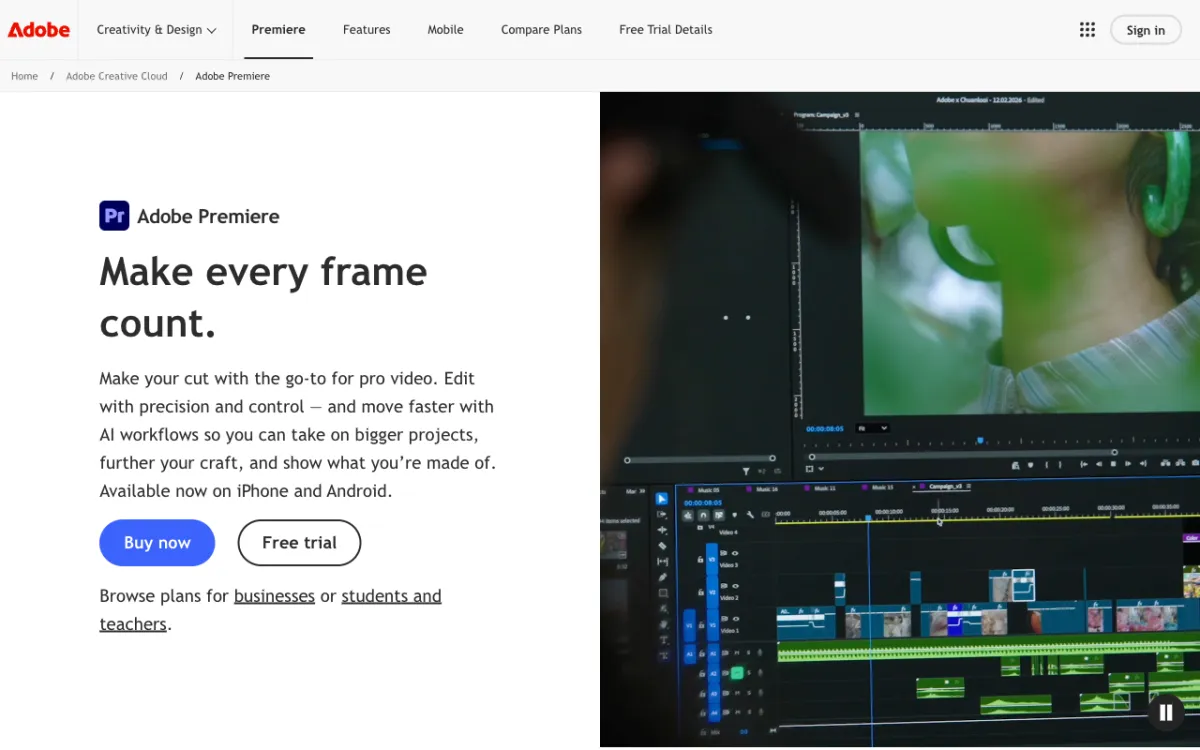 Adobe Premiere (formerly Premiere Pro) — the professional editor for long-form, client and commercial video
Adobe Premiere is a professional video editor for YouTubers, agencies and filmmakers, offering pro timeline control and Firefly-powered AI tools from $22.99/month on an annual plan. It’s what most editing jobs and courses expect you to know.
The AI tools target the slow parts of long-form editing. Adobe’s features page lists these:
- Generative Extend lengthens a clip, adds frames and fills missing ambient sound with Firefly
- Media Intelligence finds clips by describing what’s said or shown, and locates alternate takes
- Text-Based Editing transcribes footage on import, so you build a rough cut by copying text
- Speech to Text creates captions in 18 languages and identifies speakers
- Enhance Speech cleans dialogue and removes background noise
- Object Mask, Color Match and Auto Reframe handle masking, shot matching and vertical crops
On adobe.com/products/premiere/plans (checked October 26, 2026), the plans look like this:
| Plan | Price (annual, billed monthly) | Generative credits | Storage | Free trial |
|---|---|---|---|---|
| Premiere | $22.99/month | 25/month | 100GB | 7 days |
| Creative Cloud Pro | $34.99/month offer (regularly $69.99) | 4,000/month | 100GB | Not stated |
| Creative Cloud Pro, students and teachers | $19.99/month first year | 4,000/month | 100GB | 7 days |
| Premiere for teams | $37.99/month per licence | 25/month | 1TB | 14 days |
The Premiere plan includes Premiere desktop and mobile, Frame.io and Adobe Express Premium. Adobe’s plans page shows only annual, billed-monthly prices, so expect to commit to a year.
Pros
- The deepest timeline, color and audio control of the two
- Generative Extend and Media Intelligence save real hours on long-form edits
- Text-Based Editing and Speech to Text in 18 languages speed up interviews and talking heads
- Frame.io review and Creative Cloud apps fit agency and client workflows
- Free Premiere mobile app included, with 4K export and no watermark
Cons
- No free desktop plan, only a 7-day trial
- $22.99/month on an annual commitment, versus $14/month for CapCut Pro
- Only 25 generative credits a month on the single-app plan
- Steep learning curve: panels, sequences and export settings take weeks to learn
- Fewer ready-made social templates and trend effects than CapCut
Best for: YouTubers doing long-form, freelancers, agencies and anyone editing client or commercial work.
Head-to-head comparison table
| Feature | CapCut | Premiere Pro |
|---|---|---|
| Core strength | Fast short-form editing | Professional control |
| Platforms | Windows, Mac, web, iPhone, Android | Windows, Mac (desktop); iPhone, Android (mobile app) |
| Free option | Free plan on every platform | Free mobile app; desktop is a 7-day trial |
| Cheapest paid plan | Pro $14/month or $89.99/year | $22.99/month, annual plan |
| AI captions | Auto-captions | Speech to Text in 18 languages |
| AI editing | Background removal, script to video, smart search | Generative Extend, Media Intelligence, Object Mask |
| AI generation | Dreamina Seedance 2.5, 1,200 credits/month on Pro | Firefly, 25 credits/month on Premiere |
| Text-based editing | Yes | Yes |
| Templates and trend effects | Large library | Limited |
| Color | Color wheel, curves, auto-adjust | Color Match, full Lumetri grading |
| Team review | Teams plan, brand kit | Frame.io built in |
| Storage | 1 TB on Pro | 100GB on Premiere |
| App Store rating | 4.6 from 1.1M ratings | 4.8 from 27K ratings (mobile app) |
Key differences that change your pick
AI editing features
CapCut wins for social video. Auto-captions, background removal, script to video and AI generation are one tap away, and Pro gives you 1,200 AI credits a month to spend on them.
Premiere wins for long-form. Generative Extend fixes a clip that’s two seconds too short, and Media Intelligence finds “the take where she laughs” across hours of footage.
The generative budget is the catch. Premiere’s single-app plan includes only 25 generative credits a month, so heavy Firefly use pushes you toward Creative Cloud Pro at 4,000.
Learning curve
CapCut is easier, and it isn’t close. You can export a captioned, vertical video in your first session without watching a tutorial.
Premiere asks for weeks, not hours. The payoff is that every skill transfers: Premiere is the editor most agencies, job posts and editing courses expect.
If you’re a beginner who wants to go pro, start in CapCut. Switch to Premiere when you catch yourself fighting CapCut’s limits on long edits, color or audio.
Mobile support
This round used to be CapCut’s by default. In 2026 it’s a tie.
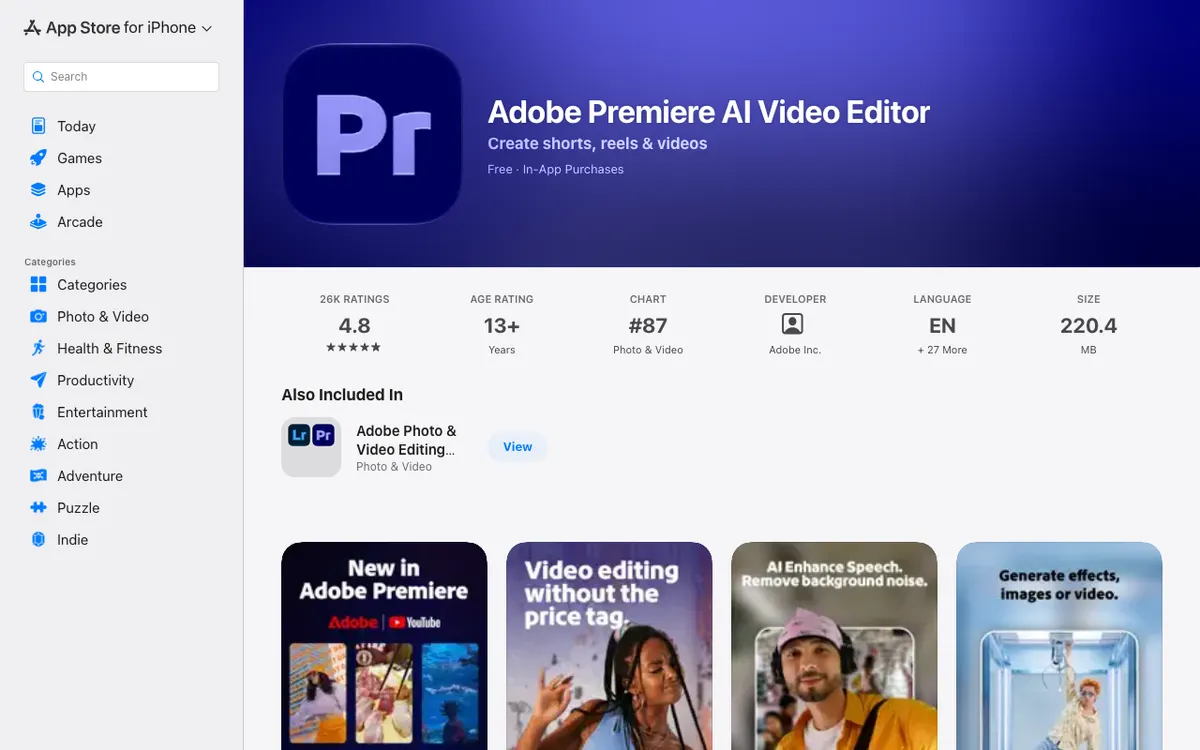 Adobe Premiere mobile — free on iPhone and Android, with 4K export and no watermark
Adobe’s Premiere mobile app is free, exports in 4K and shows no ads or watermarks. Premium costs $7.99/month or $69.99/year and mainly adds Firefly generative credits.
CapCut mobile still has the bigger template library and trend effects. Premiere mobile has the cleaner export terms, and it’s included in the desktop Premiere plan.
Pricing and value
CapCut is cheaper at every step. The free plan covers most short-form work, and Pro costs $14/month or $89.99/year on the web.
Premiere costs $22.99/month on an annual plan, billed monthly. That’s $275.88 a year, about three times CapCut Pro’s yearly price.
Students get the best Adobe deal. Creative Cloud Pro, with Premiere and 20+ other apps, costs $19.99/month for the first year.
Licensing and commercial use
Premiere is the safer choice for client work. Adobe faced its own terms backlash in 2024 and responded by pledging not to train generative AI on customer content without consent.
CapCut’s June 2025 terms update drew wide criticism. Analysts, including editor and trainer Larry Jordan, flagged the perpetual, royalty-free licence it takes over uploaded content.
For your own channel, that may be a fair trade for a free editor. For a client’s unreleased footage, read the terms before you upload.
Which one should you pick?
- Complete beginner: CapCut. You’ll post a finished video today, and nothing you learn is wasted.
- TikTok, Reels and Shorts creator: CapCut. Templates, trends and auto-captions are the job.
- Long-form YouTuber: Premiere Pro. Text-Based Editing, Media Intelligence and proper audio tools pay off on 15-minute videos.
- Freelancer or agency: Premiere Pro. Clients expect Premiere project files and Frame.io review links.
- Student: Premiere Pro through Creative Cloud Pro at $19.99/month for the first year, or CapCut free.
- Phone-only editor: Either. Try Premiere mobile for clean 4K exports, CapCut for templates.
Plenty of creators run both. They cut daily Shorts in CapCut and save Premiere for the long-form video those Shorts promote.
Still shortlisting? Our CapCut alternatives guide ranks Edits, VEED, Kapwing and DaVinci Resolve on auto-captions and price. For desktop editors without a Premiere learning curve, see the Filmora alternatives list.
If you edit in the browser, compare free plans in our Clipchamp alternatives and VEED alternatives rankings. Editing podcasts or talking heads instead? Read Descript vs Riverside.
Conclusion: CapCut for speed, Premiere Pro for control
CapCut vs Premiere Pro comes down to what you make. CapCut is the better video editor for social media creators and beginners, and Premiere Pro is the better editor for long-form, client and commercial work.
If you post short-form every week, start on CapCut free and upgrade to Pro at $14/month only when you need its AI credits or premium templates. If you edit longer videos or get paid to edit, take Premiere’s 7-day trial and budget $22.99/month.
Not sure yet? Install both free mobile apps and cut the same 30-second clip in each. The one you finish first is your answer.