
Seven apps still generate video from a phone in November 2026: Gemini, Kling, PixVerse, Hailuo, Runway, Grok and Dreamina. Kling lists up to 15 seconds at 1080p, Runway bundles several third-party models, and Gemini gates video behind a paid Google AI plan. Hailuo is Android only, Runway and Dreamina are iPhone only on the App Store, and Sora is closed. We compared store listings and vendor pages and did not run the apps.
A mobile ai video generator turns a text prompt or a photo into a short clip on your phone, with the rendering done on the vendor’s servers. We checked every app on its App Store or Google Play listing on 8 November 2026 and found seven that still do it.
We compared store listings, vendor pricing pages and public leaderboards. We didn’t run these apps ourselves, so the notes below are what each vendor states, not a verdict on how the output looks.
What changed since the Sora app closed
OpenAI closed the Sora app on 26 April 2026 and the API on 24 September, so it is not an option. If you landed here looking for it, read why OpenAI shut Sora down and the Sora alternatives list.
CapCut is also missing from this list on purpose. Its store listings describe a video editor with captions, effects and 4K export, and they don’t mention generating video from text.
We cover it in our mobile AI video editor roundup instead.
Quick picks
| Want | Use |
|---|---|
| Video inside an assistant you already use | Gemini |
| Longest clip length stated in a store listing | Kling AI |
| Effects, lip-sync and sound effects in one app | PixVerse |
| A free-to-install generator on Android | Hailuo AI |
| Several third-party models in one app | Runway |
| Short clips with sound inside a chat app | Grok |
| ByteDance’s Seedance 2.0 on iPhone | Dreamina |
How these mobile AI video generator apps compare
Every app below is free to install with in-app purchases. Ratings and install counts come from the store pages we read on 8 November 2026.
| App | iPhone | Android | Stated clip length | Sound | Plan price (checked November 2026) |
|---|---|---|---|---|---|
| Gemini | Yes, 4.7 (2.4M ratings) | Yes, 4.5, 1B+ installs | 3 to 15 s for Gemini Omni 1.2 Flash, per our leaderboard post | Not stated in the listing | Google AI Plus $4.99/mo, Pro $19.99/mo, Ultra from $99.99/mo |
| Kling AI | Yes, 4.7 (33.5K) | Yes, 4.5, 10M+ | Up to 15 s, extendable to 3 min | Not stated | Not read. Play lists purchases of $0.59 to $3,863.99 |
| PixVerse | Yes, as “PixVerse Lite”, 4.3 (2.8K) | Yes, 4.4, 50M+ | Not stated | Sound effect generator and lip-sync | Not read. Play lists purchases of $3.99 to $599.99 |
| Hailuo AI | Not found on the US App Store | Yes, 3.7 (93.9K reviews), 10M+ | Not stated | Not stated | Not read. Play lists purchases of $0.99 to $854.40 |
| Runway | iPhone only, 4.5 (19.7K) | Yes, 4.5, 1M+ | Not stated | Not stated | Standard $12/mo billed annually, $15 monthly |
| Grok | Yes, 4.9 (1.6M) | Yes, 4.9, 100M+ | Short clips | Yes, per the listing | Not read. Play lists purchases of $4.99 to $300 |
| Dreamina | iPhone only, 3.0 (48) | Yes, 2.9, 5M+ | Not stated | Not stated | Not read. Play lists purchases of $10 to $900 |
The purchase ranges are what Google Play prints under “in-app purchases”, per item. They span every pack and plan, so they are a ceiling, not a price.
1. Gemini
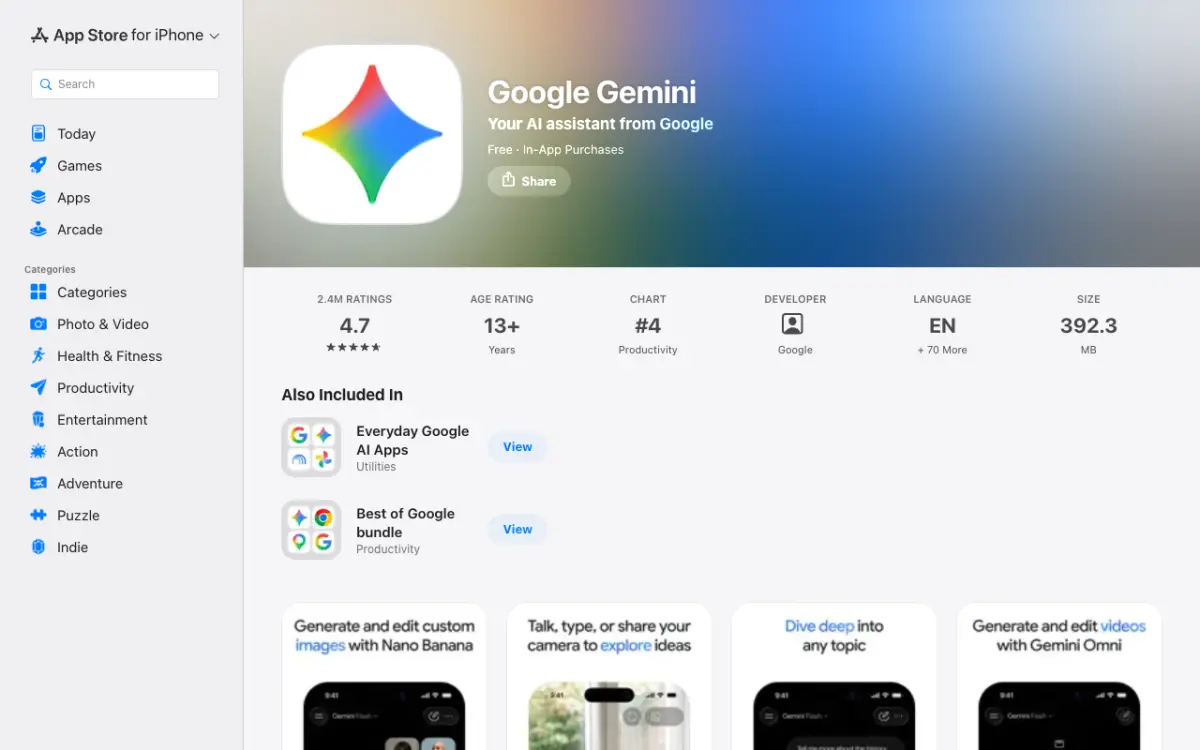 Gemini’s App Store listing advertises generating and editing videos with Gemini Omni.
Gemini is Google’s assistant app, and video generation is one feature inside it. The listing says Gemini Omni turns ideas into cinematic videos for Google AI Plus, Pro, Ultra and Workspace users.
That makes it the odd one here: you don’t download a video app, you upgrade an assistant. On Google’s subscriptions page (checked November 2026), AI Plus is $4.99 a month, AI Pro is $19.99 and AI Ultra starts at $99.99.
The page doesn’t list video generation under the free plan.
On quality, Gemini Omni 1.2 Flash sits first on Arena’s text-to-video board in our video model leaderboard, though that row is marked preliminary. The board ranks the model, not this app.
Pros
- Video sits next to chat, photos and Lyria 3 soundtracks in one app
- The most-reviewed app here: 2.4M ratings on the App Store
- Gemini Omni 1.2 Flash makes 3 to 15 second clips with native audio, per the Gemini API figures in our leaderboard post
Cons
- Video needs a paid Google AI plan
- Google publishes no daily video limit on the subscriptions page, only compute-based usage limits
Best for: People who already use Gemini and want video without a second app. Platforms: iPhone and Android. Pricing: AI Plus $4.99/month, AI Pro $19.99/month (checked November 2026).
2. Kling AI
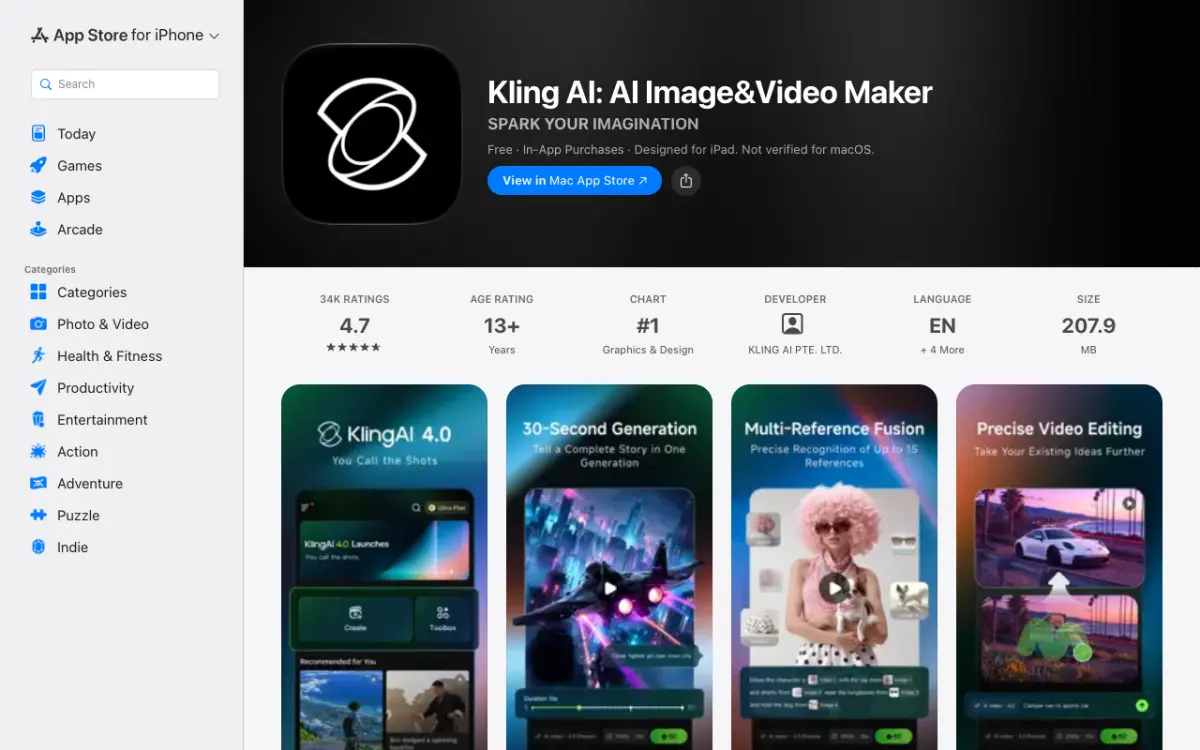 Kling’s App Store screenshots advertise Kling 4.0 and 30-second generation.
Kling AI is a generator from KLING AI PTE. LTD., and its store listing gives the most specific video numbers of any app here. It says you can generate up to 15 seconds in native 1080p or 4K, then use Video Extension to reach 3 minutes.
The App Store screenshots go further and show Kling 4.0 with 30-second generation. That is marketing on the listing, and the description text still says 15 seconds, so check what your plan unlocks.
It is also well reviewed: 4.7 across 33,530 App Store ratings and 10M+ installs on Google Play. We couldn’t load Kling’s membership page for a price, and third-party price lists disagreed with each other.
Pros
- Clip length, resolution and extension are spelled out in the listing
- A community feed with one-tap “Clone and try”
- On both stores, with iPad support
Cons
- Plan prices weren’t readable on Kling’s own page
- Listing text and screenshots quote different clip lengths
Best for: Creators who want long clips and the Kling model family. Platforms: iPhone, iPad and Android. Pricing: Free to install. We couldn’t verify plan prices (November 2026).
3. PixVerse
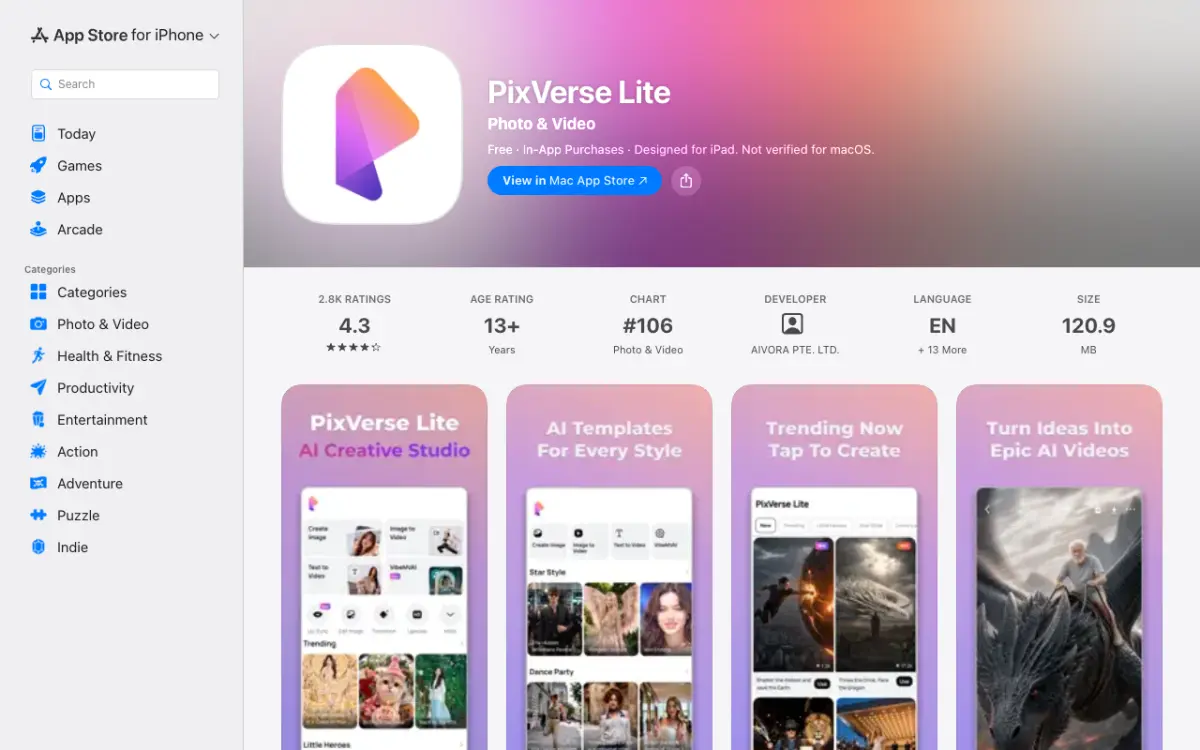 PixVerse Lite on the App Store, listed by AIVORA PTE. LTD., with templates and image-to-video.
PixVerse is the busiest app here for effects. The Android listing covers text-to-video, image-to-video, templates, motion control, first-to-last-frame transitions, video extension, lip-sync and a sound effect generator.
The Android app is called PixVerse and has 50M+ installs. On iPhone the listing is “PixVerse Lite” from AIVORA PTE. LTD., whose App Store page links to app.pixverse.ai.
The iPhone description doesn’t mention the sound effect generator or music video tools that Android lists.
PixVerse says it runs its own V6 model and selected third-party ones, including Kling, Seedance 2.0 and Veo, with availability varying by feature, region and app version. We couldn’t read its pricing page, which returned an error.
Pros
- Templates, lip-sync, upscale to 4K and sound effects in one app
- Access to several third-party models, per the listing
- 4.4 on Google Play with 50M+ installs
Cons
- iPhone and Android listings differ in features and name
- Model availability varies by region and app version
Best for: Short social clips built from templates and effects. Platforms: iPhone and Android. Pricing: Free to install. We couldn’t verify plan prices (November 2026).
4. Hailuo AI
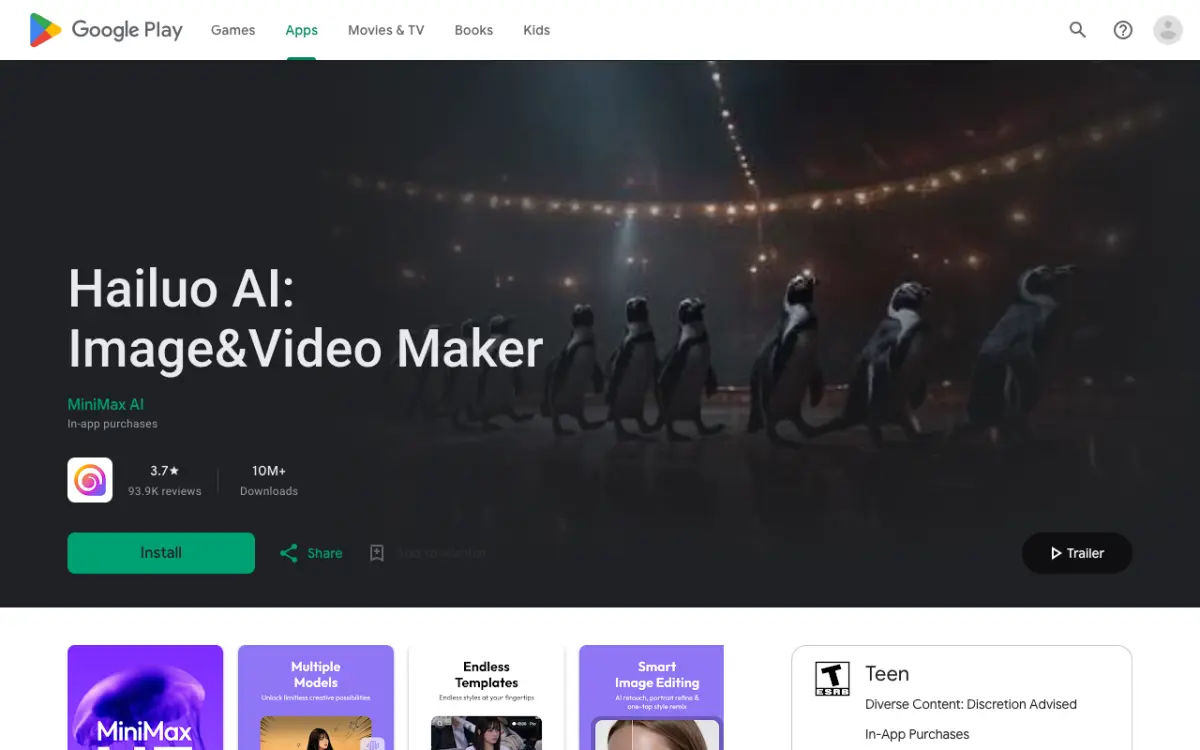 Hailuo AI on Google Play, published by MiniMax AI.
Hailuo AI is MiniMax’s app, and its official listing is on Google Play, titled “Hailuo AI: Image&Video Maker”. It lists text-to-video, image-to-video and a subject reference feature for keeping a character consistent across scenes.
We couldn’t find it on the US App Store. A lookup of the Hailuo app ID returned nothing, and a store search showed only look-alikes from unrelated developers.
Hailuo has warned about fake apps, so check that the publisher reads MiniMax AI.
Google Play shows 10M+ downloads and a 3.7 rating from 93.9K reviews.
The listing doesn’t give clip length or resolution, and we couldn’t read a price.
Pros
- Official MiniMax app with 10M+ Android installs
- Subject reference for consistent characters
- Free to install, with the in-app purchases listed on Google Play
Cons
- Android only, as far as we could find
- Clip length, sound and resolution aren’t stated on the listing
- Impostor apps exist
Best for: Android users who want MiniMax’s model. Platforms: Android. We couldn’t find an iPhone version. Pricing: Free to install. We couldn’t verify plan prices (November 2026).
5. Runway
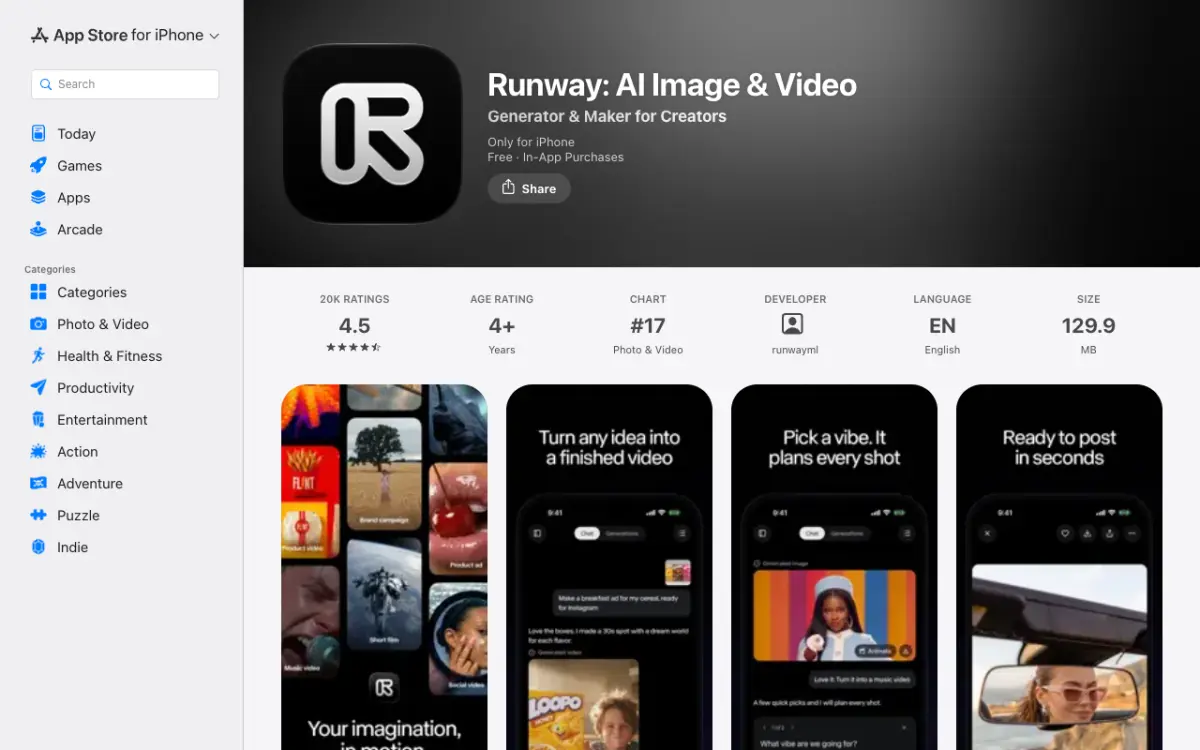 Runway’s App Store listing, which is marked “Only for iPhone”.
Runway is the model aggregator of the group. Its Google Play listing says the app carries Seedance 2.5, Kling 3 Pro, Gen-4.5 and image models in one place, plus a Runway Agent that plans and assembles a whole video from a chat.
The pricing page (checked November 2026) shows a free plan with a one-time 125 credits. Standard is $12 a month billed annually or $15 monthly for 625 credits.
Pro is $28 annually or $35 monthly for 2,250 credits. The page shows dollars but doesn’t name the region.
Pros
- Several third-party models in one app
- Agent builds a finished video from a conversation
- Free to start with a one-time credit grant
Cons
- App Store lists it as iPhone only, with no iPad version
- Clip length and sound aren’t stated on the store pages
- Credit costs per clip aren’t on the store pages
Best for: People who want to try several models without separate subscriptions. Platforms: iPhone and Android. Pricing: Standard $12/month billed annually, $15 monthly (checked November 2026).
6. Grok
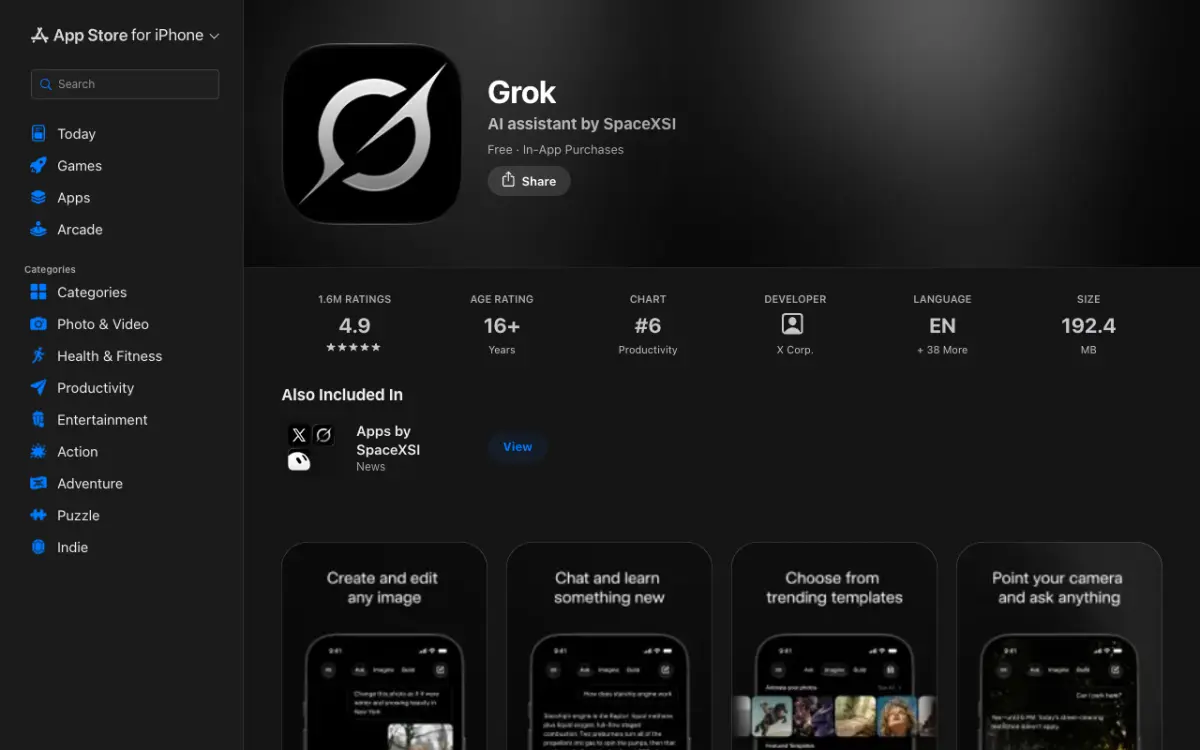 Grok’s App Store listing, with Imagine and animate-your-photos templates on show.
Grok is a chat assistant with video generation under Grok Imagine. The listing says you can create short videos with sound or turn your photos into dynamic videos.
It is by far the most installed app here: 100M+ on Google Play and 1.6M ratings at 4.9 on the App Store.
Sources we found disagreed on whether video needs a paid plan, and we couldn’t read xAI’s own pricing page, so we won’t state which plan unlocks it. See our Grok Imagine 1.5 review for the model details.
Pros
- Sound is part of the pitch for short clips
- Biggest user base of any app on this list
- Photo-to-video on both stores
Cons
- Clip length and resolution aren’t on the store pages
- We couldn’t confirm which plan includes video
Best for: People already chatting with Grok who want quick clips with sound. Platforms: iPhone, iPad and Android. Pricing: Free to install. We couldn’t verify plan prices (November 2026).
7. Dreamina
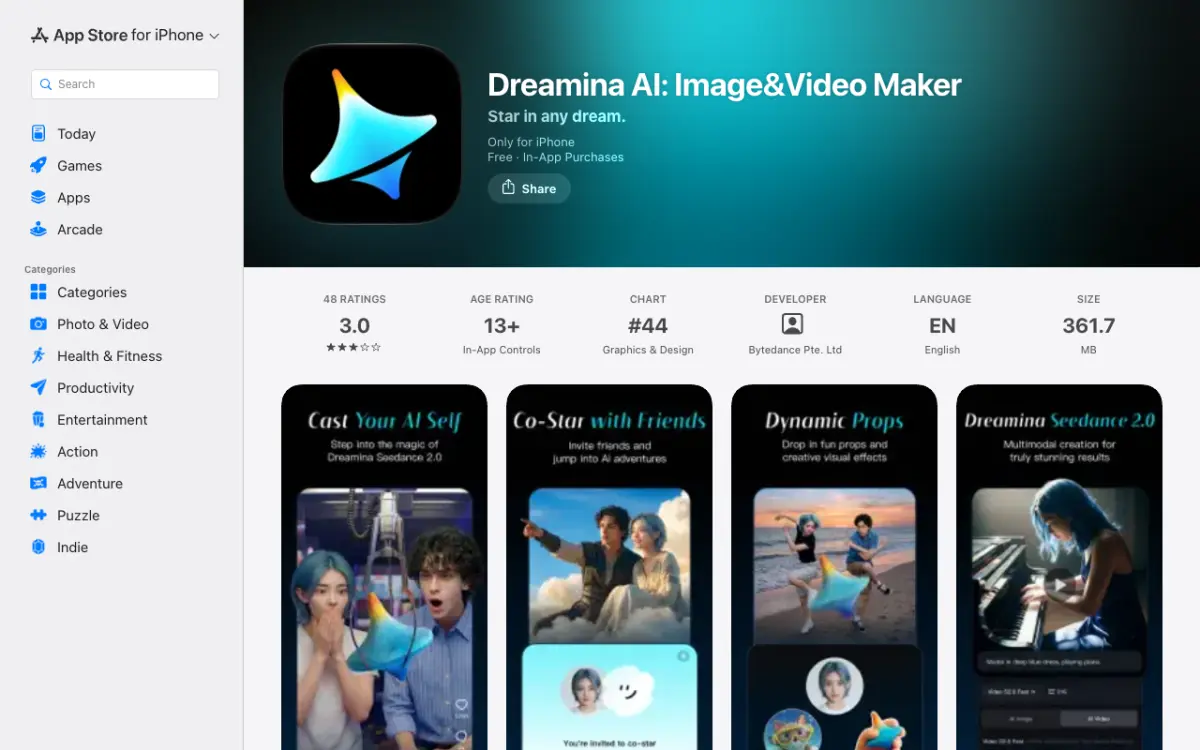 Dreamina’s App Store screenshots promote Seedance 2.0.
Dreamina is ByteDance’s creative app and the one with the lowest ratings here. The listing says you can turn words or images into video, and the App Store screenshots promote Seedance 2.0.
The App Store page shows 3.0 from just 48 ratings. Google Play has 5M+ installs and a 2.9 rating.
The listing doesn’t state clip length or sound, and we couldn’t read a plan price.
Pros
- ByteDance’s Seedance 2.0 shown in the iPhone screenshots
- Image and poster tools alongside video
- 5M+ installs on Android
Cons
- Lowest ratings in this list on both stores (3.0 App Store, 2.9 Google Play)
- Clip length, resolution and sound aren’t stated
Best for: Seedance fans who want it on a phone. Platforms: iPhone and Android. Pricing: Free to install. We couldn’t verify plan prices (November 2026).
How to choose a mobile AI video app
Pick by what you already pay for and what you need the clip to do.
- You use Gemini daily: add the Google AI plan rather than a new app.
- You need the longest clip: start with Kling’s listing, which states 15 seconds at 1080p and extension to 3 minutes.
- You want one app for several models: Runway lists the widest set of third-party models.
- You are on Android only: Hailuo is the option we couldn’t find on the US App Store.
- Free is your constraint: read our free mobile AI video generator guide before paying.
For a spec-by-spec look at the models behind these apps, see video AI models compared and the leaderboard.
A note on Vidwip
Vidwip isn’t in this list because it has no iPhone or Android app. It runs in a browser, and its AI Video Generator puts 16 video models on one timeline.