
The best Pika alternatives for short social clips: Vidwip AI Video Generator for 1 to 30 second shots on 16 models in 9:16, 16:9 or 1:1; Higgsfield and PixVerse for one-tap effects; Hailuo and PixVerse for free credits; Luma for a public per-second price list. Pika's own effects now live in a separate iOS app.
Pika made its name on short, shareable AI clips and one-tap effects like Melt and Squish. The 7 Pika alternatives below cover the same job in 2026: quick social clips, effects and templates, a usable free tier and a fair cost per clip.
Pika itself has changed. In September 2026 it relaunched as a multi-model platform, with Seedance 2.5, Wan 3.0 and MiniMax H3 under its own Pika 2.5, and Pikaffects moved to a separate iOS app.
So if you came for the effects, or you want more free credits than Pika’s free plan gives (none a month), it’s worth looking around. Every price below was checked on the vendor’s own site on October 18, 2026.
Sora isn’t on the list. OpenAI closed the app on April 26, 2026 and ended the API on September 24, 2026; our Sora alternatives post covers the shutdown.
Quick picks: the best Pika alternatives at a glance
- Vidwip AI Video Generator: 1 to 30 second shots on 16 models, in 9:16, 16:9 or 1:1, each one landing on a timeline. Plans start at $25 a month.
- Kling AI: Kling 4.0 with native 30-second generation, plus a one-click Effects tool, from $10 a month.
- Hailuo AI: template rows like PetPal and ASMR, and 80 free credits at sign-up.
- PixVerse: the deepest template library, plus 30 free credits every day.
- Higgsfield: the biggest named effects library, from $9 a month.
- Luma Dream Machine: a public per-second price for every model, from about $0.06 on Ray3.14.
- Runway: Gen-4.5, Kling 3.0 and Seedance 2.5 on one plan, with 125 free credits to start.
What to look for in a Pika alternative for social clips
Four things decide whether a tool works for short-form. You can check all four before you pay.
Effects and templates. Pika’s hook was effects you apply in one tap. Higgsfield, PixVerse, Kling and Hailuo all ship a preset library; Luma and Runway don’t.
Clip length and frame. A Reel or TikTok wants 9:16, and most social cuts use clips under 15 seconds. Check that the model you like makes vertical, and how long a single take can run.
Free tier. “Free” ranges from no credits at all (Pika) to a daily top-up (PixVerse). The useful number is how many real clips the free credits buy.
Cost per clip. Credits hide the price. Every rate below is converted to dollars for a 5-second clip at the plan’s own monthly rate.
1. Vidwip AI Video Generator
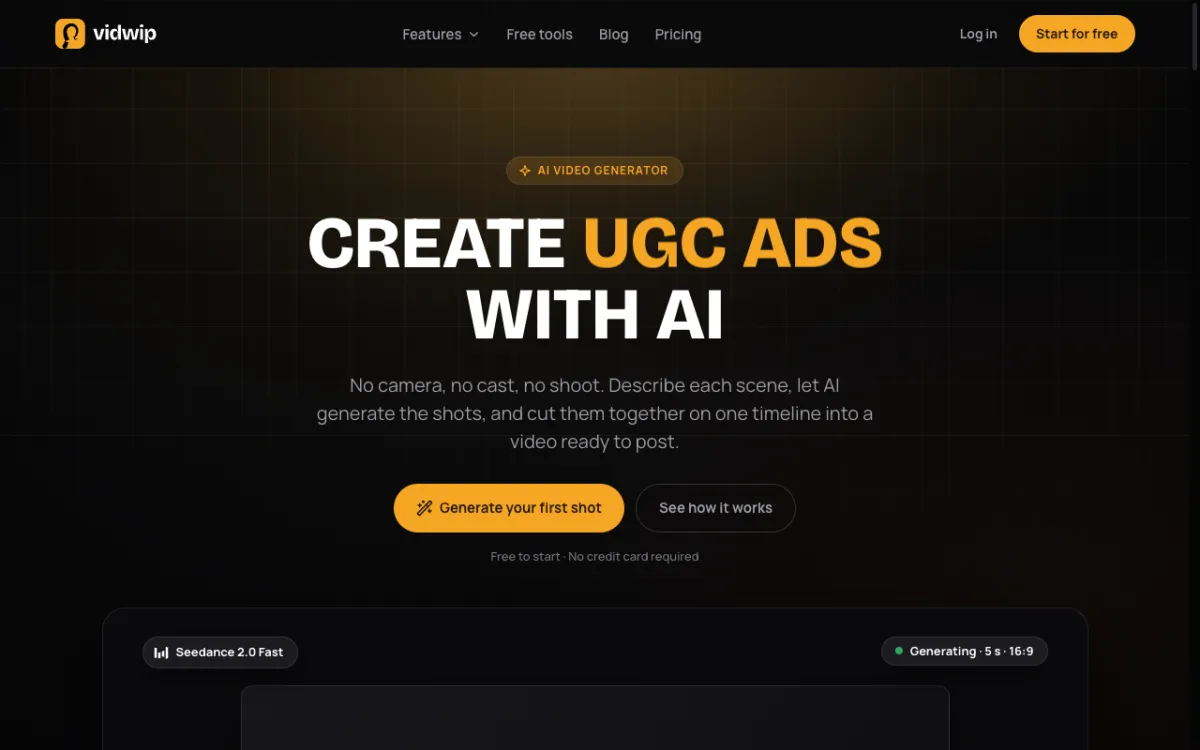 Vidwip AI Video Generator: 16 video models behind one prompt box, every shot on your timeline.
Vidwip AI Video Generator is a multi-model AI video generator for short shots of 1 to 30 seconds. You pick 1 of 16 models, a length and an aspect ratio, and the shot drops onto your edit with its sound.
That’s the gap it fills against Pika. Pika’s Video Studio makes the clip; in Vidwip the clip lands in the AI Studio timeline, where you trim it, sequence it and add word-timed subtitles before you post.
For social formats, 15 of the 16 models make 9:16, and 12 make 1:1. Lengths run from 1 second on Grok Imagine 1.5 to 30 seconds on Seedance 2.5 and Wan 3.0.
Sound comes with the picture on 14 of the 16 models. Veo 3.1 makes lip-synced speech; Hailuo 2.3 and Hailuo 3 Max are silent.
The picker shows each shot’s credit cost before you generate.
Pros
- 16 models in one picker, including Kling 3.0 Pro, Kling 3.0 Standard, Kling O1, Veo 3.1, Seedance 2.5, Hailuo 3 and Wan 3.0
- Shots from 1 to 30 seconds, in 9:16, 16:9, 1:1 and more
- Sound on 14 of 16 models, generated with the picture
- Every shot lands on a timeline, ready to cut with captions
- Credit cost shown per shot before you generate
Cons
- No preset effects or template library; you direct each shot in the prompt
- Edits export at up to 1080p, with no 4K
- Runs Kling 3.0 and O1, not Kling 4.0
- One shot per run, with no batch of variations
Best for: Creators who want to test several models on the same short-form shot and cut the result into a finished vertical video in one tab.
Pricing: AI video needs a paid plan. Starter: $25/month for 2,500 credits. Pro: $99/month for 10,000 credits. Enterprise: custom (vidwip.com/pricing).
2. Kling AI
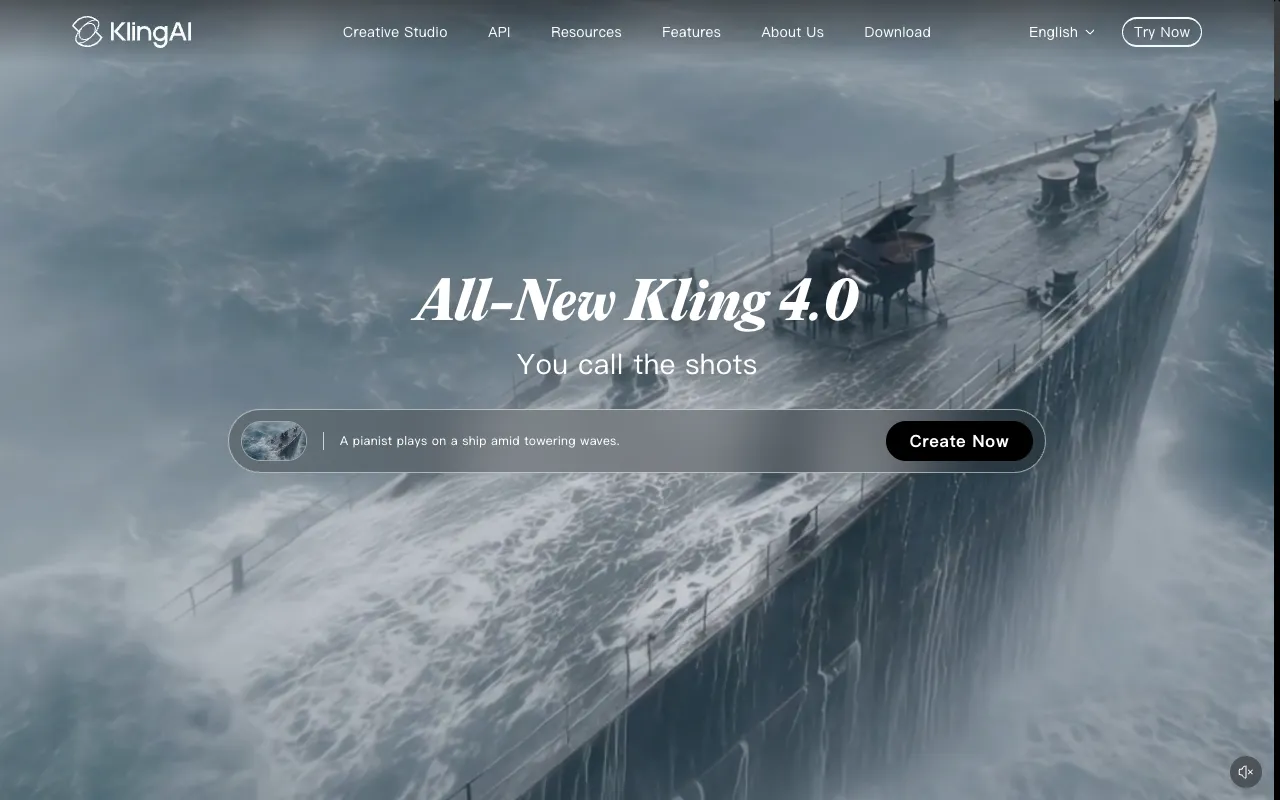 Kling AI: Kuaishou’s own studio, now on Kling 4.0.
Kling AI is the Pika alternative with the newest flagship model. Kling 4.0 is live, and Kling’s plan page lists “native 30s-generation,” multiple keyframes and Omni reference for it.
For social clips, Kling’s app has an Effects tool billed as “One-Click Viral Effects.” It sits beside Motion Control, Lip Sync, AI Portraits and Video to Audio, which adds sound effects to a clip.
Paid plans remove the brand watermark, allow commercial use and open 1080p and 4K generation. Standard lists at $10 a month for 660 credits, and Pro at $37 for 3,000.
Kling doesn’t show a per-clip price to a signed-out visitor. As a reference point, Kling 3.0 on Luma is 40 credits a second with sound, about $0.60 for 5 seconds on Luma Plus.
Pros
- Kling 4.0 with native 30-second generation
- One-click Effects, Lip Sync and Video to Audio in the same app
- Watermark removal and commercial use from the $10 Standard plan
- 1080p and 4K generation on paid plans
Cons
- The plan page lists daily free credits for subscribers but no free-plan allowance
- Per-clip credit costs aren’t visible before you sign in
- Promotions make the real price hard to read: Pro lists at $37, but shows $25.99 for the first month and $32.56 after
Best for: Creators who want Kling 4.0’s motion and a built-in effects tool from the model’s own maker.
Pricing: Standard: $10/month for 660 credits. Pro: $37/month for 3,000 credits. Premier: $207/month for 18,000 credits. Ultra+: $619/month for 57,000 credits (kling.ai membership plans, monthly list prices, checked October 2026).
3. Hailuo AI
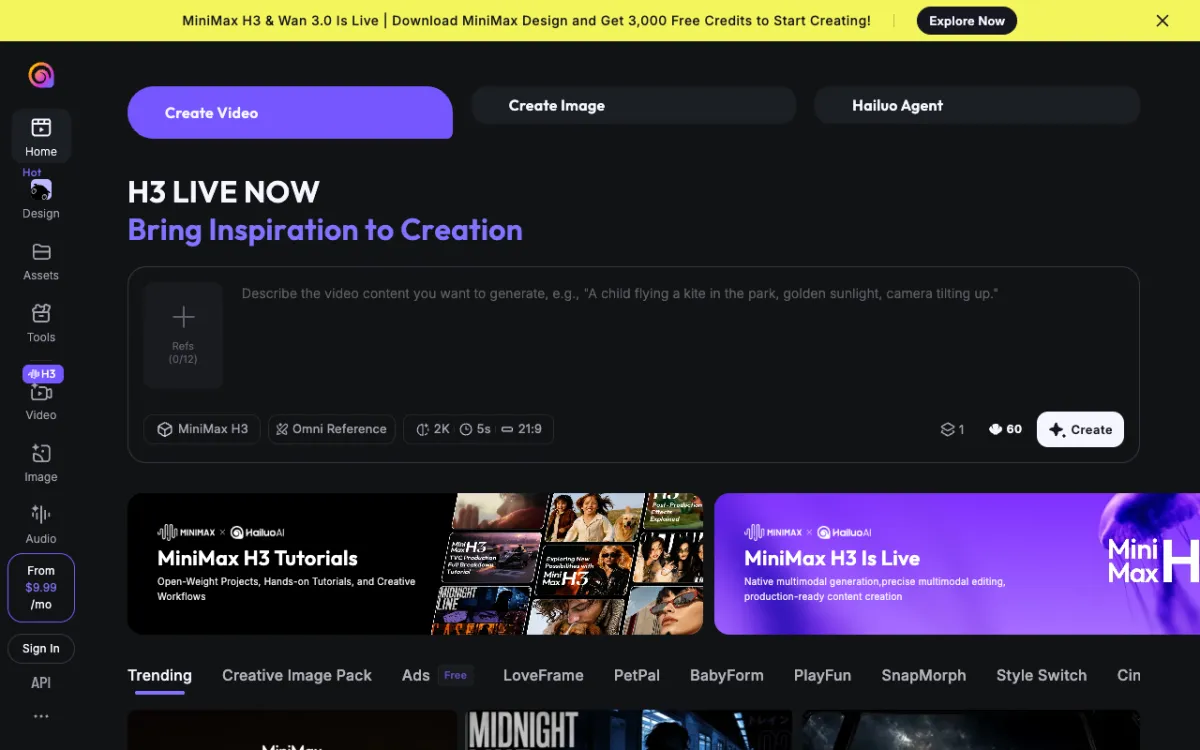 Hailuo AI: MiniMax H3 at 2K, with template rows from LoveFrame to ASMR.
Hailuo AI is MiniMax’s own studio, and the Pika alternative closest to Pika’s old template feel. Under the prompt box sit rows of ready-made templates: Trending, Ads, LoveFrame, PetPal, BabyForm, PlayFun, SnapMorph, Style Switch, CineScope and ASMR.
The flagship model is MiniMax H3, which runs 5 to 15 seconds at up to 2K. The create page quotes 60 credits for a 5-second 2K clip and takes up to 12 reference images.
New users get 80 free credits at sign-up, enough for one 5-second 2K clip. A banner also offers 3,000 free credits for downloading the MiniMax Design app.
Pros
- Template rows built for social trends, including pets, babies and ASMR
- MiniMax H3 at up to 2K, with sound
- 80 free credits at sign-up, plus a 3,000-credit app offer
- Up to 12 reference images per clip
Cons
- Only the starting price is public; the full plan list needs a sign-in
- H3 tops out at 15 seconds a clip
- 80 sign-up credits cover a single 2K clip
Best for: Trend-driven social clips where a template does most of the work, and close-ups that need 2K.
Pricing: From $9.99/month. Free: 80 credits at sign-up (hailuoai.video, checked October 2026). On Luma Plus, MiniMax H3 is 28 credits a second at 768p with sound, about $0.42 for 5 seconds.
4. PixVerse
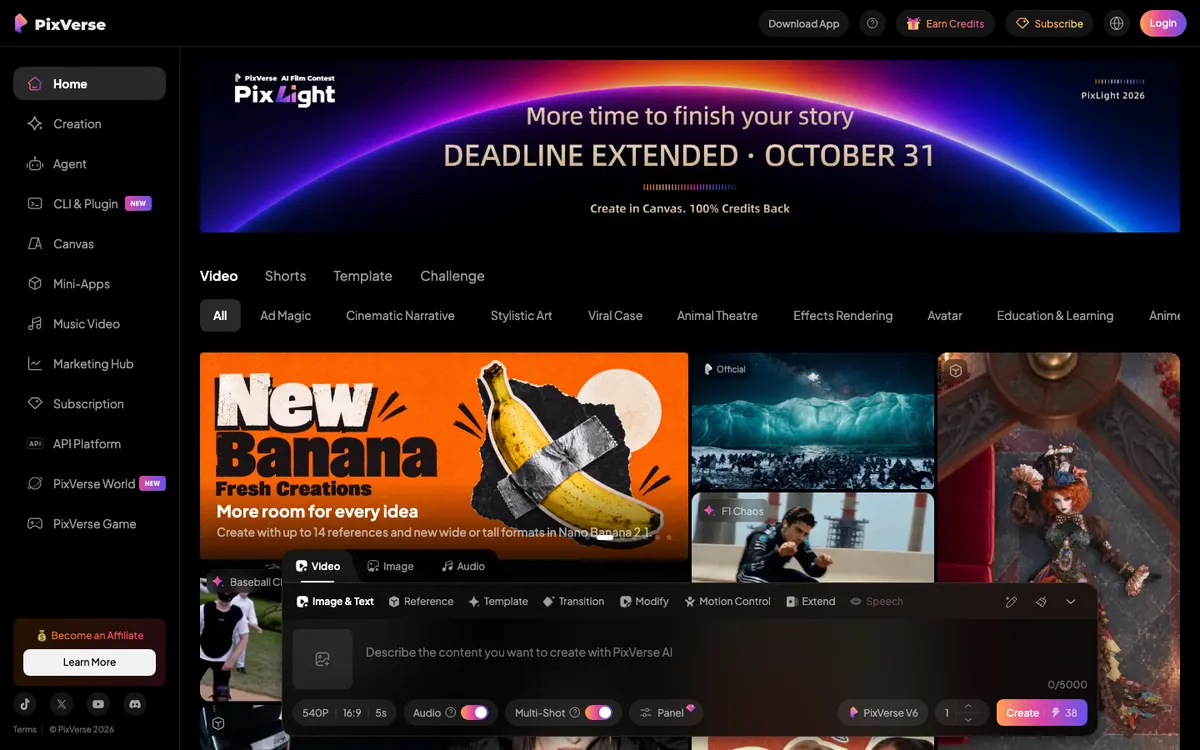 PixVerse: template categories from Ad Magic to Effects Rendering, with PixVerse V6 at 38 credits a clip.
PixVerse is the Pika alternative with the deepest template library and the most generous free tier. Its feed sorts templates into Ad Magic, Cinematic Narrative, Stylistic Art, Viral Case, Animal Theatre, Effects Rendering and more.
The create bar adds Template, Transition, Modify, Motion Control and Extend modes. Its own PixVerse V6 model makes 1080p video with native audio, and a Multi-Shot switch sits right in the prompt bar.
The free Basic plan gives 60 credits at sign-up and 30 every day, capped at 540p. A 5-second 540p V6 clip with audio is 38 credits, so the daily top-up alone falls just short of one clip, and daily credits expire at midnight UTC.
Paid plans are good value. Standard is $10 a month for 1,200 credits plus 60 a day, which works out to about $0.32 for a 5-second V6 clip.
Pros
- The broadest template and effects library among these tools
- 30 free credits every day, on top of 60 at sign-up
- Transition and Multi-Shot modes for social cuts
- Seedance 2.5, MiniMax H3, Wan 3.0 and Kling O3 on Pro and up
- A mobile app alongside the web studio
Cons
- Free output is capped at 540p, and watermark-free is listed as a paid benefit
- Standard tops out at 720p; 4K starts on Pro
- Third-party video models such as Seedance 2.5 and Kling O3 need Pro ($30/month) or higher
Best for: Daily social posting on a small budget, where templates and transitions carry the clip.
Pricing: Basic: free with 60 sign-up credits and 30 daily, up to 540p. Standard: $10/month ($8 yearly) for 1,200 credits, up to 720p. Pro: $30/month ($24 yearly) for 6,000 credits, up to 4K. Premium: $60/month ($48 yearly) for 15,000 credits. Ultra: $249/month ($149 yearly) for 25,000 credits (app.pixverse.ai/subscribe, checked October 2026).
5. Higgsfield
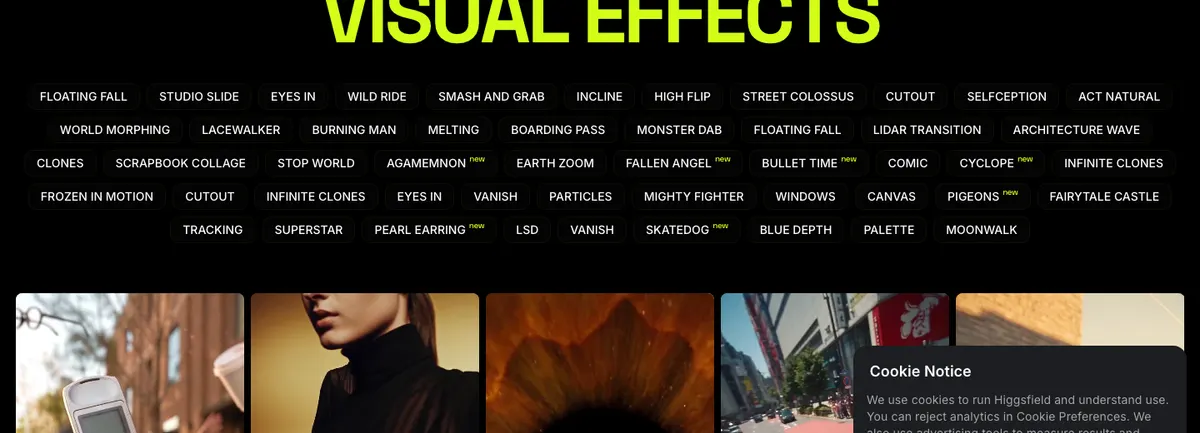 Higgsfield: a Visual Effects library of named presets, many free to try.
Higgsfield is the Pika alternative for effects. Its Visual Effects page lists dozens of named presets, from Bullet Time, Earth Zoom and Melting to Infinite Clones and Moonwalk, and many carry a “Try for free” button.
That makes it the closest match to what Pikaffects used to do on the web. You pick the effect, add your image and get a stylized clip, with no prompt-writing.
Beyond effects, Higgsfield runs Kling 3.0, the Seedance family and Nano Banana for images. Basic is $9 a month for 120 credits, and a Kling 3.0 clip of 8 seconds at 720p costs about 14 credits, or about $1.05 on Basic.
Pro, at $29 a month for 600 credits, adds a 7-day unlimited window on Kling 3.0 and Nano Banana 2. That brings the per-clip cost down to about $0.68 outside the unlimited window.
Pros
- The largest named effects library here
- Many effects free to try
- Kling 3.0 and Seedance models in the same account
- Unlimited windows on selected models from Pro
Cons
- No free plan on the pricing page
- Basic’s 120 credits buy about 8 Kling 3.0 clips a month
- Basic is limited to Seedance 2.0 Fast and 2.0 Mini, and selected models
- Unlimited models only work on higgsfield.ai, not its API or Canvas
Best for: Effects-first content like transitions, morphs and stylized hooks, where the preset is the idea.
Pricing: Basic: $9/month for 120 credits. Pro: $29/month ($23 yearly) for 600 credits. Max: $79/month ($59 yearly). Teams from $65 per seat (higgsfield.ai/pricing, checked October 2026).
6. Luma Dream Machine
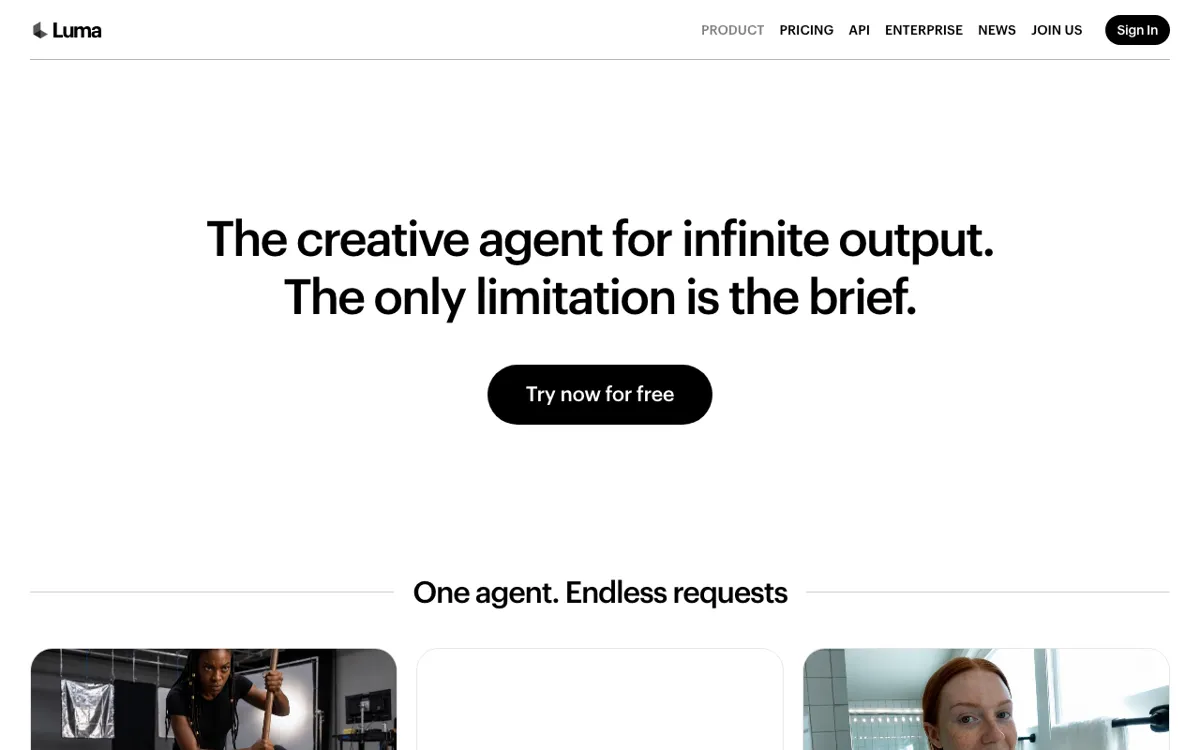 Luma: its own Ray models beside Kling 3.0, Veo 3.1, Seedance 2.5 and MiniMax H3.
Luma Dream Machine is the Pika alternative with the clearest price list. Every model has a public per-second rate, with and without audio.
Luma’s own Ray3.14 is the cheap draft pass at 20 credits a second at 720p, about $0.30 for a 5-second silent clip on Plus. Kling 3.0 with sound is 40 credits a second, about $0.60 for 5 seconds.
It doesn’t have an effects or template library. Luma now sells itself as “the creative agent for infinite output,” so you work by brief rather than by preset.
Pros
- Public per-second rates for every model, with and without audio
- Ray3.14 at about $0.06 a second, without sound
- Kling 3.0, Veo 3.1, Seedance 2.5 and MiniMax H3 on one plan
- Commercial use from the Plus plan
Cons
- No free plan on the pricing page
- No effects or template library
- The cheapest plan is $30 a month
Best for: Creators who test many short drafts and want to know the exact cost of each one before generating.
Pricing: Plus: $30/month ($25 yearly) for 10,000 credits. Pro: $90/month ($75 yearly) for 40,000 credits. Ultra: $300/month ($250 yearly) for 150,000 credits (lumalabs.ai/pricing, checked October 2026).
7. Runway
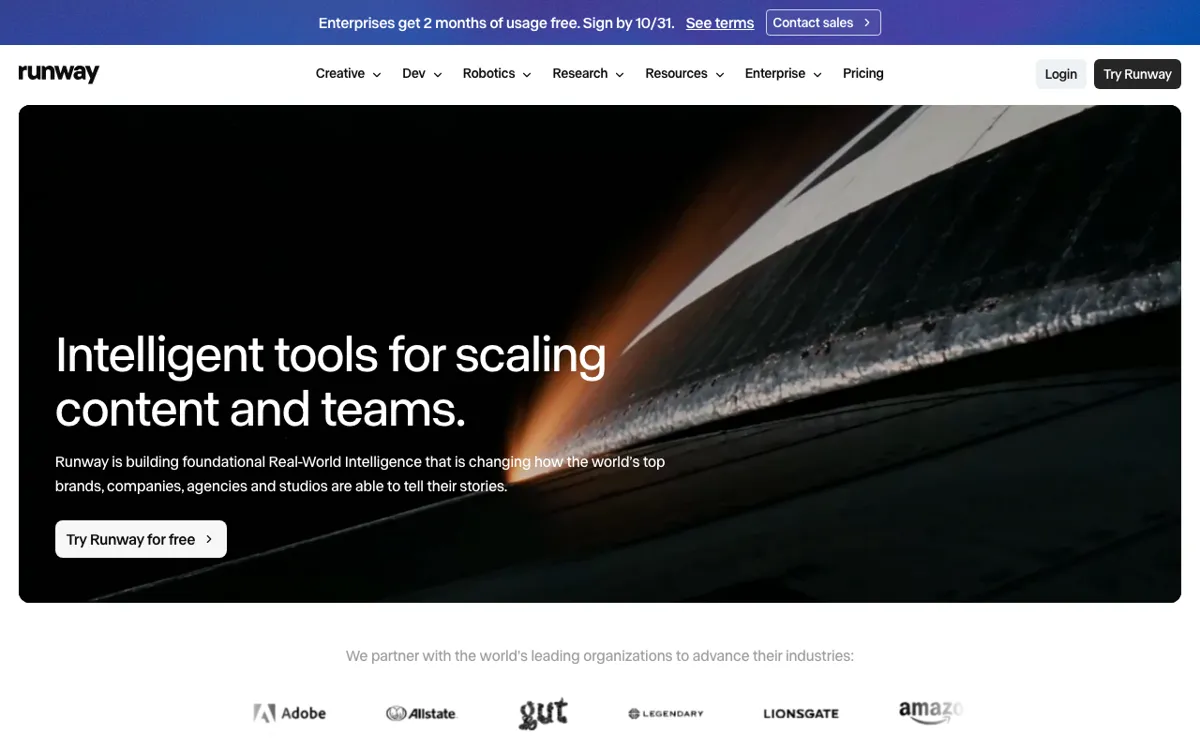 Runway: Gen-4.5 beside Kling 3.0 and Seedance 2.5, with mobile apps.
Runway is the Pika alternative for teams that want one professional plan. Standard opens Gen-4.5, Kling 3.0 and Nano Banana Pro, with no watermarks and five generations at once.
Runway states its credits in seconds of footage. Standard’s 625 credits buy 52 seconds of Gen-4.5, about $1.44 per 5-second clip, or 104 seconds of Gen-4 Turbo, about $0.72.
There’s no effects library. What Runway adds instead is music, voice and sound effects generation, 4K upscaling, and iOS and Android apps.
Pros
- Gen-4.5, Kling 3.0 and more on one plan, with Seedance 2.5 unlimited on Pro
- Credits stated in seconds, so the cost is clear up front
- 125 free credits to start
- No watermarks on paid plans, plus iOS and Android apps
Cons
- The most expensive Gen-4.5 clip here: about $1.44 for 5 seconds on Standard
- Free credits are one-time, not monthly
- No effects or template library
Best for: Teams who want short clips and longer brand work on the same plan, with audio tools included.
Pricing: Free: 125 one-time credits. Standard: $15/month ($12 yearly) for 625 credits. Pro: $35/month ($28 yearly) for 2,250 credits. Max: $95/month ($76 yearly) for 9,500 credits (runwayml.com/pricing, checked October 2026).
For a deeper look at Runway’s plans, see our Runway alternatives comparison.
Pika alternatives compared
| Tool | Effects and templates | Longest clip | Free tier | Cost per 5-second clip | Entry price |
|---|---|---|---|---|---|
| Pika (baseline) | Pikaffects in a separate iOS app; community templates | 30 s multi-shot in Video Studio | No monthly credits | ~$0.37 (Wan 3.0, 720p, Starter) | $10/mo |
| Vidwip AI Video Generator | None; subtitles and edits on the timeline | 30 s (Seedance 2.5, Wan 3.0) | Paid plans only | Shown per shot before you generate | Starter $25/mo |
| Kling AI | One-click Effects | 30 s (Kling 4.0) | Not listed on plan page | ~$0.60 (Kling 3.0 with audio, via Luma Plus) | $10/mo |
| Hailuo AI | Template rows (PetPal, ASMR and more) | 15 s (MiniMax H3) | 80 sign-up credits | 60 credits (H3, 2K) | From $9.99/mo |
| PixVerse | Template library, Transition mode | Not published | 60 sign-up + 30 daily, 540p | ~$0.32 (V6, 540p, Standard) | $10/mo |
| Higgsfield | Visual Effects library | Per model | Free effect tries only | ~$1.05 per 8 s (Kling 3.0, Basic) | $9/mo |
| Luma Dream Machine | None | Per model | None on pricing page | ~$0.30 (Ray3.14, silent, Plus) | $30/mo |
| Runway | None | Per model | 125 one-time credits | ~$0.72 (Gen-4 Turbo), ~$1.44 (Gen-4.5) | $15/mo |
Cost per clip is the plan’s monthly price divided by its credits, times the published credit cost. Prices were checked on each vendor’s site on October 18, 2026.
How to choose the right Pika alternative
You miss Pika’s one-tap effects. Go to Higgsfield for the biggest preset library, or PixVerse for templates plus a daily free top-up. Pikaffects itself still runs in Pika’s iOS app.
You post every day on a free budget. PixVerse’s 30 daily credits and Hailuo’s 80 sign-up credits stretch furthest. Runway’s 125 credits are one-time.
You want to test several models on the same shot. Vidwip AI Video Generator runs 16 models on one balance, and our Kling AI alternatives post compares the models themselves.
You need the lowest cost per draft. Luma’s Ray3.14 is about $0.06 a second, without sound. With audio, a 5-second 540p PixVerse V6 clip is about $0.32 on Standard.
You need a finished vertical video, not a folder of clips. In Vidwip every shot lands on the AI Studio timeline, where you add captions and export at 1080p. For ad formats, AI UGC builds on the same shots.
For more on the models behind these tools, see our Google Veo alternatives and Higgsfield alternatives comparisons.
Pika is still a fine place to make a quick clip. The case for a Pika alternative is specific: more effects (Higgsfield, PixVerse), more free credits (PixVerse, Hailuo), a cheaper draft (Luma) or a finished edit (Vidwip).
If you want the shot and the cut in one place, start at app.vidwip.com. Plans start at $25 a month, and the 16-model picker shows each shot’s cost before you generate.